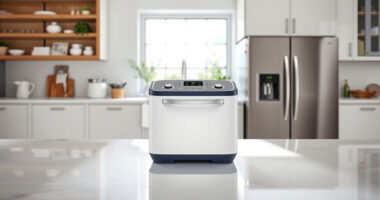
Choosing a baby monitor with WiFi is really a choice about where you need access to the nursery. A WiFi model can stream to a phone when you are away from home, while a non-WiFi model generally pairs a nursery camera with a dedicated parent unit that stays within range. That difference shapes privacy, reliability, cost, and everyday convenience.

Turn the school run and nap time into listening time
- Thousands of audiobooks, podcasts and originals
- Listen on your phone, tablet or Echo — also offline
- Cancel anytime

VTech VM901 Smart Wi-Fi Baby Monitor with 1080p Camera and 5-Inch Screen
- ✔ Camera resolution: 1080p
- ✔ Parent unit screen: 5-inch HD
- ✔ Camera controls: Pan, tilt, and up to 10x zoom

Blemil 5.5-Inch Smart Wi-Fi Baby Monitor with Camera
- ✔ Display: 5.5-inch IPS
- ✔ Video resolution: 1296p and 720p
- ✔ Connectivity: 2.4 GHz Wi-Fi

1080p Wi-Fi Baby Monitor with Camera, Audio, and 4-Inch Screen
- ✔ Camera video: 720p; supports up to 1080p display
- ✔ Screen: 4-inch IPS
- ✔ Camera movement: 340° pan; 68° lens angle
WiFi is the stronger fit for parents who need remote viewing, want to share access with a caregiver, or value app features such as recordings and motion alerts. A non-WiFi monitor is usually the more straightforward choice for watching from another room without depending on a router, account, or internet connection. Neither type guarantees uninterrupted monitoring, so check power backup, connection range, security settings, and alert behavior before buying.
At a Glance
| Criteria | WiFi baby monitor | Non-WiFi baby monitor | Winner |
|---|---|---|---|
| Access away from home | Often available through an app and internet connection | Usually limited to the dedicated parent unit’s local range | A |
| Reliability | Depends on camera, router, internet, and power | Local link avoids dependence on home internet | B |
| Privacy and setup | Requires account and network security setup | Usually pairs directly with its parent unit | B |
| Alerts and extra features | Often offers motion, sound, temperature, or recording features | Typically focuses on sound, video, and basic alerts | A |
| Ease of everyday use | Convenient for phone users; app and network setup required | Ready-to-use dedicated screen; fewer connected settings | Depends |
| Cost and value | Often costs more, especially with subscriptions | Often lower ongoing cost; fewer premium features | B |
VTech VM901 Smart Wi-Fi Baby Monitor with 1080p Camera and 5-Inch Screen
The VTech VM901 is the most balanced choice in this group because it gives families two practical ways to check the nursery: a dedicated 5-inch parent unit at home and the MyVTech Baby app for remote viewing. Its 1080p camera video and pan, tilt, and up to 10x zoom controls make it more flexible for checking different parts of a room than the 4-inch model, whose listed camera video is 720p. Compared with Blemil, VTech specifies a slightly smaller screen and lacks the listed motion tracking and MicroSD or cloud storage options.At home, the direct camera-to-parent-unit connection has a stated range of up to 1,000 feet, so caregivers do not have to depend on the phone app for routine viewing. The app adds value when a caregiver is away and can be shared with multiple users. Movement and temperature alerts, automatic night vision, and two-way talk round out a useful everyday set. The tradeoff is that remote app monitoring requires an internet signal, while the stated parent-unit range is still a limit when moving around a large property. Choose it for a clear, flexible balance; look to Blemil if storage and motion tracking matter more.
Pros:
- 1080p camera video with automatic night vision
- 5-inch parent unit plus MyVTech Baby app access
- Pan, tilt, and up to 10x zoom from the app or parent unit
- Movement and nursery temperature alerts, two-way talk, and multi-user app access
Cons:
- Remote app monitoring requires an internet signal
- Parent-unit range is specified up to 1,000 feet
- No MicroSD or cloud storage option is listed in the supplied specifications
Best for: Families who want a dedicated parent screen for home use and app access that can be shared with other caregivers.
Not ideal for: Buyers who prioritize the largest screen, motion tracking, or specified local and cloud recording options.
Bottom line: For a dependable mix of dedicated-screen convenience, detailed camera controls, and remote app access, the VM901 is our strongest all-around fit.
“For a dependable mix of dedicated-screen convenience, detailed camera controls, and remote app access, the VM901 is our strongest all-around fit.”
Blemil 5.5-Inch Smart Wi-Fi Baby Monitor with Camera
Blemil stands out when a bigger parent display and more involved camera behavior are higher priorities. Its 5.5-inch IPS screen is the largest among these three, and the camera’s pan, tilt, and automatic motion tracking can help keep an active baby in view without constant manual adjustments. By comparison, VTech offers up to 10x zoom but does not list tracking, while the 4-inch monitor has basic pan and tilt and a smaller display.The model also offers the most explicit storage flexibility in this lineup: MicroSD and encrypted cloud storage. That gives buyers a choice of local or cloud-based recording, although the supplied details do not specify card capacity, cloud terms, or whether a subscription is needed. Its 5,000 mAh parent-unit battery is rated for up to 22 hours in ECO mode, a longer stated figure than the 4-inch model’s up to 14 hours; because the modes and usage conditions differ, those figures are not directly equivalent. All the same, families should treat ECO runtime as a mode-specific estimate. The camera itself needs corded electric power, and Wi-Fi pairing is limited to 2.4 GHz. Pick Blemil for screen, tracking, and recording options; VTech is a simpler fit if those extras are not central.
Pros:
- Largest listed parent display at 5.5 inches
- Camera supports pan, tilt, and automatic motion tracking
- MicroSD and encrypted cloud storage are supported
- Parent unit is rated for up to 22 hours in ECO mode
Cons:
- Camera requires corded electric power
- Wi-Fi pairing supports only 2.4 GHz networks
- Cloud terms and MicroSD capacity are not specified in the supplied details
Best for: Caregivers who want a larger parent display, automatic camera tracking, and a choice of local or cloud storage.
Not ideal for: Buyers whose router does not support 2.4 GHz Wi-Fi or who need a cordless camera or clearly specified recording terms.
Bottom line: Blemil is the feature-forward pick for families who will use its larger display, tracking camera, and storage options.
“Blemil is the feature-forward pick for families who will use its larger display, tracking camera, and storage options.”
1080p Wi-Fi Baby Monitor with Camera, Audio, and 4-Inch Screen
This 4-inch model makes a strong case for families who want both a parent display and smartphone viewing alongside everyday monitoring tools. It includes pan and tilt, no-glow auto-IR night vision, cry and motion detection, two-way audio, lullabies, temperature monitoring, and a feeding reminder. That breadth is useful if a household wants more than a basic video feed. Against VTech, it has a smaller screen and a lower listed camera resolution; against Blemil, it omits motion tracking and storage options.One specification needs a careful read: the product title refers to 1080p, but the supplied camera specification says 720p video and support for up to a 1080p display. Buyers seeking native 1080p camera detail should favor VTech, which explicitly lists a 1080p camera, or consider Blemil’s stated 1296p and 720p modes. The included display is rated for up to 14 hours, though the camera base must remain plugged in. Wi-Fi is limited to 2.4 GHz, and an included stand is not specified, so placement may take extra planning. This is the sensible feature-rich option if its resolution tradeoff fits your needs.
Pros:
- Included 4-inch display and iOS or Android app viewing
- Pan and tilt with no-glow auto-IR night vision
- Cry and motion alerts, two-way audio, lullabies, and temperature monitoring
- Display battery rated for up to 14 hours
Cons:
- Camera video is listed as 720p, despite 1080p display support
- Wi-Fi supports only 2.4 GHz
- Camera base requires power; stand is not included in the supplied details
Best for: Families seeking a two-way viewing setup with alerts, audio features, and temperature monitoring in one system.
Not ideal for: Buyers who want explicitly specified 1080p camera video, a larger parent screen, included stand, or recording storage.
Bottom line: Choose this model for a broad set of monitoring features and dual viewing options when 720p camera video and the smaller screen are acceptable.
“Choose this model for a broad set of monitoring features and dual viewing options when 720p camera video and the smaller screen are acceptable.”
As an Amazon Associate we earn from qualifying purchases.
Key Differences
The defining advantage of WiFi is reach. If a parent is at work, traveling, or in a part of the home beyond a dedicated monitor’s range, an internet-connected camera can provide access through a phone. That is useful only when the camera, home internet, and phone connection are working, and remote access is configured securely. A local monitor gives up that reach but can keep working when the home internet is down.
The other tradeoff is complexity. WiFi models may add useful alerts, cloud storage, or multiple-user access, but those features vary by model and may require a subscription. They also introduce app accounts, software updates, and network settings. A dedicated monitor tends to have a narrower job and fewer steps. For most families who only need to check the baby from nearby rooms, that simplicity and lower ongoing cost make non-WiFi a sensible value. Pay extra for WiFi when remote access or specific app features solve a real need.
Detailed Comparison
Access away from home (WiFi baby monitor wins — major)
WiFi wins by a major margin when remote viewing matters: an app can show the camera feed wherever the phone has internet access. A typical non-WiFi monitor is limited to its parent unit’s local range, so it cannot offer the same away-from-home check-in. If a caregiver needs access from another location, WiFi is the practical choice; if monitoring stays within the home, the advantage may go unused.
Reliability (Non-WiFi baby monitor wins — moderate)
Non-WiFi has a moderate advantage for households that want monitoring independent of internet service. Its local connection can avoid router or broadband outages, though walls, distance, interference, battery life, and power still matter. WiFi adds those network dependencies, so a feed or alert can fail if the router or internet is unavailable. Look for connection-loss alerts and backup power whichever type you choose.
Privacy and setup (Non-WiFi baby monitor wins — moderate)
Non-WiFi wins by a moderate margin for simpler setup and fewer online account dependencies. It commonly pairs with a dedicated parent unit. WiFi models need network access and often an app account; secure passwords, updates, and careful sharing settings matter. A well-configured WiFi monitor can still suit privacy-conscious parents, but it asks them to manage more settings. Check how each model stores video and who can view it.
Alerts and extra features (WiFi baby monitor wins — moderate)
WiFi usually wins by a moderate margin for feature breadth. Depending on the model, an app may offer motion or sound alerts, temperature readings, multiple camera access, or video history. These functions differ widely, and recording or advanced services may cost extra. A basic local monitor may provide sound activation and a clear live feed without the same app tools. Choose WiFi for a feature you will use, rather than assuming every connected model includes it.
Ease of everyday use (minor difference)
This is a close call. A dedicated non-WiFi parent screen is convenient to keep nearby and does not require opening a phone app. WiFi is easier for parents who already use their phones for household devices and want one less screen to carry. The gap is minor and depends on habit: consider who will monitor the baby, whether they need a dedicated display, and how easily they can handle app setup and notifications.
Cost and value (Non-WiFi baby monitor wins — moderate)
Non-WiFi is usually the better value for local monitoring, a moderate difference when WiFi features go unused. WiFi models can cost more upfront, and some add subscription fees for storage or advanced tools. The extra spend makes sense for families who need remote access or a specific paid feature. Compare the full cost over the period you plan to use it, including any recurring charge, rather than judging by camera price alone.
WiFi baby monitor: Pros and Cons
Pros:
- Remote phone access can work beyond the home’s local monitor range
- Some models offer flexible app alerts, multiple users, or video history
- Can suit families who travel or coordinate care across locations
Cons:
- Depends on power and a functioning home network for remote viewing
- Requires account, app, and secure network settings
- Some storage or advanced features may require a subscription
Non-WiFi baby monitor: Pros and Cons
Pros:
- Local monitoring can continue without home internet
- Often pairs with a dedicated parent screen and needs fewer account settings
- Usually costs less and avoids subscription costs for app services
Cons:
- Typically cannot stream to a parent who is away from home
- Range can be limited by distance, walls, or interference
- May offer fewer app-based alerts and recording features
Who Should Choose What
Choose WiFi baby monitor if:
- You need to check the nursery while away from home or outside the monitor’s local range.
- Several caregivers need access from different locations.
- You will use particular app alerts, multiple-camera controls, or recording features enough to justify any added cost.
Choose Non-WiFi baby monitor if:
- You mainly monitor from nearby rooms and want a dedicated screen.
- You prefer a local connection that does not rely on home internet.
- Keeping the purchase and ongoing costs low matters more than remote access or app features.
Skip both if: Neither suits your setup if you need dependable monitoring during frequent power cuts without a backup plan; compare models with suitable battery backup and consider how you will monitor during outages.
Value for Money
For a household that watches from nearby rooms, a non-WiFi monitor is generally the better value: it covers the core job without paying for remote access or features that may sit unused. WiFi is worth paying more for when access beyond the home is a regular need, or when a specific alert or shared-access feature improves how caregivers coordinate. Check subscription charges before deciding, since a low initial price can become less attractive when cloud storage or advanced services are billed monthly.
Final Verdict
Choose a non-WiFi baby monitor if you mainly need a dependable local feed and want a simpler setup with fewer ongoing costs. It is the better default for many families monitoring from home. Choose WiFi if remote viewing is a real requirement or you will use its app features often enough to justify the network setup and any subscription. The deciding factor is reach: pay for WiFi when you need access beyond the dedicated monitor’s local range; otherwise, the simpler local monitor is the clearer value.
Frequently Asked Questions
Can a WiFi baby monitor work without internet?
Some models provide local viewing when internet service is unavailable, while others rely on an internet connection for app access. The camera may still need the router or a functioning local network. Check the model’s outage behavior and whether it alerts you when the connection drops.
Is a WiFi baby monitor less private?
It introduces an online account and network access, which creates more settings to manage. Use a unique password, install updates, limit shared access, and check whether video is stored locally or in the cloud. A non-WiFi model avoids those account steps but still requires sensible physical security and careful placement.
Is WiFi worth paying extra for?
It is worth the added cost if you need to view the nursery away from home or rely on a particular app feature. For routine checks from inside the house, a dedicated local monitor often provides better value. Include possible subscription fees in the comparison.
Which type is better when the home internet goes down?
A non-WiFi monitor is generally the safer choice for local viewing during an internet outage because it uses a direct local connection. WiFi behavior varies: some cameras keep a local feed, while others lose app access. Neither type can monitor during a power outage unless the relevant equipment has backup power.