TL;DR
A baby monitor with WiFi uses a camera or other sensors to send audio and video to an app, often allowing remote viewing when both the monitor and phone have internet access. Compare what works locally with what needs the internet or a subscription, then check privacy protections, alert behavior, night vision, outage options, and safe placement. Movement or breathing features do not replace safe-sleep practices or pediatric guidance.
At 2 a.m., your baby stirs and the monitor screen glows beside your bed. A quick glance can feel reassuring, but a frozen app or a flurry of false motion alerts can make the same device a source of stress.

Turn the school run and nap time into listening time
- Thousands of audiobooks, podcasts and originals
- Listen on your phone, tablet or Echo — also offline
- Cancel anytime
A baby monitor with WiFi can send video and audio to your phone, sometimes even when you are away from home. This guide explains what that connection does, what may stop working during an outage, and how to compare privacy, picture quality, alerts, and cost before you choose.
You will also find practical checks for safe placement and a clear distinction between everyday monitoring features and health-related claims. If a product tracks movement or breathing, treat it as a consumer feature and ask your pediatrician about medical concerns.
Check which functions work locally and which require internet, an app, or cloud service.
Test alert delivery and background noise sensitivity in the room where you will use the camera.
Compare night vision, crib coverage, storage terms, subscription fees, and outage behavior.
Use a unique account password, enable two-factor authentication if offered, and review shared access.
Keep devices and cords out of reach, check age guidance and CPSC recalls, and follow pediatric advice for health concerns.
See what a Wi-Fi monitor can do from your phone
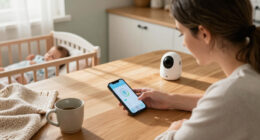
A baby monitor with WiFi uses a camera or other sensors to send audio and video through a home network to an app on your phone, tablet, or computer. If the model supports remote viewing, and both ends have internet access, you can check in from outside the house. The exact features depend on the product.
For example, you might be in the backyard while your baby naps upstairs and open the app to see the crib. Some monitors also let you to send audio back through two-way talk, so you can speak from the app. Others add sound or motion alerts, night vision, or saved clips.
Think of the connection like a chain: the camera, router, internet service, app, and phone each play a part. A break in one link can affect remote access. Some models include a dedicated parent unit or local viewing mode, which may work without internet, but its range is usually limited to the home.
Before buying, write down what you need to work during an ordinary evening and what you would want during a service outage. A parent who only wants a screen by the bed may prefer a simple local unit. A caregiver who travels between rooms or homes may value app access, provided the connection is dependable.
Products Worth Considering

LEGO Harry Potter Hogwarts Castle and Grounds Building Set (76419)

LEGO Creator Expert Gingerbread House Building Kit, 1,477 Pieces

Graco Shiloh 5-in-1 Convertible Crib & Changer with Drawer (Driftwood)
As an affiliate, we earn on qualifying purchases.
Compare the features that matter after bedtime
The best baby monitor with WiFi is the one whose everyday functions match your routine, not the one with the longest feature list. Check whether it gives a clear view in dim light, sends useful alerts, and keeps working in the way you expect if your internet drops. Those details matter when the room is dark and you are half asleep.
| Feature | What to check | Example at home |
|---|---|---|
| Video and night vision | Crib coverage, low-light clarity, camera angle, and zoom | Can you see the full sleep space without moving the camera? |
| Audio and alerts | Two-way talk, sound sensitivity, motion settings, and app background behavior | Will a quiet rustle trigger repeated notifications? |
| Battery backup, local mode, or a separate parent unit | What can you still see if the router loses power? | |
| Storage and fees | Local clips, cloud history, subscription limits, and retention time | Does live view work without paying for recordings? |
Headline resolution alone does not tell you whether the image will be useful. A wide view that captures the whole crib can be more helpful than a sharper picture that crops out the edge. Likewise, a sensitive microphone may catch every floorboard creak and turn a quiet night into a stream of alerts.
Imagine a family whose baby sleeps in a room with a fan. They may need adjustable sound sensitivity so the steady hum does not generate constant notifications. Compare the settings in the app and check whether the manufacturer explains which features need a paid plan.
Protect the camera feed with a few simple checks
A connected camera needs basic account and network protection because its video can reveal intimate moments at home. Before relying on a baby monitor with WiFi, check for two-factor authentication, secure connections, regular software updates, and clear settings for recordings and shared access. A strong, unique password matters too.
For example, if both parents and a grandparent use the app, review exactly who can view the camera and remove access when it is no longer needed. Avoid reusing an email password for the monitor account. Keep your home Wi-Fi router protected with its own strong password and current software, following the router maker’s guidance.
Storage deserves a close look. One model may save clips to a memory card, while another uploads them to cloud storage and keeps them for a set period. Some offer live viewing for free but charge for longer video history or advanced alerts. Read the product’s current privacy policy and plan details; practices and features can change.
It helps to ask a specific question before you buy: what happens to a recording after it is saved? Look for an explanation of how long clips remain available, who can access them, and how to delete them. If those answers are hard to find, that is useful information when comparing options.
Test alerts and outages before you count on them
A Wi-Fi monitor’s alerts can help you notice sounds or movement, but a notification is only useful if it arrives reliably and means something to you. Test the app while it sits in the background, adjust sensitivity, and learn which functions depend on internet, power, or a subscription. No app alert should become your only way to check on a child.
- Set it up in the intended room. Check the live image from the place where you usually keep your phone or parent unit.
- Try the alerts. Make a small sound in the room, then check how quickly the phone responds and whether ordinary background noise causes extra alerts.
- Read the outage notes. Find out whether a local parent unit or mode remains available when the router or internet goes down.
- Review power needs. Check whether the camera must stay plugged in and whether any battery backup applies to the camera, parent unit, or both.
Picture a stormy evening: the router restarts, the app goes offline, and the camera has no battery. A separate parent unit might still connect locally if the model supports it; cloud viewing generally needs internet. Checking this ahead of time is less stressful than learning it during a nap.
Internet bandwidth use varies with video quality, how long you watch, and whether the camera uploads clips. If several people stream high-quality video at once, your home connection may feel the extra load. Check the manufacturer’s estimate and test performance during your household’s normal internet use.
Place the camera where you can see without adding a hazard
Place the camera to show the sleep space while keeping the device and its cords securely out of a child’s reach and away from the crib. Follow the manufacturer’s placement instructions and recheck the setup as your child grows and can reach more of the room. A clear image is useful only when the camera and cable are positioned safely.
For instance, a caregiver might mount the camera according to its instructions so the view covers the crib, then route and secure the cord well away from the crib and other reachable areas. Do not leave loose monitor equipment where a child can pull or tangle it. Check the setup again if you move furniture or change the sleep space.
Choose the angle for the job. A camera aimed too close may show a tiny patch of bedding, while one pointed too widely may make it hard to see the whole crib in low light. Night vision can help, but check the actual view in the room after dark instead of judging it from a bright showroom image.
Child products can vary in features and age guidance. Check age-appropriateness and look for CPSC recall notices for the specific product before use, especially if you are buying secondhand. The CPSC’s recall database is a useful place to check the brand and model; also follow the manufacturer’s setup and safety instructions.
Treat movement and breathing features as limited signals
Movement or breathing features on a consumer monitor are not a diagnosis and cannot replace safe-sleep practices or pediatric guidance. These products can miss an event or produce a false alert, and a reassuring reading does not guarantee that a baby is safe. Ask a qualified clinician about health concerns rather than relying on an app or sensor.
These features vary: a product may use a camera, wearable sensor, or other sensors to estimate movement or related signals. An alert may be useful as a prompt to check the device and the situation, but it is not proof of a medical problem. A missed alert also cannot rule one out.
Consider a parent who sees a movement notification after adjusting the crib setup. The sensible response is to follow the product instructions and their pediatrician’s advice, not to treat a consumer reading as a medical assessment. If a monitor creates anxiety or repeated false alarms, discuss that experience with a clinician.
For infant sleep and feeding questions, follow your pediatrician’s guidance and recognized safe-sleep recommendations. A monitor can show or transmit information, but it does not take the place of an adult’s care or professional medical advice. Features that sound medical deserve careful questions about what they measure and what their limitations are.
Frequently Asked Questions
Can I watch a Wi-Fi baby monitor when I am away from home?
Usually, if the monitor supports remote viewing and both the camera and your phone have internet access. Check whether the feature works through the standard app or requires a subscription. A local parent unit may not work once you leave its range.
Will a Wi-Fi baby monitor work without internet?
It depends on the model. Some have a local viewing mode or separate parent unit that can work without internet, while remote app access generally needs it. Check the outage instructions before you buy.
Do I need to pay a subscription?
Not always. Live viewing may be included, while cloud recordings, longer clip histories, or advanced alerts may cost extra. Check which features remain available without a paid plan.
Can someone else access the camera?
Unauthorized access is a risk with connected cameras. Use a unique password, turn on two-factor authentication if offered, install software updates, and review who has account access. Remove old shared accounts you no longer use.
Are baby monitors that track breathing or movement reliable?
Consumer monitors can produce false or missed alerts, so they should not be treated as medical devices or used to prevent sudden infant death. Follow safe-sleep practices and ask your pediatrician about medical concerns. Read the product’s stated limitations carefully.
Conclusion
Choose a monitor by asking one practical question: what will still work when something goes wrong? Compare the local connection, phone app, power needs, alert behavior, storage fees, and privacy protections before you bring it into your home.
Then place it safely, test it in the dark, and treat health-related readings as limited signals. The most useful monitor is the one that fits your routine without turning every quiet night into a chorus of pings.