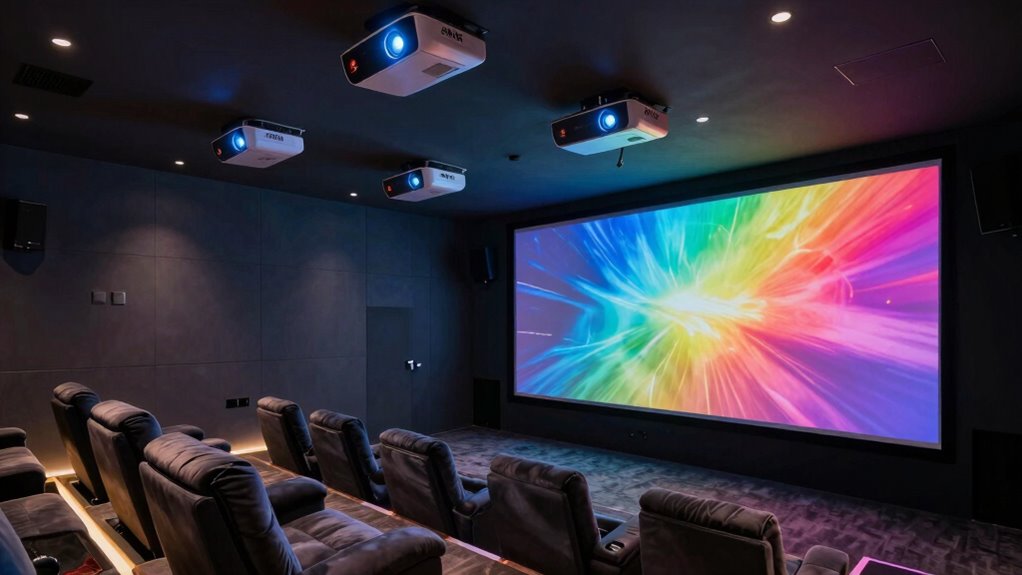

A 4K home theater projector can mean native 4K, pixel-shifted 4K, or a 1080p projector that accepts a 4K signal, and those distinctions shape what you see on a large screen. My best overall pick is the Epson Home Cinema 3800 for its 3LCD image approach and flexible home theater fit; the Optoma UHZ36 stands out for laser projection, while the ViewSonic PX701-4K offers a more gaming-friendly feature mix. The tradeoffs include resolution detail, room brightness, setup flexibility, built-in streaming, and whether a model’s 4K label describes its displayed resolution or just supported input. I compare those differences below so you can match a projector to your room and viewing habits. Read on for the full breakdown and buying advice.

Turn the school run and nap time into listening time
- Thousands of audiobooks, podcasts and originals
- Listen on your phone, tablet or Echo — also offline
- Cancel anytime
Complete the kit


Key Takeaways
4K support does not always mean 4K image resolution. The TOPTRO A2, WiMiUS P62 Pro, WIMIUS K14, VOPLLS G7, AuKing, X9 Pro, VIDAA Smart Projector, and Pemoon are listed as native 1080p models with 4K decoding or support.
The Epson Home Cinema 3800 and 2350 use 4K PRO-UHD processing. Their 3LCD design separates them from DLP and single-chip laser options in this lineup, while their feature sets and smart functions differ.
The Optoma UHZ36 and XGIMI HORIZON 20 represent the laser-focused choices. The Optoma is positioned around home theater projection, while XGIMI pairs 4K RGB triple laser with a home projector format.
Built-in smart features are common among the 1080p picks. VIDAA, Google TV, and other app features can simplify playback, but buyers should check which apps and streaming formats they need before relying on a projector as their only streaming device.
Room fit matters as much as the resolution label. Throw distance, screen size, ambient light, placement, and sound plans can rule out an otherwise appealing projector before image specs do.
| ViewSonic PX701-4K UHD DLP Projector |  | Best for Bright-Room Gaming | Resolution: 3840 × 2160 (4K UHD) | Brightness: 3,200 ANSI lumens | Projection technology: DLP | VIEW ON AMAZON | See Our Full Breakdown |
| TOPTRO A2 Smart Projector with VIDAA, Native 1080p, 4K Decoding, Dolby Audio, Wi-Fi 6 and Bluetooth |  | Best for Built-In Streaming | Resolution: Native 1080p; supports 4K decoding | Brightness: 650 ANSI | Operating system: VIDAA Smart OS | VIEW ON AMAZON | See Our Full Breakdown |
| WiMiUS P62 Pro Smart Outdoor Projector with Built-In Apps |  | Best for Easy Outdoor Setup | Native resolution: 1080p | 4K support: Decodes 4K content; displays at native 1080p | Brightness: 600 ANSI lumens | VIEW ON AMAZON | See Our Full Breakdown |
| Epson Home Cinema 3800 4K PRO-UHD 3-Chip 3LCD Projector with HDR |  | Best for Flexible Home Theater Installation | Projection technology: 3-chip 3LCD with pixel-shifting 4K PRO-UHD processing | Brightness: 3,000 lumens (color and white) | Contrast ratio: Up to 100,000:1 | VIEW ON AMAZON | See Our Full Breakdown |
| Optoma UHZ36 4K UHD Laser HDR Home Theater Projector |  | Best Laser Pick for Movie Purists | Resolution: 4K UHD | Light source: Laser | HDR: Supported | VIEW ON AMAZON | See Our Full Breakdown |
| WIMIUS K14 Smart Projector, Native 1080p with 4K Decoding, VIDAA, Dolby Audio, Wi-Fi 6, and Auto Setup |  | Best for Easy Setup | Resolution: Native 1080p; 4K decoding | Brightness: 1,450 ISO ANSI lumens | Operating system: VIDAA Smart OS | VIEW ON AMAZON | See Our Full Breakdown |
| Epson Home Cinema 2350 4K PRO-UHD Smart Streaming Projector with Android TV |  | Best for Bright Rooms | Resolution: 4K PRO-UHD with resolution enhancement | Brightness: 2,800 lumens, color and white | Display technology: 3-chip 3LCD | VIEW ON AMAZON | See Our Full Breakdown |
| XGIMI HORIZON 20 4K RGB Triple Laser Home Projector |  | Best Premium Native 4K | Native resolution: 3840 × 2160 | Light source: RGB triple laser | Brightness: 3,200 ISO lumens | VIEW ON AMAZON | See Our Full Breakdown |
| VOPLLS G7 4K Projector with Google TV, Wi-Fi, and Bluetooth |  | Best for Short-Throw Streaming | Resolution: 4K (native resolution not specified) | Smart platform: Licensed Google TV | HDR: HDR10+ | VIEW ON AMAZON | See Our Full Breakdown |
| AuKing 5000 ANSI Lumens Projector with TOF Autofocus, Dolby Audio, and 4K HDR Support |  | Best for Flexible Indoor and Outdoor Use | Resolution: Native 1080p; 4K HDR support | Brightness: 5,000 ANSI lumens (listed) | HDR: HDR10+ | VIEW ON AMAZON | See Our Full Breakdown |
| X9 Pro Smart Projector with VIDAA OS, 4K Decoding, Dolby Audio, Wi-Fi 6 and Auto Focus |  | Best for Easy Setup | Native resolution: 1080p | Video decoding: 4K | Brightness: 920 ISO ANSI lumens | VIEW ON AMAZON | See Our Full Breakdown |
| VIDAA Smart Projector with Native 1080p, 4K Decoding, Wi-Fi 6, and Bluetooth 5.4 |  | Best for Flexible Mounting | Native resolution: 1920 × 1080 | Maximum display resolution: 3840 × 2160 | Brightness: 550 ANSI lumens | VIEW ON AMAZON | See Our Full Breakdown |
| Pemoon Smart 1080p Projector with 4K Support, Google TV, Wi-Fi 6, Bluetooth 5.2, Auto Focus and Rotating Stand |  | Best for Room-to-Room Flexibility | Native resolution: 1080p | Supported decoding: 4K | Stated brightness: 3000 ANSI lumens | VIEW ON AMAZON | See Our Full Breakdown |
| 4k home theater projector | Brightness | HDR | Resolution |
|---|---|---|---|
| ViewSonic PX701-4K UHD DLP Pro | 3,200 ANSI lumens | — | 3840 × 2160 (4K UHD) |
| TOPTRO A2 Smart Projector with | 650 ANSI | HDR10 | Native 1080p; supports 4K decoding |
| WiMiUS P62 Pro Smart Outdoor P | 600 ANSI lumens | HDR10 | — |
| Epson Home Cinema 3800 4K PRO- | 3,000 lumens (color and white) | Full 10-bit HDR support | — |
| Optoma UHZ36 4K UHD Laser HDR | — | Supported | 4K UHD |
| WIMIUS K14 Smart Projector | 1,450 ISO ANSI lumens | — | Native 1080p; 4K decoding |
| Epson Home Cinema 2350 4K PRO- | 2,800 lumens, color and white | HDR10 and HLG | 4K PRO-UHD with resolution enhancement |
| XGIMI HORIZON 20 4K RGB Triple | 3,200 ISO lumens | — | — |
| VOPLLS G7 4K Projector with Go | — | HDR10+ | 4K (native resolution not specified) |
| AuKing 5000 ANSI Lumens Projec | 5,000 ANSI lumens (listed) | HDR10+ | Native 1080p; 4K HDR support |
| X9 Pro Smart Projector with VI | 920 ISO ANSI lumens | HDR10 | — |
| VIDAA Smart Projector with Nat | 550 ANSI lumens | — | — |
| Pemoon Smart 1080p Projector w | — | — | — |
More Details on Our Top Picks
ViewSonic PX701-4K UHD DLP Projector
The ViewSonic PX701-4K is the clearest fit here for buyers who want 4K UHD resolution and gaming responsiveness in one home theater projector. Its 3,200 ANSI lumens give it more headroom for rooms that cannot be fully darkened than the Epson Home Cinema 3800’s 3,000-lumen rating, while the ViewSonic’s 4.2ms input lag and up-to-240Hz refresh rate make fast games its specialty. Automatic keystone correction and four-corner adjustment also help when the projector cannot sit perfectly centered. The tradeoff is a 1.1x optical zoom and DLP imaging, which offer less placement flexibility than the Epson’s lens shift. I’d choose the ViewSonic for gaming and brighter rooms; movie-first buyers who value lens adjustment should compare the Epson instead.
Pros:- 4K UHD resolution with HDR and HLG support
- 3,200 ANSI lumens suit rooms that are not fully dark
- 4.2ms input lag and up-to-240Hz refresh rate target responsive gaming
- Automatic horizontal and vertical keystone correction with four-corner adjustment
Cons:- The 1.1x optical zoom limits placement flexibility compared with the Epson Home Cinema 3800’s lens shift
- DLP imaging may show rainbow artifacts to some viewers
- The supplied screen-size information varies between 150 and 300 inches
Best for: Console and PC gamers who want 4K UHD detail, low input lag, and a bright image in a room with some ambient light
Not ideal for: Movie-focused buyers who need broad lens placement adjustment or plan to build a dedicated theater around flexible installation
- Resolution:3840 × 2160 (4K UHD)
- Brightness:3,200 ANSI lumens
- Projection technology:DLP
- Refresh rate:Up to 240Hz
- Input lag:4.2ms
- HDR support:HDR/HLG
- Optical zoom:1.1x
- Connectivity:Dual HDMI, powered USB-A
Our verdict“Choose the ViewSonic PX701-4K if bright-room gaming matters more than the Epson 3800’s broader lens adjustment.”
TOPTRO A2 Smart Projector with VIDAA, Native 1080p, 4K Decoding, Dolby Audio, Wi-Fi 6 and Bluetooth
The TOPTRO A2 is the convenience pick for a living room where streaming access and simple placement matter more than true 4K projection. Its VIDAA Smart OS, AirPlay 2, and dual 18W Dolby Audio speakers provide a more self-contained setup than the ViewSonic PX701-4K, which is better equipped for high-resolution gaming. The A2 accepts 4K decoding, but its native resolution is 1080p; 4K-labeled sources therefore do not appear with the ViewSonic’s UHD detail. Its 650 ANSI brightness also makes a dim room a better match than a bright daytime space. A 1.0:1 throw ratio and rotating stand help with positioning, though the 200° stand cannot replace a dedicated lens shift for every installation. I’d pick it for easy streaming, with its resolution limits in mind.
Pros:- VIDAA Smart OS includes streaming apps and live TV channels
- AirPlay 2, Miracast, Wi-Fi 6, and Bluetooth 5.2 support flexible connections
- Dual 18W speakers with Dolby Audio reduce the need for separate speakers in casual setups
- 1.0:1 throw ratio and 200° rotating stand offer flexible placement
Cons:- Native 1080p resolution does not deliver the detail of the ViewSonic PX701-4K
- 650 ANSI brightness is best suited to dim viewing conditions
- Rotating stand does not provide the optical placement range of lens shift
Best for: Viewers who want built-in streaming apps, casting, and strong onboard audio for a dim living room or occasional outdoor movie night
Not ideal for: Buyers seeking true 4K image detail or a projector bright enough for a sunlit room
- Resolution:Native 1080p; supports 4K decoding
- Brightness:650 ANSI
- Operating system:VIDAA Smart OS
- HDR:HDR10
- Audio:Dual 18W speakers; Dolby Audio
- Throw ratio:1.0:1
- Wireless and casting:Wi-Fi 6, Bluetooth 5.2, AirPlay 2, Miracast
- Screen size and distance:100 inches from 2.2 m
Our verdict“Choose the TOPTRO A2 for built-in streaming and audio in a dim room, and choose the ViewSonic PX701-4K when UHD detail is the priority.”
WiMiUS P62 Pro Smart Outdoor Projector with Built-In Apps
The WiMiUS P62 Pro makes the most sense when outdoor placement and quick setup take priority over 4K-level image detail. Its autofocus, auto keystone correction, obstacle avoidance, and screen alignment reduce the adjustments needed when setting up in a yard or moving between rooms. Built-in apps and Wi-Fi 6 also make it easier to start streaming without adding a separate device. Compared with the TOPTRO A2, the P62 Pro supplies two HDMI ports and two USB ports, but its 600 ANSI brightness is modest and its native resolution is 1080p. It can decode 4K content, yet it displays that content at 1080p, so it is a weaker match for a dedicated 4K theater than the ViewSonic PX701-4K or Epson Home Cinema 3800. The missing carrying case also makes transport less tidy.
Pros:- Autofocus, automatic keystone correction, and obstacle avoidance simplify setup
- Built-in apps support streaming without a separate player
- Two HDMI and two USB ports provide several wired connection options
- Dual 10W speakers with Dolby audio support casual viewing without external speakers
Cons:- Native 1080p resolution does not match the UHD detail of the ViewSonic PX701-4K
- 600 ANSI lumens favor dark viewing conditions
- A carrying case is not included for transport
Best for: Families who want a flexible projector for occasional outdoor viewing and value automated setup over native 4K detail
Not ideal for: Dedicated home theater buyers who want native 4K resolution or need strong brightness for ambient-light viewing
- Native resolution:1080p
- 4K support:Decodes 4K content; displays at native 1080p
- Brightness:600 ANSI lumens
- HDR:HDR10
- Built-in apps:Prime Video, YouTube, and other apps
- Wireless:Wi-Fi 6; Bluetooth 5.2, two-way
- Audio:Dual 10W speakers with Dolby audio
- Image adjustment:Autofocus, auto keystone correction, obstacle avoidance, screen alignment, 50–100% zoom
Our verdict“Choose the WiMiUS P62 Pro for convenient, occasional outdoor projection, not for a room built around 4K image detail.”
Epson Home Cinema 3800 4K PRO-UHD 3-Chip 3LCD Projector with HDR
The Epson Home Cinema 3800 is the lineup’s strongest fit for a more permanent theater setup, especially when the projector cannot sit directly in front of the screen. Its horizontal and vertical lens shift makes image positioning easier than on the ViewSonic PX701-4K, whose keystone tools correct geometry but do not move the lens. Epson’s 3-chip 3LCD system also avoids the rainbow artifacts some viewers notice with DLP projectors. Its pixel-shifting 4K PRO-UHD processing displays 4K content but does not use native 4K panels, so buyers seeking that specific imaging design should check the Optoma UHZ36’s listed 4K UHD resolution. The Epson counters with 3,000 lumens for both color and white brightness, full 10-bit HDR, and active 3D. Its built-in stereo speakers help in a pinch, though a theater setup may call for separate audio.
Pros:- Horizontal and vertical lens shift ease placement when the projector and screen are offset
- 3-chip 3LCD design avoids rainbow artifacts associated with some DLP projectors
- 3,000 lumens of both color and white brightness support a vivid image
- Full 10-bit HDR and active 3D expand supported viewing formats
Cons:- 4K PRO-UHD uses pixel shifting rather than native 4K panels
- The ViewSonic PX701-4K has a higher stated brightness and faster gaming specifications
- Dual 10W speakers may not suit a full home theater audio setup
Best for: Home theater owners who need lens shift, color and white brightness, and 3LCD imaging for a fixed installation
Not ideal for: Buyers who require native 4K panels, a compact projector, or built-in audio for a full theater system
- Projection technology:3-chip 3LCD with pixel-shifting 4K PRO-UHD processing
- Brightness:3,000 lumens (color and white)
- Contrast ratio:Up to 100,000:1
- HDR:Full 10-bit HDR support
- Lens:Multi-element precision glass with vertical and horizontal lens shift
- HDMI:HDMI 2.0, 18 Gbps; supports 4K HDR at 60 Hz
- Speakers:Dual 10W stereo speakers
- Additional features:Bluetooth audio connectivity; active 3D support
Our verdict“Choose the Epson Home Cinema 3800 if lens shift and rainbow-free 3LCD viewing matter more than native 4K panels or gaming speed.”
Optoma UHZ36 4K UHD Laser HDR Home Theater Projector
The Optoma UHZ36 is the most direct choice here for a buyer seeking a laser light source and 4K UHD in a home theater projector. Its listed Filmmaker Mode is designed to preserve the director’s intended presentation, giving movie-focused buyers a clearer reason to choose it over the gaming-oriented ViewSonic PX701-4K. The laser source is another distinction from the ViewSonic’s DLP specification and the Epson Home Cinema 3800’s 3LCD pixel-shifting system, though the supplied details do not state the Optoma’s brightness, input lag, zoom, or installation adjustments. That makes it difficult to judge how well it will fit a bright room or a specific screen position. Its feature list is compelling but sparse, so I’d shortlist it for a film-first setup only when its missing performance and placement details can be confirmed.
Pros:- 4K UHD resolution is specified
- Laser light source distinguishes it from the listed lamp and pixel-shifting options
- HDR support is listed
- Filmmaker Mode is intended to preserve the director’s original presentation
Cons:- Brightness is not provided, so fit for rooms with ambient light is unclear
- No input-lag or refresh-rate details are provided for gaming comparison
- Lens adjustment and connectivity details are not listed
Best for: Movie-focused buyers prioritizing a laser light source, 4K UHD, HDR, and a dedicated Filmmaker Mode
Not ideal for: Buyers who need verified brightness, gaming latency, lens adjustment, or detailed installation specifications before choosing
- Resolution:4K UHD
- Light source:Laser
- HDR:Supported
- Picture mode:Filmmaker Mode
- Color:Black
- Product type:Home theater projector
Our verdict“Shortlist the Optoma UHZ36 for a film-first laser setup if its brightness and installation details meet your room’s needs.”
WIMIUS K14 Smart Projector, Native 1080p with 4K Decoding, VIDAA, Dolby Audio, Wi-Fi 6, and Auto Setup
The K14 suits a living room where quick setup and built-in streaming matter more than native 4K detail. Its resolution is native 1080p; 4K decoding lets it accept 4K sources but does not make the projected image 4K. Compared with the Epson Home Cinema 2350, which uses 4K PRO-UHD processing and lists 2,800 lumens, the K14’s listed 1,450 ISO ANSI lumens and 1080p panel make it a less compelling fit for a bright, dedicated theater. Its case is convenience: VIDAA, AirPlay, automatic focus and correction, and a rotating stand reduce the gear and manual adjustments needed to get an image on a wall or ceiling. Dual 30W Dolby Audio speakers add flexibility, though a separate sound system may still suit movie-focused rooms better.
Pros:- VIDAA includes streaming apps and live TV channels
- Automatic focus, keystone correction, screen fit, and obstacle avoidance simplify setup
- Rotating stand supports wall or ceiling projection
- Wi-Fi 6, Bluetooth 5.4, AirPlay, and HDMI 2.1 offer varied connections
Cons:- Native 1080p resolution falls short of native 4K projectors
- Listed brightness is lower than the Epson Home Cinema 2350’s 2,800 lumens
- Built-in speakers may not replace a dedicated home theater audio system
Best for: Viewers who want a flexible bedroom or living-room projector with built-in streaming, automatic alignment, and ceiling projection.
Not ideal for: Buyers prioritizing native 4K detail or a bright dedicated theater; this model projects at native 1080p and lists 1,450 ISO ANSI lumens.
- Resolution:Native 1080p; 4K decoding
- Brightness:1,450 ISO ANSI lumens
- Operating system:VIDAA Smart OS
- Audio:Dolby Audio; dual 30W speakers
- Wireless:Wi-Fi 6; Bluetooth 5.4
- Setup:Auto focus, 6D keystone correction, screen fit, obstacle avoidance
- Stand:Integrated rotating stand for wall or ceiling projection
Our verdict“Choose the K14 for flexible placement and easy streaming when native 4K resolution is not your priority.”
Epson Home Cinema 2350 4K PRO-UHD Smart Streaming Projector with Android TV
The Home Cinema 2350 is the lineup’s practical choice for rooms where brightness and color weigh heavily in the decision. Epson lists 2,800 lumens for both color and white brightness, while its 3-chip 3LCD design avoids the distracting rainbow effect some viewers notice with single-chip projectors. Its 4K PRO-UHD processing uses resolution enhancement, so buyers seeking native 4K should compare it with the XGIMI HORIZON 20, which specifies a 3840 × 2160 native resolution. The Epson trades that native-pixel claim for a more moderate feature set centered on viewing flexibility: Android TV handles streaming and voice search, and input lag under 20 ms supports responsive gaming. Its listed HDR formats are HDR10 and HLG; the XGIMI adds Dolby Vision and HDR10+ for viewers who want broader format support.
Pros:- 2,800 lumens of both color and white brightness
- 3-chip 3LCD technology produces accurate color without distracting rainbowing
- Input lag under 20 ms supports responsive gaming
- Android TV includes streaming apps and Google Assistant
Cons:- 4K PRO-UHD uses resolution enhancement rather than a stated native 4K panel
- HDR support is listed as HDR10 and HLG, fewer formats than the XGIMI HORIZON 20
- The supplied details do not specify throw range or built-in audio capabilities
Best for: Viewers with a moderately lit living room who value bright, color-accurate images, Android TV, and low-latency gaming.
Not ideal for: Buyers who specifically want native 4K resolution or Dolby Vision and HDR10+ support.
- Resolution:4K PRO-UHD with resolution enhancement
- Brightness:2,800 lumens, color and white
- Display technology:3-chip 3LCD
- HDR:HDR10 and HLG
- Input lag:Under 20 ms
- Smart platform:Android TV with Google Assistant
Our verdict“Pick the Epson for a bright, color-focused living-room setup if enhanced 4K processing meets your needs.”
XGIMI HORIZON 20 4K RGB Triple Laser Home Projector
The HORIZON 20 is the strongest match here for buyers building a premium theater around native 4K detail, high brightness, and broad HDR support. Its 3840 × 2160 resolution and RGB triple-laser light source set it apart from the WIMIUS K14, which accepts 4K sources but projects at native 1080p. The XGIMI also lists 3,200 ISO lumens, Dolby Vision, HDR10+, and IMAX Enhanced, giving buyers more format and placement options on paper. For gaming, up to 240Hz refresh and 1ms response are unusually ambitious features for this home theater roundup. The tradeoff is a more placement-dependent setup: the specified throw distance runs from 1.06 to 5.31 meters, and buyers need to plan around that range. Its optical zoom and lens shift provide some flexibility, while Google TV and Harman Kardon speakers reduce extra components.
Pros:- Native 3840 × 2160 resolution with RGB triple-laser light source
- Lists 3,200 ISO lumens and support for Dolby Vision, HDR10+, and IMAX Enhanced
- Gaming features include up to 240Hz refresh and 1ms response
- Google TV, Harman Kardon speakers, optical zoom, and lens shift are built in
Cons:- Placement must fit the specified 1.06–5.31 meter throw range
- Its premium feature set may be unnecessary for buyers seeking a simple streaming projector
- The supplied specs do not state input lag or all supported gaming modes
Best for: Home theater and gaming buyers who want native 4K, RGB laser projection, advanced HDR formats, and a large image.
Not ideal for: Buyers who need a projector for very close or unusually distant placement outside its 1.06–5.31 meter throw range.
- Native resolution:3840 × 2160
- Light source:RGB triple laser
- Brightness:3,200 ISO lumens
- Contrast ratio:100,000:1
- Image size:40–300 inches
- Throw distance:1.06–5.31 meters
- Gaming:Up to 240Hz refresh; 1ms response
- Platform and audio:Google TV; Harman Kardon speakers
- Supported formats:IMAX Enhanced, Dolby Vision, HDR10+, Filmmaker Mode
Our verdict“Choose the HORIZON 20 when native 4K, laser brightness, and gaming features justify planning around its throw range.”
VOPLLS G7 4K Projector with Google TV, Wi-Fi, and Bluetooth
The G7’s clearest advantage is its 1.24:1 short throw ratio: the supplied description says it can make a 100-inch image from 9 feet, a useful fit when a room cannot spare a long projector-to-screen distance. Licensed Google TV, voice control, HDR10+, and broad casting support make it a more streaming-ready option than the AuKing 5000 ANSI Lumens, whose supplied details list Linux and do not state a throw ratio. The G7 also includes automatic focus, keystone correction, obstacle avoidance, and screen fit, reducing setup work when it moves between rooms. Its limits matter for a home theater: the product data does not specify native resolution or brightness, so buyers cannot compare its image detail and light output as confidently as they can with the XGIMI HORIZON 20. Dolby Audio speakers are convenient, but may not satisfy listeners planning a dedicated surround system.
Pros:- 1.24:1 throw ratio supports a 100-inch image from a stated 9 feet
- Licensed Google TV provides streaming apps and voice control
- Auto focus, 6D keystone correction, obstacle avoidance, and screen fit ease setup
- AirPlay, Miracast, Chromecast, HDMI, USB-C, Wi-Fi, and Bluetooth support varied sources
Cons:- Supplied product data does not specify native resolution or brightness
- Built-in speakers may not suit buyers seeking dedicated home theater audio
- Outdoor use is suggested for dusk, so the description does not establish daylight suitability
Best for: Streaming-first buyers with limited room depth who want Google TV, casting, and automatic image alignment.
Not ideal for: Dedicated theater buyers who need clearly stated native resolution and brightness figures or plan to use a separate surround system.
- Resolution:4K (native resolution not specified)
- Smart platform:Licensed Google TV
- HDR:HDR10+
- Throw ratio:1.24:1
- Audio:Dolby Audio with dual speakers and DSP chip
- Setup:Auto focus, 6D keystone correction, obstacle avoidance, screen fit
- Connectivity:AirPlay, Miracast, Chromecast, HDMI, USB-C, Wi-Fi, Bluetooth
- Warranty:3 years
Our verdict“Choose the G7 for short-throw placement and convenient Google TV streaming, provided its unspecified resolution and brightness fit your needs.”
AuKing 5000 ANSI Lumens Projector with TOF Autofocus, Dolby Audio, and 4K HDR Support
AuKing emphasizes claimed brightness and quick repositioning, with a foldable stand that tilts and rotates for different viewing locations. Its 5,000 ANSI lumen claim is notably higher than the WIMIUS K14’s listed 1,450 ISO ANSI lumens, though the different brightness labels make a direct comparison less certain. Resolution is a clearer distinction: AuKing is native 1080p with 4K HDR support, while the XGIMI HORIZON 20 specifies native 3840 × 2160. TOF autofocus, automatic keystone correction, and built-in apps suit a setup that moves between rooms or outdoors; Wi-Fi 6 and Bluetooth 5.2 add device options. Buyers should treat this as a flexible, convenience-led pick rather than a detailed home theater upgrade. The supplied description does not identify its streaming apps, and native 1080p limits fine detail compared with native 4K models.
Pros:- Foldable removable stand rotates horizontally and tilts vertically for flexible placement
- TOF autofocus is specified to operate in 0.2 seconds
- Automatic keystone correction and built-in apps reduce setup steps
- Wi-Fi 6 and Bluetooth 5.2 support wireless connections
Cons:- Native resolution is 1080p; 4K HDR support does not mean native 4K projection
- The listed 5,000 ANSI lumens cannot be directly equated with ISO ANSI lumen figures on other models
- Supplied product details do not name the built-in streaming apps or provide a full specification set
Best for: Viewers who move a projector between indoor rooms and dusk outdoor gatherings and value a flexible stand and automatic setup.
Not ideal for: Buyers seeking native 4K detail, a clearly identified smart TV platform, or a dedicated theater projector with fully specified capabilities.
- Resolution:Native 1080p; 4K HDR support
- Brightness:5,000 ANSI lumens (listed)
- HDR:HDR10+
- Color gamut:99.8% wide color gamut
- Autofocus:TOF autofocus in 0.2 seconds
- Operating system:Linux
- Wireless:Wi-Fi 6; Bluetooth 5.2
- Stand:Foldable, removable; 360° horizontal rotation and 180° vertical tilt
- Warranty:2 years
Our verdict“Pick AuKing for adaptable placement and quick setup when native 4K resolution is less important than flexibility.”
X9 Pro Smart Projector with VIDAA OS, 4K Decoding, Dolby Audio, Wi-Fi 6 and Auto Focus
The X9 Pro is a fit for buyers who want a flexible, app-ready projector and a quick setup more than native 4K detail. Its automatic focus, 6D keystone correction, obstacle avoidance, and screen fit can reduce manual adjustments when moving it between rooms. VIDAA OS, AirPlay 2, and live TV add convenient viewing options, while two 20 W speakers with Dolby Audio avoid requiring an external sound system for casual use. Against the VIDAA Smart Projector with Native 1080p, the X9 Pro lists higher brightness at 920 ISO ANSI lumens, though the stated lumen figures use different labels and are not directly comparable. The main limit for a 4K home theater buyer is shared: it has native 1080p resolution, so 4K decoding does not produce native 4K image detail. App and channel availability may also vary by region.
Pros:- Automatic focus, keystone correction, obstacle avoidance, and screen fit simplify placement
- VIDAA OS includes streaming apps and live TV, with AirPlay 2 and HomeKit support
- Two 20 W speakers with Dolby Audio provide built-in sound
- HDR10 support and 920 ISO ANSI lumens are specified
Cons:- Native 1080p resolution limits fine detail compared with native 4K projectors
- Streaming apps and live TV channels may vary by region
- Brightness figures using different lumen standards are difficult to compare directly
Best for: Viewers who move a projector between rooms and want automatic setup, built-in streaming, and integrated speakers
Not ideal for: Home theater buyers prioritizing native 4K image detail or viewers who need guaranteed access to specific regional streaming apps
- Native resolution:1080p
- Video decoding:4K
- Brightness:920 ISO ANSI lumens
- HDR:HDR10
- Operating system:VIDAA OS
- Speakers:2 × 20 W with Dolby Audio
- Wireless connectivity:Wi-Fi 6; Bluetooth 5.4
- Auto setup:Auto focus, 6D keystone correction, obstacle avoidance, and auto screen fit
- Connections:HDMI with ARC and CEC, USB, 3.5 mm headphone jack
Our verdict“Choose the X9 Pro for convenient setup and built-in entertainment if native 1080p is sufficient for your room.”
VIDAA Smart Projector with Native 1080p, 4K Decoding, Wi-Fi 6, and Bluetooth 5.4
This VIDAA Smart Projector suits a setup where mounting flexibility and a broad built-in entertainment menu matter more than brightness. It supports ceiling, tablet, or wall mounting, and its stated throw range of 4.5 to 16.4 feet gives buyers more placement options to work with. VIDAA OS advertises a large app and live TV selection, while automatic focus, keystone correction, and MEMC add convenience for general viewing. Compared with the X9 Pro, it lists a lower brightness figure—550 ANSI lumens versus 920 ISO ANSI lumens—though those measurements use different standards. That stated brightness makes controlled lighting a sensible fit. Both models decode 4K while using native 1080p resolution, so neither is the pick for buyers seeking native 4K detail. HDR10+ and MEMC broaden its feature set, but do not change that resolution limit.
Pros:- Supports ceiling, tablet, and wall mounting
- Automatic focus and 6D keystone correction ease setup
- VIDAA OS, AirPlay support, Wi-Fi 6, and Bluetooth 5.4 provide built-in connectivity
- Includes HDR10+, MEMC, and Dolby Audio
Cons:- Native resolution is 1920 × 1080; 4K input is decoded rather than displayed natively
- Stated brightness is 550 ANSI lumens, limiting suitability for rooms with substantial ambient light
- Advertised app and live TV counts do not guarantee availability of every service in every region
Best for: Viewers planning a ceiling or wall mounted setup in a dim room who want VIDAA streaming and flexible placement
Not ideal for: People who need a bright image in a lit room or want native 4K resolution for a dedicated theater
- Native resolution:1920 × 1080
- Maximum display resolution:3840 × 2160
- Brightness:550 ANSI lumens
- Maximum image size:300 inches
- Throw distance:4.5–16.4 feet
- Picture features:HDR10+, MEMC, automatic focus, 6D keystone correction
- Audio:Dolby Audio
- Connectivity:Wi-Fi 6, Bluetooth 5.4, HDMI 2.1, 3.5 mm audio
- Power:75 W
Our verdict“Pick this model for flexible mounting and smart features in a dim viewing space, provided native 1080p meets your needs.”
Pemoon Smart 1080p Projector with 4K Support, Google TV, Wi-Fi 6, Bluetooth 5.2, Auto Focus and Rotating Stand
The Pemoon Smart 1080p Projector emphasizes flexible placement: its 360° rotating stand, automatic focus, and smart screen alignment make it easier to aim at a wall or screen in changing indoor and outdoor setups. Google TV and Google Assistant voice control put streaming apps within reach, while Wi-Fi 6, screen mirroring, and an automatic lens cover support everyday convenience. Its stated 3000 ANSI lumens is higher than the figures listed for the X9 Pro and VIDAA Smart Projector, but those products use different lumen labels, and the supplied description offers no independent support for Pemoon’s brightness claim. Resolution is the bigger shared compromise: like those two, Pemoon uses native 1080p and decodes 4K rather than displaying it natively. Buyers should also weigh the listed 2-year warranty against their need for established performance information.
Pros:- 360° rotating stand helps aim the image without relying on a fixed mount
- Google TV and Google Assistant voice control support app-based streaming
- AI auto focus, auto keystone, and smart screen alignment reduce setup work
- Wi-Fi 6, screen mirroring, and an automatic magnetic lens cover are included
Cons:- Native resolution is 1080p, so 4K support does not provide native 4K detail
- The 3000 ANSI lumen claim has no independent performance evidence in the supplied product data
- Bluetooth 5.2 is an older version than the Bluetooth 5.4 listed for the two VIDAA models
Best for: People who want a portable, repositionable projector for shared rooms, casual streaming, and occasional outdoor viewing
Not ideal for: Dedicated theater viewers seeking independently substantiated brightness or native 4K image detail
- Native resolution:1080p
- Supported decoding:4K
- Stated brightness:3000 ANSI lumens
- Streaming platform:Google TV
- Connectivity:Wi-Fi 6; Bluetooth 5.2
- Focus and correction:AI auto focus, auto keystone correction, smart screen alignment
- Stand:360° rotating
- Warranty:2 years
- Screen mirroring:iOS, Android, and laptops
Our verdict“Choose Pemoon for a movable, Google TV based setup if flexible placement matters more than verified brightness or native 4K detail.”

How We Picked
I compared the 13 models by how clearly their listed specifications serve a home theater setup: displayed resolution versus accepted 4K input, projection technology, light source, HDR support where specified, setup and placement features, and available smart functions. I gave more weight to models whose product descriptions identify a dedicated 4K projection approach than to 1080p models that decode 4K but display at native 1080p. I also considered whether a model’s listed extras—such as laser light, auto setup, or streaming apps—solve a real room or viewing need.
The ranking reflects those differences rather than treating every projector with 4K support as equivalent. The Epson Home Cinema 3800 leads as a broadly capable home theater choice; the Optoma UHZ36, ViewSonic PX701-4K, and XGIMI HORIZON 20 follow for distinct technology and use priorities. The remaining models can make sense for buyers who value smart features, portability, or simpler setup, but their native 1080p resolution is a meaningful limit for viewers seeking fine 4K detail. Product descriptions do not provide every measurement needed for a direct performance comparison, so I avoid assuming unlisted brightness, contrast, or throw specifications.
| 4k home theater projector | HDR |
|---|---|
| ViewSonic PX701-4K UHD DLP Pro | — |
| TOPTRO A2 Smart Projector with | HDR10 |
| WiMiUS P62 Pro Smart Outdoor P | HDR10 |
| Epson Home Cinema 3800 4K PRO- | Full 10-bit HDR support |
| Optoma UHZ36 4K UHD Laser HDR | Supported |
| WIMIUS K14 Smart Projector | — |
| Epson Home Cinema 2350 4K PRO- | HDR10 and HLG |
| XGIMI HORIZON 20 4K RGB Triple | — |
| VOPLLS G7 4K Projector with Go | HDR10+ |
| AuKing 5000 ANSI Lumens Projec | HDR10+ |
| X9 Pro Smart Projector with VI | HDR10 |
| VIDAA Smart Projector with Nat | — |
| Pemoon Smart 1080p Projector w | — |
Factors to Consider When Choosing 4k Home Theater Projector
Before choosing a model, I would match its actual displayed resolution and installation needs to the room. These decisions often matter more than a long feature list, especially when the projector will be ceiling-mounted or used with lights on.
Check What “4K” Means on the Box
Look for the projector’s native resolution and the method it uses to display more detail, rather than relying on phrases such as “4K support” or “4K decoding.” A 1080p projector can accept a 4K source and still display an image at 1080p. That may be fine for casual streaming or a smaller screen, but fine text and detailed scenes can expose the difference on a large screen. Pixel-shifting and other 4K enhancement methods also differ from native 4K imaging, so check the manufacturer’s technical description. Match the source device’s output to the projector’s actual display capability. This simple check can prevent paying for compatibility that does not deliver the detail you expected.
Measure the Room Before Picking a Projector
Measure the distance from the planned projector position to the screen and compare it with the model’s throw range. A projector that cannot fill your screen from the available distance may force a smaller image or a room rearrangement. Check lens shift and zoom options too, since they can make alignment easier without moving the mount. Digital keystone correction can help with placement, but heavy correction may reduce usable image detail. Account for ceiling height, furniture, cables, and access to power while planning the installation. A quick room sketch can save more trouble than choosing from feature lists alone.
Plan Around Ambient Light and Screen Size
Projector brightness needs depend on screen size, screen material, and how much light enters the room. A large image spreads the available light across a wider area, so a dimly controlled room may wash out highlights and dark scenes. Closing curtains can improve perceived contrast without changing the projector. If you expect daytime viewing, look for independently documented brightness measurements and consider a smaller image or a suitable ambient-light-rejecting screen. Be cautious when comparing brightness figures unless they use the same measurement standard. Decide when and where you will watch before choosing a screen diagonal.
Choose a Light Source With Upkeep in Mind
Lamp and laser projectors have different ownership routines, so check the rated light-source life and replacement process for any model you shortlist. A lamp model may require replacement after extended use, while a laser source avoids regular lamp swaps but still has a finite rated lifespan. Consider how many hours you watch each week and whether the projector will be used for television-like daily viewing or occasional films. Also check whether filters need cleaning and how accessible they are after installation. A lower-maintenance design can matter more than a small difference in picture features for frequent use. Warranty terms and service availability are useful parts of this comparison.
Decide Whether Built-In Streaming Helps
Built-in apps can reduce cable clutter and make a projector easier to start using, especially in a living room without a separate receiver. App catalogs and streaming support can change, though, and not every platform includes the same services or playback formats. Check the exact apps you use and whether the projector supports the audio and video output you expect. An external streaming stick or box can be a practical alternative and is often easier to replace than the projector itself. If you plan to route sources through an AV receiver, confirm the connections and supported signal formats across the whole chain. Treat smart features as convenience, not as a substitute for checking picture performance.
Budget for Sound, Screen, and Mounting
A projector setup is more than the projector: screen, mount, cables, and sound can shape the finished experience. Built-in speakers may work for casual viewing, but a dedicated soundbar or surround system can make dialogue and effects easier to follow in a home theater. A flat, properly sized screen can improve consistency compared with a textured wall. Long cable runs may call for an active HDMI cable or a different source location, so plan connections before fixing the mount. Make sure the chosen projector can be positioned where its vents remain clear. Spending on the pieces that solve your room’s actual constraints can matter more than adding features you will rarely use.
Frequently Asked Questions
Is a native 1080p projector with 4K decoding good enough for a large home theater screen?
It can be adequate if you mainly stream casually, sit farther back, or want a large image without prioritizing fine detail. The projector still displays at native 1080p, even if it accepts a 4K source. On a large screen or from a close seat, that difference is easier to notice in subtitles, textures, and detailed scenes. If crisp 4K presentation is the main reason you are buying, favor a model with a clearly specified 4K display method. Also compare seating distance and screen size before deciding whether the extra detail will matter in your room.
Should I choose a laser projector over a lamp projector for movie nights?
A laser source can appeal if you want to avoid periodic lamp replacement and expect frequent use. That does not automatically make it the better movie projector: resolution, contrast, color, brightness, placement, and room light still shape the image. Lamp models may suit buyers who prioritize their overall feature mix and are comfortable checking lamp life and replacement costs. Compare rated source life and warranty details for the exact model rather than generalizing across projector types. Your weekly viewing hours are a useful way to weigh maintenance against the rest of the picture.
Can I use a home theater projector in a bright living room?
You can, but daylight and room lighting reduce perceived contrast and can make dark scenes look pale. Closing blinds and using a smaller screen may help more than expected. Check brightness data from a consistent measurement standard and consider whether the projector will be used mostly after dark. Screen material and wall color also affect the result. If daytime viewing is a priority, compare the room setup and screen choices before settling on a projector model.
Do I need a separate streaming device if the projector has built-in apps?
Not necessarily, provided the projector’s app platform includes the services you use and supports the playback formats you want. Built-in apps can make a simple setup easier, but app support may vary by region and change over time. A separate streaming device is easier to replace if an app stops receiving updates. It can also simplify switching between streaming services and other sources. Check audio output and receiver compatibility before choosing whether the projector will handle streaming on its own.
What should I measure before buying a projector for an existing screen?
Measure the screen’s visible width and height, then measure the distance from the planned lens position to the screen. Check the projector’s throw range and zoom to confirm it can fill that area from the available position. Note whether the projector needs to sit above, below, or off-center from the screen, and check its lens shift or mounting options. Leave space for ventilation, cable bends, and access to controls. If the room layout is fixed, those measurements can narrow the shortlist more reliably than starting with smart features.
Conclusion
For the broadest home theater fit in this lineup, I would start with the Epson Home Cinema 3800; it earns the top spot through its 4K PRO-UHD processing and 3LCD design. The ViewSonic PX701-4K is my value-minded pick for buyers drawn to its 4K DLP and gaming-oriented feature set, while the Optoma UHZ36 is the premium-leaning choice for someone seeking 4K UHD laser projection. Beginners who want smart streaming and easier setup should compare the Epson Home Cinema 2350 and the 1080p smart models, while keeping their resolution limits in view. For a compact, feature-rich option, consider the XGIMI HORIZON 20; for a lower-detail casual setup, the VIDAA and Google TV 1080p models may fit. Match your final choice to native resolution, room measurements, and viewing conditions before buying.