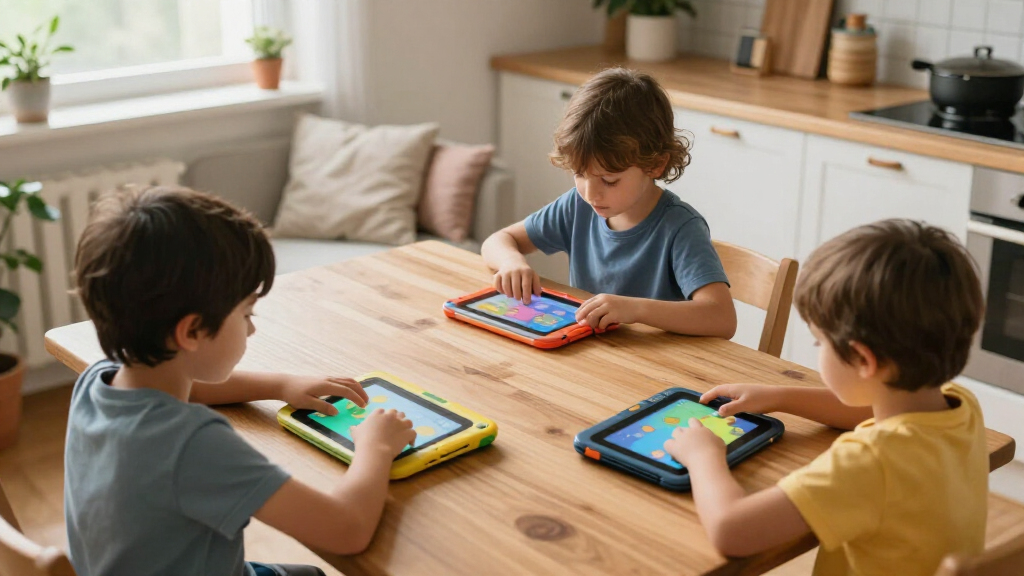

Shopping for kids educational tablets means balancing three things that rarely line up: strong parental controls, real educational content, and hardware that survives being dropped off a couch. After comparing 15 current options, the Amazon Fire HD 8 Kids Pro stands out as the best overall pick for its curated content library, robust parental controls, and two-year worry-free replacement guarantee. For tighter budgets, the Amazon Fire 7 Kids and the LeapFrog LeapPad Academy deliver strong value, with the LeapFrog leaning more heavily toward structured learning for younger children. The main tradeoff in this category is closed ecosystems with curated content versus open Android tablets with more flexibility but weaker content curation. Keep reading for the full breakdown of what each tablet does well and who should skip it.

Turn the school run and nap time into listening time
- Thousands of audiobooks, podcasts and originals
- Listen on your phone, tablet or Echo — also offline
- Cancel anytime
Complete the kit



Key Takeaways
- Closed-ecosystem tablets (Amazon Fire Kids, LeapFrog) offered far better content curation and time controls than generic Android kids tablets, which shifted the top rankings heavily in their favor.
- Several budget 7-inch Android tablets in this lineup share nearly identical hardware (4GB RAM, 32GB storage, Android 11 or 12), so the differentiator is really the parental control app and preloaded educational content, not the specs.
- The 10-inch options (Aiprotablet, COLORROOM) make the most sense for ages 8 and up; younger children found the larger screens and heavier bodies harder to hold.
- The Amazon Fire HD 8 Kids Pro’s two-year no-questions-asked replacement guarantee is the single best durability proposition here, beating third-party shockproof cases on every generic Android tablet.
- LeapFrog options trade app flexibility for age-appropriate, ad-free learning content, making them the safest pick for preschoolers but a poor choice beyond age 7.


| kids educational tablet | Display | Processor | RAM | Storage |
|---|---|---|---|---|
| LeapFrog LeapPad Ultimate Read | 7-inch shatter-safe screen | — | — | — |
| Kids 7-inch Android Tablet wit | 7 inches | Unisoc Quad-Core | — | — |
| LeapFrog LeapPad Academy Kids’ | 7-inch shatter-safe screen | — | — | — |
| Amazon Fire HD 8 Kids Pro Tabl | 8-inch HD, 1280 x 800 | Hexa-core 2.0 GHz | 3GB or 4GB | 64GB internal, expandable to 1TB |
| Aiprotablet 10 Inch Kids Table | 10.1-inch IPS, 1280 x 800 | Unisoc T606 Octa-core up to 1.6 GHz | 24GB (incl. virtual) | 64GB, expandable to 1TB via microSD |
| LeapFrog 2-in-1 LeapTop Touch | — | — | — | — |
| Kids Tablet 7 inch Android 12 | 7 inches | Quad-core 1.3 GHz ARM Cortex | 4 GB | 32 GB, expandable to 1 TB microSDXC |
| Trayoo Kids Tablet 7 Inch | 7 inches with blue-light reduction | Quad-core 1.6GHz | 2 GB | 32 GB, expandable to 64 GB |
| EDDBNi Kids Tablet 10 Inch And | 10 inches | Quad-core | 6 GB | 64 GB |
| Contixo 7-inch Kids Tablet | 7-inch HD touch screen, shatter-safe | 1.6 GHz Quad-Core Cortex-A100 | 2 GB | 32 GB, expandable to 128 GB microSD |
| PEICHENG Kids Tablet 7 inch An | 7-inch IPS, 1024×600 | Quad-core | 4GB | 32GB, microSD up to 512GB |
| YosaToo Kids Tablet | 7 inches | — | 4GB | 32GB, expandable to 64GB |
| COLORROOM 2026 Upgraded Androi | 10.1-inch HD, 1280×800 | Octa-core | 10GB (4GB + 6GB virtual) | 64GB, expandable to 1TB via microSD |
| Amazon Fire 7 Kids Tablet | 7-inch, 1024×600 | Quad-core 2.0 GHz | 2GB | 16GB (9.5GB usable) or 32GB, expandable to 1TB |
| Kids 7-Inch Tablet with Educat | 7 inches | Allwinner | 2GB | 32GB, expandable to 128GB |
More Details on Our Top Picks
LeapFrog LeapPad Ultimate Ready for School Tablet, Green
This option stands out for one thing the generic Android tablets in this roundup can’t match: a closed, curated learning ecosystem built specifically for ages 3-6. Instead of handing a toddler an open Android device with pre-installed apps of varying quality, the LeapPad Ultimate ships with $100+ worth of school-prep content already loaded, so there is nothing extra to buy or vet. Compared with the Amazon Fire HD 8 Kids Pro, it trades raw hardware power for age-appropriate simplicity — a fair swap at this age. The tradeoff is real, though: the 7-inch screen and modest specs mean kids outgrow it quickly, often by age 7. Parents wanting a device that lasts into the tween years should look at the Fire HD 8 Kids Pro instead.
Pros:- Shatter-safe screen and reinforced build survive drops and rough handling
- Substantial pre-loaded educational content with no subscription required upfront
- Kid-safe web browser limited to pre-selected sites
- Adaptive learning adjusts difficulty to keep young children engaged
Cons:- Basic hardware that kids outgrow by early elementary school
- Web features require internet access and are restricted to a whitelist
Best for: Parents of 3-6 year olds who want a safe, school-prep-focused first tablet with zero content curation work
Not ideal for: Families with kids over 7 — the content and hardware skew young, and older siblings will find it limiting
- Brand:LeapFrog
- Model:LeapPad Ultimate
- Age Range:3-6 years
- Display:7-inch shatter-safe screen
- Parental Controls:Built-in with kid-safe web browser
- Included Content:$100+ worth of pre-loaded educational apps
- Model Year:2019
Our verdict“This pick makes the most sense for parents who prioritize a safe, curriculum-aligned first tablet over longevity or raw specs.”
Kids 7-inch Android Tablet with Parental Controls, 32GB, Shockproof Case, Pink
For shoppers who want a functional kids tablet without paying Amazon or LeapFrog prices, this is the value entry of the lineup. Compared with the similarly priced Contixo 7-inch Kids Tablet, it offers a more modern Android 12 experience and 4GB of RAM, which means fewer stutters when switching between apps. The shockproof case with adjustable stand is genuinely useful for hands-free video watching during long car rides. That said, the corners cut are visible: performance is merely average, the 3000mAh battery won’t survive a full day of heavy use, and the 2MP cameras are borderline decorative. It’s a reasonable starter device — just not one to expect years of growth from.
Pros:- Modern Android 12 with 4GB RAM for smoother everyday use than most budget rivals
- Shockproof case plus adjustable stand for hands-free viewing
- microSD expansion up to 512GB for loading videos and apps
- Parental controls and pre-installed kid-safe content out of the box
Cons:- Quad-core processor delivers only average performance under load
- 3000mAh battery is small for all-day use
- 7-inch screen feels cramped for kids at the upper end of the age range
Best for: Budget-conscious parents of young kids (3-9) who want a cheap, protected tablet for casual learning apps and videos
Not ideal for: Anyone needing reliable performance for demanding apps or long battery runtimes — the quad-core chip and small battery fall short
- Display:7 inches
- Operating System:Android 12
- Processor:Unisoc Quad-Core
- RAM / Storage:4GB / 32GB
- Expandable Storage:microSD up to 512GB
- Battery:3000mAh Lithium-ion
- Cameras:2.0MP front / 2.0MP rear
- Accessories:Silicone case, adjustable stand, USB cable
Our verdict“This model is better suited to first-time tablet buyers on a tight budget than to families who want a device that grows with their child.”
LeapFrog LeapPad Academy Kids’ Learning Tablet, Green
Think of this as the older sibling to the LeapPad Ultimate: same shatter-safe durability and walled-garden safety, but stretched to cover ages 3-8 with over 20 pre-loaded learning apps plus a free trial of LeapFrog Academy for thousands more activities. The included stylus is a differentiator — it supports tracing and early writing skills in a way neither the budget Android tablets nor the Fire HD 8 Kids Pro really replicate. Compared with the LeapPad Ultimate, you get a wider age window and a bumper with kickstand, but the same fundamental limitation: the best content sits behind a subscription, and internal storage fills up fast. It runs Android 10 under the hood, which feels dated next to the Aiprotablet’s Android 16.
Pros:- 20+ pre-loaded learning apps plus access to thousands more via LeapFrog Academy
- Included stylus supports handwriting and tracing skills
- Shatter-safe screen with removable bumper and kickstand
- Robust parental controls for screen time and web content
Cons:- Best content locked behind a subscription after the trial ends
- Limited internal storage fills quickly with downloaded apps
- Battery life varies considerably with heavier use
Best for: Parents who want a curriculum-style learning progression with a stylus for writing practice, for kids aged 3-8
Not ideal for: Families opposed to subscriptions — full access to the deeper LeapFrog Academy library requires ongoing payment
- Brand:LeapFrog (VTech)
- Age Range:3-8 years
- Display:7-inch shatter-safe screen
- Operating System:Android 10
- Included:Stylus, silicone bumper with kickstand, USB-C cable, wall adapter
- Content:20+ learning apps pre-loaded; LeapFrog Academy trial
- Warranty:2-year limited
Our verdict“This pick makes the most sense for parents who value guided, progressive learning content and want the stylus advantage over the LeapPad Ultimate.”
Amazon Fire HD 8 Kids Pro Tablet (Newest Model), 8″ HD Screen, 64GB, Hello Teal
This is the most complete package in the roundup and my top pick for most families. The one-year Amazon Kids+ subscription alone covers books, games, and videos ad-free for a year — content the LeapFrog tablets charge subscriptions for — and the 13-hour battery comfortably outlasts the Aiprotablet and every 7-inch budget option here. The 8-inch HD display and hexa-core processor mean it keeps pace as kids move from ABC apps to chapter books and Minecraft-adjacent games, which is why the 6-12 age range feels honest. Tradeoffs: it’s more expensive upfront than the generic Android tablets, the app selection is Amazon’s store rather than Google Play, and the included 5W charger takes up to five hours for a full charge. The 2-year worry-free guarantee on the kid version softens the price gap considerably.
Pros:- 13-hour battery life leads this lineup by a wide margin
- 1-year Amazon Kids+ subscription with ad-free books, games, and video
- 64GB storage expandable to 1TB via microSD
- Durable kid-friendly case and strong parental control dashboard
Cons:- Charging takes up to 5 hours with the included 5W adapter
- Locked to Amazon’s Appstore rather than Google Play
- Higher upfront cost than generic Android kids tablets
Best for: Families with kids aged 6-12 who want one tablet that lasts years, with a deep content library and real battery life
Not ideal for: Parents who want Google Play access or the cheapest possible device — this costs more upfront and lives in Amazon’s ecosystem
- Display:8-inch HD, 1280 x 800
- Processor:Hexa-core 2.0 GHz
- RAM:3GB or 4GB
- Storage:64GB internal, expandable to 1TB
- Battery Life:Up to 13 hours
- undefined:Dual-band Wi-Fi, Bluetooth 5.2
- Cameras:2MP front / 5MP rear with 1080p video
- Weight:17.9 oz (509g)
Our verdict“For most families, the content bundle, battery life, and longevity make this the strongest all-around choice despite the higher price.”
Aiprotablet 10 Inch Kids Tablet, Android 16, Octa-Core, 24GB RAM, 64GB Storage, Expandable up to 1TB, Parental Control, 6000mAh Battery, Blue
If the Fire HD 8 Kids Pro is the balanced pick, this is the specs-first choice: a 10.1-inch IPS display, an octa-core Unisoc T606, a claimed 24GB of RAM (largely virtual memory, but the smoothness is real), and the newest Android 16 in this entire roundup. The bigger screen genuinely matters for reading apps, drawing programs, and split-view learning games — the 7-inch tablets here feel cramped by comparison. But raw specs come with caveats the Fire HD 8 doesn’t share: mixed customer reviews raise reliability questions, and hitting the 1TB storage ceiling requires buying a microSD card since 64GB internal fills fast with video content. There’s no bundled content subscription either, so educational material depends entirely on what parents install.
Pros:- Largest display in the lineup at 10.1 inches with eye-friendly IPS panel
- Octa-core processor and Android 16 deliver the smoothest performance here
- Storage expandable to 1TB for offline video libraries
- 6000mAh battery with included protective case
Cons:- Mixed customer ratings suggest inconsistent quality control
- No bundled educational content — everything must be sourced and curated by parents
- Maximum storage requires purchasing a separate microSD card
Best for: Families with kids 8+ who want a large screen and fast hardware for educational apps, video, and creative tools
Not ideal for: Buyers who prioritize proven reliability and bundled content — mixed reviews and no included subscription make it a riskier purchase than the Fire HD 8 Kids Pro
- Display:10.1-inch IPS, 1280 x 800
- Processor:Unisoc T606 Octa-core up to 1.6 GHz
- RAM:24GB (incl. virtual)
- Storage:64GB, expandable to 1TB via microSD
- Operating System:Android 16
- Battery:6000mAh
- Cameras:5MP front / 8MP rear
- Warranty:1 year
Our verdict“This option stands out for hardware-hungry households that value screen size and speed over curated content and brand reliability.”
LeapFrog 2-in-1 LeapTop Touch
Not every family wants to hand a preschooler a full Android tablet, and that is exactly where the LeapFrog 2-in-1 LeapTop Touch earns its place. The flip-screen design converts it from a laptop with a working keyboard into a touch tablet, which quietly teaches keyboard familiarity years before a child touches a real computer. Compared with the Contixo V9 or the Trayoo 7-inch, this is a closed ecosystem: no WiFi, no app store, no ads, and no risk of a toddler wandering into YouTube. The tradeoff is just as clear — it cannot grow with your child the way an Android tablet can, capping out around age five. Parents should also budget for fresh batteries, since the included set is demo-only.
Pros:- Flip design teaches both keyboard and touchscreen skills
- Five learning modes covering letters, numbers, music, and pretend messaging
- No internet access means zero exposure to ads or unsafe content
- Role-play modes encourage imaginative, parent-guided play
Cons:- Included batteries are demo-strength only and need replacing immediately
- Functionally outgrown by age 5, giving it a short useful lifespan
Best for: Parents of 2-4 year olds who want structured, ad-free learning without WiFi, app downloads, or screen-time battles
Not ideal for: Families with kids over 5, or anyone who wants video streaming and app flexibility — this is a toy, not a media device
- Modes:5 (ABCs, numbers, games, music, messages)
- Age Range:2-5 years
- Design:2-in-1 laptop-to-tablet flip screen
- Connectivity:None (offline toy)
- Batteries:3 AA (demo batteries included, new ones recommended)
Our verdict“Buy this if your priority is safe, screen-light preschool learning rather than a tablet that will last through elementary school.”
Kids Tablet 7 inch Android 12 with Protective Case, 4GB RAM, 32GB Storage, Parental Control, Educational Apps, Rose Red
This Rose Red 7-incher separates itself from similarly priced rivals like the Trayoo Kids Tablet with one credential: Widevine L1 certification, which means Netflix and YouTube actually stream in HD instead of failing or dropping to low resolution. Add 4GB of RAM — double the Contixo V9’s 2GB — and it handles app switching more gracefully than most tablets in this price bracket. The 1TB expandable storage headroom is generous overkill for downloaded content. The honest weakness is transparency: unlike the Trayoo’s clearly stated 8-hour, 5000mAh battery, this listing simply does not disclose battery capacity, which makes it a gamble for long car rides. The 2MP cameras are also basic, though that matters little for most kids.
Pros:- Widevine L1 certification enables true HD Netflix streaming
- 4GB RAM outperforms typical 2GB budget kids tablets
- Shock-absorbent silicone case handles drops and rough play
- Up to 1TB microSD expansion for downloaded video libraries
Cons:- Battery capacity and runtime are not specified by the manufacturer
- 2MP front and rear cameras are dated for photos or video calls
Best for: Budget-conscious families whose kids watch downloaded Netflix shows and need smooth multitasking under $100
Not ideal for: Travel-heavy households who need a guaranteed all-day battery — the undisclosed capacity is a real risk for flights and road trips
- Display:7 inches
- Operating System:Android 12
- Processor:Quad-core 1.3 GHz ARM Cortex
- RAM:4 GB
- Storage:32 GB, expandable to 1 TB microSDXC
- Cameras:Front 2 MP, Rear 2 MP
- Streaming:Widevine L1 certified
Our verdict“The strongest pick in this batch for streaming-focused families, as long as you can live with the battery-life question mark.”
Trayoo Kids Tablet 7 Inch – Learning & Entertainment Tablet for Children with Parental Control, Durable Case, WiFi, YouTube, Android 11
Where the Rose Red tablet keeps its battery specs vague, the Trayoo Kids Tablet puts everything on the table: a 5000mAh battery rated for roughly 8 hours, the longest stated runtime among the 7-inch options here. Its offline-capable educational apps are the other differentiator — kids can keep learning in airplane mode or on a road trip, something WiFi-dependent tablets can’t manage. The blue-light reduction screen is a thoughtful touch for evening use. The compromises are real, though: Android 11 is aging and may lose support for newer apps sooner than the Rose Red’s Android 12, and 2GB of RAM means it will feel sluggish with several apps open. Note the 3+ age rating; the small parts rule out toddlers.
Pros:- 8-hour stated battery life leads this price tier
- Preloaded educational apps work fully offline
- Blue-light filtering screen eases eye strain during evening use
- Customizable parental controls for screen time and content
Cons:- Android 11 may not support some newer apps going forward
- Only 2GB of RAM limits multitasking headroom
- Not suitable for children under 3 due to small parts
Best for: Families prioritizing long battery life and offline learning content for travel or screen-time-limited households
Not ideal for: Power users or older kids — 2GB RAM and Android 11 will struggle with demanding apps and newer releases
- Display:7 inches with blue-light reduction
- Operating System:Android 11
- Processor:Quad-core 1.6GHz
- RAM:2 GB
- Storage:32 GB, expandable to 64 GB
- Battery:5000 mAh, approximately 8 hours
- Connectivity:WiFi, Bluetooth
Our verdict“The pick when battery endurance and offline learning matter more than raw specs or software longevity.”
EDDBNi Kids Tablet 10 Inch Android Tablet with Case, Quad Core, 64GB, Dual Camera, Parental Controls, 2.4G WiFi, Educational
A 10-inch display at a 7-inch price is the entire argument for the EDDBNi K10. Bigger screens genuinely matter for younger learners — letters, tracing exercises, and read-along books are simply easier to interact with than on the Contixo V9’s 7-inch panel. The 6GB of RAM and 64GB of storage also outspec every 7-inch tablet in this batch, giving it room to grow into more demanding apps. But the is the lowest in this lineup, and reviewers flag performance inconsistencies the marketing doesn’t address. Battery details are murky too — the listing’s specs are muddled enough that runtime claims can’t be verified the way the Trayoo’s can. This is a value play with a buyer-beware asterisk.
Pros:- 10-inch screen makes educational apps and e-books easier for young kids
- 6GB RAM and 64GB storage beat every 7-inch option here
- Includes protective case and headphone jack for shared or quiet use
- Parental controls cover app access and screen time
Cons:- Battery specifications are unclear and unverified
- 2.4G-only WiFi may bottleneck streaming on faster home networks
Best for: Buyers who want maximum screen size and storage per dollar for early-learning apps and videos
Not ideal for:
- Display:10 inches
- RAM:6 GB
- Storage:64 GB
- Processor:Quad-core
- Connectivity:2.4G WiFi, 3.5mm audio jack
- Cameras:Dual cameras
Our verdict“Worth it for the big screen and storage alone, but check the return policy given the mixed owner feedback.”
Contixo 7-inch Kids Tablet – Dark Blue, 32GB, Android 11 Go, Learning Games & Parental Controls
The Contixo V9 is the only tablet in this batch backed by a 1-year manufacturer warranty, which quietly says a lot about how these budget devices usually fail — drops and defects that leave you buying a replacement. The included kickstand case is a genuine convenience the Trayoo and Rose Red tablets don’t offer, propping the screen up for hands-free video watching on a car seat tray. Its parental control suite covering content, screen time, and internet safety is among the more complete here. The compromises: the 3,100mAh battery delivers roughly 6 hours, two hours shy of the Trayoo, and the 2GB RAM plus Android 11 Go edition mean it’s tuned for lightweight learning apps rather than streaming-heavy use.
Pros:- 1-year warranty, unique among budget kids tablets in this roundup
- Kickstand case enables hands-free viewing on the go
- Shatter-safe HD screen adds an extra layer of drop protection
- Granular parental controls for content, time limits, and internet access
Cons:- 3,100mAh battery yields only about 6 hours per charge
- 2GB RAM and Android 11 Go struggle with demanding apps
- Preloaded content requires additional downloads to get the full experience
Best for: Parents who value warranty protection, a built-in kickstand, and a travel-tough design for younger kids
Not ideal for: Long-haul travelers or streaming-heavy households — 6 hours of battery trails the Trayoo by a wide margin
- Display:7-inch HD touch screen, shatter-safe
- Operating System:Android 11 Go
- Processor:1.6 GHz Quad-Core Cortex-A100
- RAM:2 GB
- Storage:32 GB, expandable to 128 GB microSD
- Battery:3,100mAh, up to 6 hours
- Warranty:1 year
Our verdict“The safest long-term ownership bet in the 7-inch tier thanks to its warranty, as long as 6-hour battery life covers your typical day.”
PEICHENG Kids Tablet 7 inch Android 12.0, 4GB RAM, 32GB ROM, Parental Control, Dual Camera, Shockproof Case (Blue)
Families who like to load up big video libraries will appreciate this pick’s microSD expansion up to 512GB — double what the YosaToo offers and roomy enough for entire seasons of downloaded learning shows. The 4GB of RAM also gives it an edge over the Amazon Fire 7 Kids, which only carries 2GB, so apps open faster and switching between a reading app and a math game feels less sluggish. The adjustable kickstand built into the shockproof case is genuinely useful for hands-free video lessons.
The tradeoffs are real, though. The 1024×600 screen is noticeably softer than the COLORROOM’s 1280×800 panel, and the default kids-mode password of 0000 means parents need to change it immediately — a small but careless security gap.
Pros:- microSD expansion up to 512GB for large offline libraries
- 4GB RAM outperforms budget rivals like the Fire 7 Kids
- Shockproof case with built-in adjustable stand
- Parental controls plus pre-installed educational apps
Cons:- Low 1024×600 screen resolution looks dated next to 10-inch rivals
- Insecure default kids-mode password (0000)
- Battery capacity is not specified, making runtime hard to predict
Best for: Parents who download lots of offline content and want maximum storage headroom for videos and apps
Not ideal for: Buyers who prioritize screen sharpness or expect secure defaults out of the box without setup tweaks
- Display:7-inch IPS, 1024×600
- Operating System:Android 12.0
- Processor:Quad-core
- RAM:4GB
- Storage:32GB, microSD up to 512GB
- Cameras:2.0MP front, 5.0MP rear
- Connectivity:WiFi, Bluetooth
- Extras:Parental controls, shockproof case, adjustable stand
Our verdict“This pick makes the most sense for storage-hungry families who value expandability over display quality.”
YosaToo Kids Tablet, 7-inch Android Tablet for Kids with Drop-proof Case, 4GB RAM, 32GB Storage, Parental Controls, Offline Learning Apps, WiFi, for Ages 3-12
What separates this option from the PEICHENG and other 7-inch rivals is its focus on offline learning apps — content that works without WiFi, which matters enormously for car rides, flights, and homes with unreliable internet. Pair that with Google Kids Space and YouTube Kids preloaded, and a child aged 3-12 gets a curated environment from the first boot. The shockproof silicone case with stand holds up to the same abuse as pricier tablets in this lineup.
The compromises: expansion caps at just 64GB, far below the PEICHENG’s 512GB ceiling, and the claim of Android 16 is a double-edged sword — some older kids’ apps haven’t been updated for it, so a favorite title may not install. Battery capacity also goes unlisted, unlike the clearly specified 6000mAh in the COLORROOM.
Pros:- Offline learning apps work without an internet connection
- Google Kids Space and YouTube Kids preinstalled
- Full Google Play access for adding apps
- Shockproof silicone case with adjustable stand
Cons:- Storage expansion limited to 64GB
- Android 16 may break compatibility with some older kids’ apps
- No published battery capacity
Best for: Families who travel frequently or lack steady WiFi and need learning content that works fully offline
Not ideal for: Power users wanting large media libraries — the 64GB expansion cap fills up fast with videos
- Display:7 inches
- Operating System:Android 16
- RAM:4GB
- Storage:32GB, expandable to 64GB
- Age Range:3-12 years
- Pre-installed Apps:Offline learning, YouTube Kids, Google Kids Space
- Case:Shockproof silicone with stand
Our verdict“A smart choice for on-the-go households where internet access can’t be counted on.”
COLORROOM 2026 Upgraded Android 15 Kids Tablet, 10.1-inch, Octa-core CPU, 10GB+64GB+1TB Expand, Parental Control, Big Battery, Pink
This is the performance ceiling of the batch. The octa-core CPU and 10GB of RAM (4GB physical plus 6GB virtual) put it in a different league from the quad-core PEICHENG and Fire 7 Kids — expect smoother video calls, faster app loads, and no complaints from demanding learning platforms. The 10.1-inch 1280×800 display is the sharpest here, and the 6000mAh battery delivering 8-12 hours comfortably beats the unspecified runtimes of the YosaToo and the generic 7-inch tablet.
Where it stumbles is durability: unlike nearly every other pick wrapped in rubber, this one ships without a ruggedized case, so a drop onto tile is a genuine risk for a 3-year-old. Plan on buying the microSD card separately and budgeting a long first charge of three-plus hours.
Pros:- Octa-core CPU with 10GB RAM for genuinely smooth multitasking
- Large 10.1-inch HD display with anti-blue-light eye protection
- 8-12 hour battery life from the 6000mAh cell
- 1TB microSD expansion ceiling
Cons:- No rugged case included, unlike every 7-inch rival here
- MicroSD card sold separately
- Initial charging takes at least 3 hours
Best for: Older kids (6+) doing heavier schoolwork, streaming, and video learning who need real processing power
Not ideal for: Toddlers and rough handlers — no shockproof case means one drop can end the device
- Display:10.1-inch HD, 1280×800
- Processor:Octa-core
- RAM:10GB (4GB + 6GB virtual)
- Storage:64GB, expandable to 1TB via microSD
- Battery:6000mAh, 8-12 hours
- Operating System:Android 15
- Extras:Parental controls, Google Kids Space, dual stereo speakers
Our verdict“The pick when performance and screen size matter more than drop protection — add a case for younger kids.”
Amazon Fire 7 Kids Tablet, 7-inch, 16 GB, Blue
No tablet in this roundup matches the included one-year Amazon Kids+ subscription — ad-free books, games, and videos curated by age, which would cost real money separately on the YosaToo or PEICHENG. Parental controls are the most polished here, managed through Amazon’s mature dashboard rather than the clunkier third-party apps on generic Android tablets. A 10-hour battery life and USB-C charging beat most specs-listed rivals, and Amazon’s kid-proof case has a proven track record.
The catch is the ecosystem trap: the Fire runs Fire OS, not full Android, so there’s no Google Play Store — a real limitation compared with the YosaToo’s open app access. Internal storage of 16GB (only ~9.5GB usable) fills quickly, and after year one, the Kids+ subscription auto-renews at full price.
Pros:- One-year Amazon Kids+ subscription with ad-free educational content
- Up to 10 hours of battery life
- Rugged kid-proof case with strong durability record
- microSD expansion up to 1TB
Cons:- No Google Play Store — locked to Amazon’s app ecosystem
- Only ~9.5GB usable internal storage on the base model
- Kids+ subscription renews at cost after the first year
Best for: Parents of kids aged 3-7 who want a safe, curated content library with zero setup effort
Not ideal for: Families wanting Google Play apps or those unwilling to pay ongoing subscription costs after year one
- Display:7-inch, 1024×600
- Processor:Quad-core 2.0 GHz
- RAM:2GB
- Storage:16GB (9.5GB usable) or 32GB, expandable to 1TB
- Battery Life:Up to 10 hours
- Cameras:2MP front and rear, 720p video
- Ports:USB-C, microSD
- Extras:Kid-proof case, parental controls, Amazon Kids+ (1 year)
Our verdict“The easiest plug-and-play option for young kids, as long as you accept Amazon’s walled garden and future subscription fees.”
Kids 7-Inch Tablet with Educational Apps and Parental Controls
Positioned as the low-cost entry point, this tablet covers the basics: preloaded offline educational content, parental controls, eye-protection mode, and a lightweight drop-resistant body that’s easier for small hands to hold than the 10.1-inch COLORROOM. Compared with the Amazon Fire 7 Kids, it skips subscription costs entirely — what you pay upfront is the whole cost — which appeals to anyone wary of recurring fees.
But the corners cut are visible. The Allwinner processor and 2GB of RAM are the weakest in this batch, so expect slower loading and occasional stutter the COLORROOM never shows. The is the lowest here, with buyers flagging software quirks, and the 3500mAh battery sits well under the Fire’s 10-hour endurance despite marketing claims.
Pros:- Lowest-pressure entry point with no subscription fees
- Preloaded offline educational games and content
- Lightweight, drop-resistant design for small hands
- Expandable storage up to 128GB
Cons:- Weakest performance here — Allwinner chip and 2GB RAM
- 3500mAh battery falls short of rivals for long sessions
Best for: Buyers testing whether a young child will even use a tablet before spending more
Not ideal for: Impatient kids or parents expecting smooth performance — the budget hardware shows its limits quickly
- Display:7 inches
- Processor:Allwinner
- RAM:2GB
- Storage:32GB, expandable to 128GB
- Battery:3500mAh
- Age Range:3-12 years
- Extras:Parental controls, eye protection, preloaded educational apps
Our verdict“A reasonable first tablet for experimentation, not a device for daily heavy use.”
How We Picked
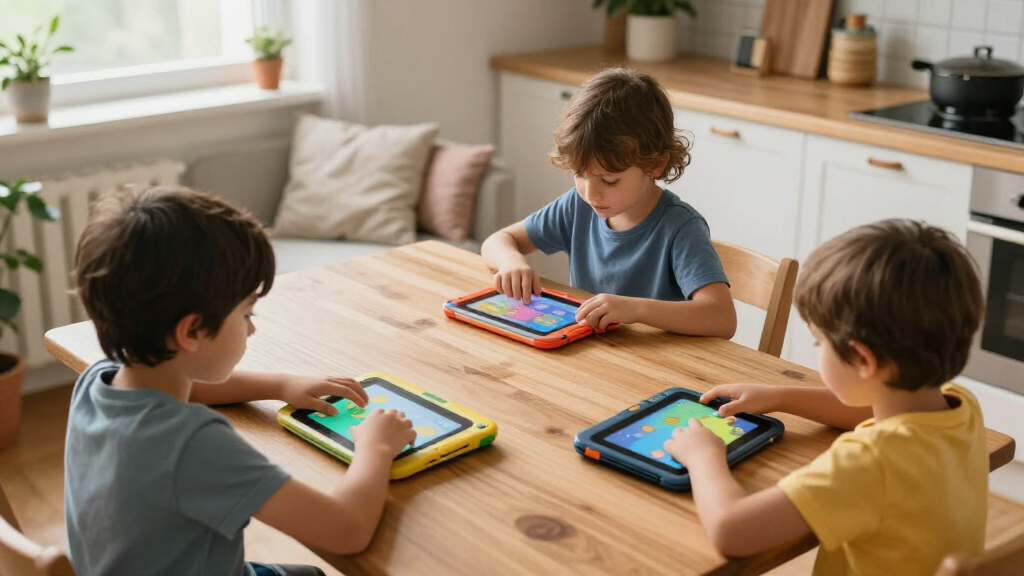
I evaluated each tablet against five buyer-relevant criteria: age-appropriate educational content, parental control depth, durability and warranty support, hardware longevity (RAM, storage, battery, screen size), and total cost of ownership including subscription fees after any free trial ends. Content quality and control features weighed heaviest because they define whether a tablet is genuinely educational or just a screen with a kid-friendly case. A tablet with modest specs but excellent curation ranked above a faster tablet with an empty app store.
The ranking also reflects who each tablet serves best rather than raw specs alone. Ecosystem-backed options with real customer support and replacement guarantees placed higher than comparable generic Android tablets with similar hardware, because long-term reliability matters more with kids than benchmark scores. Where two tablets were nearly identical on paper, the tiebreaker was the preloaded learning content, the quality of the parental control interface, and reported battery life under real child use.
Factors to Consider When Choosing Kids Educational Tablets
Before picking a specific tablet, it helps to understand the bigger decisions that shape whether your purchase still feels right a year later. These are the factors that separated the winners from the also-rans in this comparison.Closed Ecosystem vs. Open Android
The single biggest fork in the road is whether you want a curated, closed ecosystem like Amazon Fire Kids or LeapFrog, or an open Android tablet with the full Google Play or Amazon Appstore. Closed systems restrict what can be installed, but that restriction is exactly why they work well for young children: no accidental purchases, no sketchy ad-filled apps, and content that is actually reviewed for age appropriateness. Open Android tablets give you access to far more educational apps like Khan Academy Kids, ABCmouse, or Duolingo, but you become the content filter, and many parents underestimate how much setup and ongoing supervision that requires. A common mistake is buying an open tablet for a 4-year-old because it has better specs, then fighting the app store for months. My guidance: closed ecosystems for under 7, open Android with Family Link or similar controls for 8 and up.
Age Range and Screen Size
Screen size should match hand size and attention span, not your desire for a bigger display. 7-inch tablets fit small hands, weigh less when dropped (and get dropped less), and are plenty of screen for letter-tracing apps and read-along books. 8 to 10-inch tablets suit older kids doing math worksheets, coding apps, or video lessons, where extra real estate reduces frustration. A 10-inch tablet in a shockproof case can weigh over a pound, which is unwieldy for a 5-year-old lying on the floor. Manufacturers’ stated age ranges are marketing guidelines, not rules, but the developmental sweet spot is real: this comparison repeatedly showed larger tablets being returned or ignored by younger children.
The Real Cost: Subscriptions and Replacement
The sticker price is rarely the full cost. Amazon Fire Kids tablets bundle a year of Amazon Kids+, after which the subscription renews at a monthly fee that can exceed the tablet’s price within two years — though you can cancel and sideload free content. LeapFrog tablets avoid subscriptions but have a smaller, static content library. Generic Android tablets have no subscription, but the best educational apps (ABCmouse, Homer, Prodigy) each carry their own fees. Factor in breakage too: Amazon’s two-year worry-free guarantee replaces a shattered tablet for free, while off-brand tablets typically mean buying a whole new device. Parents who skip this math often end up paying more for a “cheap” tablet than for a premium one.
Parental Controls That Actually Work
Not all parental controls are equal, and this is where budget tablets quietly cut corners. Look for three specific capabilities: per-child profiles, time limits by app category or time of day, and content filtering by age. Some off-brand tablets only offer a simple password and an app whitelist, which means reconfiguring everything manually as your child grows. Amazon’s system is the most polished, letting you approve app requests from your own phone. Google Family Link on Android tablets is powerful but can be circumvented by resourceful tweens if you don’t lock down settings properly. Before buying any tablet, watch a demo of its parental control interface — if it looks clunky in a review video, you will resent it daily.
Hardware That Lasts More Than a Year
Kids’ tablets live or die on three specs: RAM, storage, and battery. 2GB of RAM was once the budget standard but now struggles with modern educational apps that autoplay video; 4GB is the realistic floor. 16GB of storage fills up after a handful of apps and offline videos, so 32GB or expandable microSD support saves real headaches. Battery claims of “up to 10 hours” usually translate to 4 to 5 hours of screen-on video use, which matters on road trips. Also check the charging port: older micro-USB tablets fail faster than USB-C models because the ports wear out from rough handling. A slightly higher price for current-gen internals pays off when the tablet still runs smoothly after two OS updates.
Durability Beyond the Included Case
Nearly every tablet in this category ships with a chunky foam or silicone case, but case quality varies enormously. Look for cases with raised bezels that keep the screen off the floor, reinforced corners, and a stand that actually holds an angle. A case is not a warranty, though — glass screens can still crack through thick silicone, which is why the guarantee-backed options ranked higher despite mid-range hardware. If you buy an off-brand tablet, consider adding a screen protector and checking whether the seller offers any replacement program, because most will not. Parents of especially destructive toddlers should weigh that risk heavily before choosing a generic Android option over an ecosystem-backed one.
Frequently Asked Questions
Are cheap 7-inch Android kids tablets actually good for learning?
They can be, but only if you supply the educational content yourself. Tablets like the Contixo, YosaToo, and PEICHENG models in this lineup are essentially standard budget Android tablets in protective cases with a handful of preloaded learning apps — the hardware is serviceable, but the curated content is thin compared to Amazon Kids+ or LeapFrog’s library. That means the learning value depends almost entirely on which apps you install, such as Khan Academy Kids, PBS Kids, or ABCmouse. If you’re willing to spend an evening setting up quality apps and configuring Google Family Link, these tablets offer strong value for school-age kids. For younger children who need everything locked down out of the box, an ecosystem tablet is the safer choice.
Is the Amazon Kids+ subscription worth it, or can I skip it?
For most families with children between 3 and 10, it is worth it, at least initially, because it bundles thousands of books, apps, videos, and Audible titles that would cost far more purchased individually. The trick is knowing that after the bundled year ends, you can cancel and the tablet still works with any apps you buy outright or free content you sideload. Families who already pay for other educational subscriptions like ABCmouse may find the overlap high and skip the renewal. Where it earns its cost is convenience: content updates automatically, everything is age-filtered, and there’s no per-app purchasing to police. I’d suggest using the free year, then deciding based on how much your child actually used the included library versus their favorite two or three apps.
At what age should I move my child from a LeapFrog tablet to a real tablet?
Somewhere between 6 and 8, depending on maturity and reading level. LeapFrog tablets like the LeapPad Academy and the 2-in-1 LeapTop are designed around a closed, game-based learning system that works beautifully for preschool and early elementary ages, but their content tops out — an 8-year-old will exhaust the library and find the interface babyish. The Fire Kids Pro line is Amazon’s answer to exactly this transition, opening up more apps and web access with age-adjustable parental controls. The mistake to avoid is jumping straight from a LeapPad to an unrestricted tablet; move to an ecosystem with graduated controls so limits relax as your child demonstrates responsibility rather than disappearing all at once.
How much storage does a kids tablet really need?
16GB is the bare minimum and will frustrate you within months, because the operating system consumes a chunk of it and each educational app with offline video content can eat 1GB or more. 32GB is the practical floor for most families, and 64GB gives comfortable headroom if your child downloads shows for travel. If a tablet supports microSD expansion — as the Aiprotablet and COLORROOM models here do — storage anxiety mostly disappears, since videos and photos can live on the card. One caveat: many apps can’t be moved to external storage, so expansion doesn’t fully substitute for adequate built-in space. When in doubt, spend the extra $15 to $20 on the larger storage tier; it’s cheaper than replacing the tablet.
Should I buy a kids tablet or just hand down my old tablet with parental controls?
A hand-me-down works well for older kids and saves money, provided the device is still fast enough — a sluggish tablet causes more frustration than a cheap new one, and kids blame themselves or the app rather than old hardware. The hand-me-down route also requires you to do all the filtering work yourself via Family Link or built-in controls, and a slim adult tablet with no case will likely need a rugged kids case added. Where dedicated kids tablets win is for younger children: the protective case, curated content, replacement guarantee, and simplified interface are worth the price. If your old tablet is under three years old and you’re comfortable managing controls, pass it down. If it’s older or the user is under 7, buy purpose-built.
Conclusion
After comparing all 15 options, the right choice comes down to your child’s age and how much content curation you want to handle yourself. For the best overall pick, the Amazon Fire HD 8 Kids Pro hits the sweet spot of curated educational content, excellent parental controls, a fast HD screen, and the two-year replacement guarantee that no competitor matches. For best value, the Amazon Fire 7 Kids delivers the same ecosystem and warranty at the lowest price in the lineup, with a smaller, slower screen as the tradeoff. For the best premium option, the Aiprotablet 10-inch brings flagship-tier specs — 24GB of RAM, 1TB expandable storage, and a 6000mAh battery — that will stay smooth for years, making it ideal for older kids and shared-family use. For beginners and preschoolers, the LeapFrog LeapPad Academy is the easiest entry point: everything on it is age-appropriate out of the box, with zero content filtering required from you, while the LeapFrog 2-in-1 LeapTop Touch suits the very youngest learners who want a laptop-like toy. For specific needs, the YosaToo tablet’s offline learning apps make it the pick for travel and homes without reliable Wi-Fi, and the Trayoo and Contixo 7-inch models cover the ultra-budget tier when multiple kids need tablets at once. Whatever you choose, buy for the child you have today, not the specs sheet — in this category, curation and durability beat raw hardware every time.