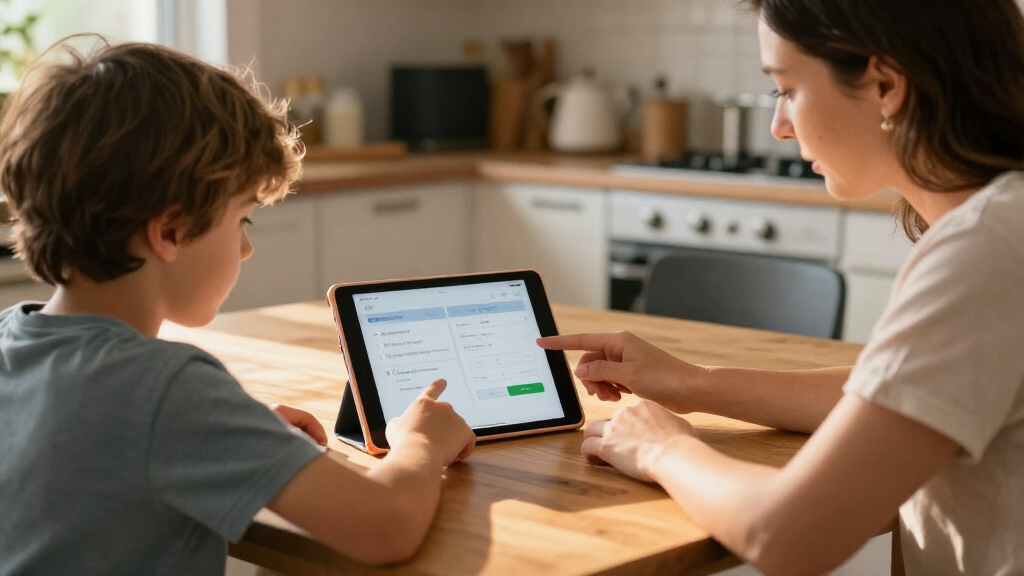

The best kids tablets with parental controls for 2027 balance child-friendly limits with enough screen space, storage, and durability for everyday use. I’d put the EDUAITABLET K10D forward as the best overall candidate for families who want a large screen and parental controls, while the HOTTABLET 7-Inch stands out as a compact option and the Evermyth 10-Inch adds a stylus for hands-on activities. The main tradeoff is between small, easier-to-carry tablets and larger screens that suit videos, reading, and shared use better. Bundled cases, headphones, and offline apps can also matter more than headline memory figures, depending on how your child will use the device. Read on for the full breakdown, ranking logic, and advice on choosing controls that match your family’s rules.

Turn the school run and nap time into listening time
- Thousands of audiobooks, podcasts and originals
- Listen on your phone, tablet or Echo — also offline
- Cancel anytime
Complete the kit


Key Takeaways
- Screen size shapes the lineup: The seven-inch Contixo and HOTTABLET models favor portability, while the ten-inch options offer more room for reading, video, and school activities.
- Storage separates basic use from a bigger media library: Several models list 32GB, while options such as the Ulefone Tab A9 Pro list 128GB; check whether expandable storage is supported before relying on it.
- Accessories change the out-of-box experience: The Contixo V8 includes headphones and a sleeve, while the Evermyth pairs a stylus with a protective case.
- Parental controls need more than a product title: Control tools and setup can differ by Android version and manufacturer, so verify the actual app, content, and time-limit features before purchase.
- Specs alone do not settle the choice: A large RAM claim or newer Android version does not tell you how easy a tablet is to manage, how tough its case is, or how well it suits a young child.
| HOTTABLET 7-Inch Kids Android Tablet, 4GB RAM, 32GB Storage, Parental Controls, Blue Protective Case |  | Best Compact Starter | Operating system: Android 12 | Display: 7-inch IPS, 1024 × 600 | Memory: 4GB listed (2GB original + 2GB expandable) | VIEW LATEST PRICE | See Our Full Breakdown |
| EDUAITABLET K10D 10.1-Inch Android 16 Kids Tablet with Parental Controls, Teal |  | Best for Shared Viewing | Operating system: Android 16 | Display: 10.1-inch IPS, 1280 × 800 | Processor: UNISOC T7200 octa-core, 1.8GHz | VIEW LATEST PRICE | See Our Full Breakdown |
| Contixo V9 Kids Tablet Bundle with Sleeve Bag – 7-inch Android Tablet, 32GB, Pink |  | Best for Learning-App Access | Operating system: Android 13 in description; Android 11 also listed | Display: 7-inch shatter-safe HD touchscreen | Processor: 1.6GHz quad-core | VIEW LATEST PRICE | See Our Full Breakdown |
| Ulefone Tab A9 Pro Kids Tablet, 8.68-Inch Display, Android 15, 128GB |  | Best Premium Feature Set | Operating system: Android 15 | Display: 8.68-inch IPS, 90Hz; TÜV SÜD low-blue-light certification | Processor: MediaTek G91 octa-core | VIEW LATEST PRICE | See Our Full Breakdown |
| Contixo V8 7-Inch Kids Tablet Bundle with Headphones and Carrying Sleeve, Pink |  | Best Ready-to-Go Travel Bundle | Operating system: Android 13 in description; Android 11 also listed | Display: 7-inch shatter-safe HD | Processor and memory: Qualcomm Snapdragon 210, up to 1.6GHz; 2GB RAM | VIEW LATEST PRICE | See Our Full Breakdown |
| PRITOM K10 10-Inch Kids Tablet, Android 13, 2GB RAM, 64GB Storage, Parental Controls, 6000mAh Battery, Blue Case |  | Best for Expandable Storage | Operating system: Android 13 | Display: 10-inch IPS, 1280 × 800 | Processor: Quad-core | VIEW LATEST PRICE | See Our Full Breakdown |
| PEICHENG 7-Inch Kids Android Tablet, 4GB RAM, 32GB Storage, Blue |  | Best for Detailed Parental Controls | Operating system: Android 12 | Display: 7-inch IPS, 1024 × 600 | Processor: Quad-core | VIEW LATEST PRICE | See Our Full Breakdown |
| Contixo K102 Kids Tablet, 10-Inch HD, 2GB RAM, 32GB Storage, Green |  | Best for Built-In Learning Apps | Operating system: Android | Display: 10-inch HD touchscreen | Processor: Quad-core | VIEW LATEST PRICE | See Our Full Breakdown |
| aiprotablet A30 Kids Tablet, 10-Inch Android 16, 64GB Storage, Purple |  | Best for Newer Software and Storage Headroom | Operating system: Android 16 | Display: 10-inch IPS, 1280 × 800 | Processor: Unisoc T7280 octa-core, up to 2.2GHz | VIEW LATEST PRICE | See Our Full Breakdown |
| UJoyFeel 7-Inch Kids Tablet with Parental Controls and Offline Learning Apps |  | Best for Offline Learning | Model: ZIDS70188 | Screen: 7-inch HD IPS touchscreen | Wireless connectivity: Wi-Fi; listing also mentions 3G cellular technology without service details | VIEW LATEST PRICE | See Our Full Breakdown |
| Jeazans 10.1-Inch Kids Android Tablet, 64GB Storage, 6000mAh Battery, Parental Controls |  | Best for Expandable Storage | Operating system: Android 16 | Display: 10.1-inch IPS, 1280 × 800 | Processor: Five-core, up to 1.8GHz | VIEW LATEST PRICE | See Our Full Breakdown |
| Evermyth 10-Inch Android 16 Kids Tablet with Stylus and Protective Case, 64GB Storage, Expandable to 1TB |  | Best for Creative Learning | Operating system: Android 16 | Display: 10 inches; resolution not specified | Processor: A333, up to 1.8GHz | VIEW LATEST PRICE | See Our Full Breakdown |
| Contixo 7-Inch Kids Tablet with Sleeve Bag, Dark Blue |  | Best for Travel Protection | Operating system: Listed as Android 11 in product information and Android 13 in description | Display: 7-inch shatter-safe HD touchscreen | Processor: Qualcomm quad-core, up to 1.5GHz | VIEW LATEST PRICE | See Our Full Breakdown |
| Contixo V9 Kids Tablet, 7-Inch HD Android 11 Tablet, 32GB, Green |  | Best for Longer Listed Battery Life | Operating system: Android 11 | Display: 7-inch HD touchscreen | Processor: Quad-Core Cortex-A100, up to 1.5GHz | VIEW LATEST PRICE | See Our Full Breakdown |
| COLORROOM 10.1-Inch Kids Tablet, Android 15, 10GB RAM, 64GB Storage, Pink |  | Best for a Large Screen and Kids Space | Operating system: Android 15 | Display: 10.1 inches, 1280 × 800 | Processor: Octa-core | VIEW LATEST PRICE | See Our Full Breakdown |
| kids tablets with parental control | Operating system | Display | Storage | Processor |
|---|---|---|---|---|
| HOTTABLET 7-Inch Kids Android | Android 12 | 7-inch IPS, 1024 × 600 | 32GB; expansion up to 1TB as stated | Quad-core |
| EDUAITABLET K10D 10.1-Inch And | Android 16 | 10.1-inch IPS, 1280 × 800 | — | UNISOC T7200 octa-core, 1.8GHz |
| Contixo V9 Kids Tablet Bundle | Android 13 in description; Android 11 also listed | 7-inch shatter-safe HD touchscreen | 32GB; microSD expansion up to 128GB | 1.6GHz quad-core |
| Ulefone Tab A9 Pro Kids Tablet | Android 15 | 8.68-inch IPS, 90Hz; TÜV SÜD low-blue-light certification | 128GB; microSD expansion up to 2TB | MediaTek G91 octa-core |
| Contixo V8 7-Inch Kids Tablet | Android 13 in description; Android 11 also listed | 7-inch shatter-safe HD | 32GB stated; product information also lists 16GB | — |
| PRITOM K10 10-Inch Kids Tablet | Android 13 | 10-inch IPS, 1280 × 800 | 64GB internal; expandable up to 512GB | Quad-core |
| PEICHENG 7-Inch Kids Android T | Android 12 | 7-inch IPS, 1024 × 600 | 32GB; microSD expansion up to 512GB | Quad-core |
| Contixo K102 Kids Tablet | Android | 10-inch HD touchscreen | 32GB; expandable up to 128GB with compatible microSD | Quad-core |
| aiprotablet A30 Kids Tablet | Android 16 | 10-inch IPS, 1280 × 800 | 64GB internal; microSD expansion up to 2TB | Unisoc T7280 octa-core, up to 2.2GHz |
| UJoyFeel 7-Inch Kids Tablet wi | — | — | — | — |
| Jeazans 10.1-Inch Kids Android | Android 16 | 10.1-inch IPS, 1280 × 800 | 64GB; microSD expansion up to 1TB | Five-core, up to 1.8GHz |
| Evermyth 10-Inch Android 16 Ki | Android 16 | 10 inches; resolution not specified | 64GB; TF card expansion up to 1TB (card not included) | A333, up to 1.8GHz |
| Contixo 7-Inch Kids Tablet wit | Listed as Android 11 in product information and Android 13 in description | 7-inch shatter-safe HD touchscreen | 32GB; microSD expansion up to 128GB | Qualcomm quad-core, up to 1.5GHz |
| Contixo V9 Kids Tablet | Android 11 | 7-inch HD touchscreen | 32GB; microSD expansion up to 128GB | Quad-Core Cortex-A100, up to 1.5GHz |
| COLORROOM 10.1-Inch Kids Table | Android 15 | 10.1 inches, 1280 × 800 | 64GB; MicroSD expansion up to 1TB | Octa-core |
More Details on Our Top Picks
HOTTABLET 7-Inch Kids Android Tablet, 4GB RAM, 32GB Storage, Parental Controls, Blue Protective Case
I’d choose the HOTTABLET 7-inch for a younger child who needs a manageable screen and basic caregiver controls, rather than a tablet for shared family viewing. Its controls cover profiles, screen time, and child-friendly content, while the standable case helps with everyday bumps and hands-free use. Compared with the larger EDUAITABLET K10D, this one is easier for small hands to carry but gives children less room for videos, reading, and split attention. The 1024 × 600 display is a clear compromise: suitable for simple apps, but less detailed than the K10D’s 1280 × 800 panel. The listed battery life of up to eight hours may also call for charging during longer outings. I’d treat its expandable-RAM figure as partly virtual, not equivalent to 4GB of physical memory.
Pros:- Parental controls manage profiles, screen time, and child-friendly content.
- Included protective case has a stand and is designed for bumps and drops.
- Seven-inch size is easier for small children to hold than the EDUAITABLET K10D.
- USB-C, Wi-Fi, Bluetooth, and Play Store access support everyday app use.
Cons:- The 1024 × 600 resolution is less detailed than the EDUAITABLET K10D’s display.
- Up to eight hours of mixed-use battery life may be limiting on long trips.
- The listed 4GB RAM includes 2GB expandable memory, so it should not be read as 4GB physical RAM.
Best for: Caregivers buying a first, portable tablet for a young child who needs screen-time and content controls plus a protective stand case.
Not ideal for: Families who want sharper video, a larger shared screen, or enough listed battery life for a full day away from a charger.
- Operating system:Android 12
- Display:7-inch IPS, 1024 × 600
- Memory:4GB listed (2GB original + 2GB expandable)
- Storage:32GB; expansion up to 1TB as stated
- Processor:Quad-core
- Battery:3000mAh; up to 8 hours mixed use
- Controls and connectivity:Profile, screen-time, and content controls; Wi-Fi and Bluetooth
- Included items and warranty:Blue protective case, USB-C cable; 1-year warranty
Our verdict“Choose the HOTTABLET for a young child who benefits from a compact, case-protected tablet and straightforward parental controls, not for high-detail viewing or extended unplugged use.”
EDUAITABLET K10D 10.1-Inch Android 16 Kids Tablet with Parental Controls, Teal
The EDUAITABLET K10D is the better fit when a child needs a larger screen for books, learning apps, and video, and a caregiver wants controls built into a child-focused setup. Google Kids Space, child profiles, time limits, and content filtering give families more clearly specified supervision tools than the HOTTABLET’s compact setup. Its 10.1-inch display is also easier to share, though its 1280 × 800 resolution is not especially sharp by current tablet standards. A teal EVA case and foldable stand help make that larger screen more practical for table use. The 6000mAh battery and dual-band Wi-Fi are useful for longer sessions and busy home networks. I’d be cautious about the listed 16GB RAM figure: the product data supplies no clarification, while storage is just 32GB, even though expansion is supported.
Pros:- Google Kids Space, child profiles, screen-time limits, and content filtering support supervised use.
- 10.1-inch display and foldable case stand suit reading and shared viewing better than the HOTTABLET.
- 6000mAh battery offers more capacity than the HOTTABLET’s 3000mAh battery.
- Dual-band Wi-Fi, Bluetooth 5.4, USB-C, and expandable storage provide flexible connectivity.
Cons:- The 1280 × 800 display is modest in detail for a 10.1-inch screen.
- Built-in storage is 32GB, which may require a microSD card for a growing app and media collection.
- The listed 16GB RAM figure is not explained in the supplied product data.
Best for: Families who want one larger-screen tablet for a child’s learning apps and video, with profiles and screen-time limits managed through Google Kids Space.
Not ideal for: Buyers who prioritize a compact device, high-resolution viewing, or clearly documented memory and generous built-in storage.
- Operating system:Android 16
- Display:10.1-inch IPS, 1280 × 800
- Processor:UNISOC T7200 octa-core, 1.8GHz
- Memory and storage:16GB RAM as listed; 32GB storage
- Storage expansion:Up to 1TB as listed
- Battery:6000mAh
- Parental controls:Google Kids Space, child profiles, screen-time limits, content filtering
- Connectivity and included items:Dual-band Wi-Fi, Wi-Fi 6 as listed, Bluetooth 5.4; teal EVA case, stand, USB-C cable
Our verdict“Pick the K10D if a larger screen and Google Kids Space controls matter more than compact size, sharper resolution, or greater built-in storage.”
Contixo V9 Kids Tablet Bundle with Sleeve Bag – 7-inch Android Tablet, 32GB, Pink
The Contixo V9 bundle makes the most sense for caregivers who want a small tablet that arrives with learning apps and a route to manage use through Google Family Link. Lingokids and Epic are preloaded, giving families a starting point for educational activities; their trial access is not the same as ongoing included service, so continued use may require subscriptions. Compared with the Contixo V8, the V9 description puts more emphasis on preloaded learning platforms and a shatter-safe screen, while the V8 bundle adds volume-limited headphones. The seven-inch format is portable, and the sleeve helps with carrying, but it does not provide the same stand-and-protection setup as the HOTTABLET’s case. Product information also conflicts on Android version, listing Android 11 in one place and Android 13 in the description, so I would verify the version before buying.
Pros:- Google Family Link supports caregiver oversight and screen-time management.
- Lingokids and Epic are preloaded to give children a starting selection of learning apps.
- Shatter-safe screen and included sleeve support portable use.
- Storage can be expanded by microSD up to 128GB.
Cons:- Android version is inconsistent across the supplied product information.
- Lingokids and Epic access is described as trial-based, so continued use may require subscriptions.
- The sleeve is less useful as a viewing stand than the HOTTABLET’s standable case.
- Approximately 10 hours of reading use and 2MP front-camera detail may not suit long trips or photo-heavy use.
Best for: Caregivers of children aged 3–12 who want a compact tablet with Family Link supervision and a ready-made starting set of learning apps.
Not ideal for: Families who need a standable protective case, dependable operating-system details, or learning-app access without trial limits.
- Operating system:Android 13 in description; Android 11 also listed
- Display:7-inch shatter-safe HD touchscreen
- Processor:1.6GHz quad-core
- Storage:32GB; microSD expansion up to 128GB
- Battery:3200mAh; approximately 10 hours of reading use
- Parental controls:Google Family Link
- Connectivity and cameras:Wi-Fi, Bluetooth, USB-C; dual cameras with 2MP front camera
- Included items and age range:Sleeve bag; designed for ages 3–12
Our verdict“Choose the V9 if Family Link supervision and preloaded learning apps are the draw, but verify the Android version and account for trial-based app access.”
Ulefone Tab A9 Pro Kids Tablet, 8.68-Inch Display, Android 15, 128GB
The Ulefone Tab A9 Pro is the most capable option here for families who need more than a basic Wi-Fi kids tablet. Its parental controls manage apps, content, screen time, and schedules, while 128GB of built-in storage leaves more room for downloads than the 32GB HOTTABLET, EDUAITABLET, and Contixo models. The 8.68-inch display sits between those seven-inch tablets and the EDUAITABLET’s 10.1-inch panel, with a 90Hz refresh rate and Widevine L1 support for smoother scrolling and HD streaming. A shockproof case, screen protector, and stylus add practical protection and creative options. The tradeoff is added complexity: dual-SIM 4G is useful only with a compatible carrier, and this model is not compatible with AT&T or Cricket. Its listed RAM includes virtual memory, too.
Pros:- Controls cover apps, content, screen time, and schedules.
- 128GB built-in storage exceeds the 32GB supplied on the HOTTABLET, EDUAITABLET K10D, and Contixo V9.
- 90Hz display and Widevine L1 support smoother scrolling and HD streaming.
- Includes a shockproof stand case, screen protector, and stylus.
Cons:- Dual-SIM 4G is not compatible with AT&T or Cricket.
- The listed 8GB RAM combines 4GB physical and 4GB virtual memory.
- Its extra features and accessories may be unnecessary for families who only need a basic child tablet.
Best for: Families seeking a more capable tablet with strong storage, scheduled controls, HD streaming support, and optional mobile connectivity on a compatible carrier.
Not ideal for: AT&T or Cricket customers, families who only need basic child controls, or buyers seeking a straightforward compact tablet without extra connectivity features.
- Operating system:Android 15
- Display:8.68-inch IPS, 90Hz; TÜV SÜD low-blue-light certification
- Processor:MediaTek G91 octa-core
- Memory:8GB listed (4GB physical + 4GB virtual)
- Storage:128GB; microSD expansion up to 2TB
- Parental controls:App, content, screen-time, and schedule management
- Connectivity:Dual-SIM 4G, dual-band Wi-Fi, Bluetooth; not compatible with AT&T or Cricket
- Battery and warranty:5040mAh; 2-year warranty for non-human damage
- Included accessories:EVA shockproof stand case, tempered glass screen protector, stylus, 15 random cartoon accessories
Our verdict“Choose the Ulefone if you want the broadest feature set and more built-in storage, provided its carrier limits and higher-complexity setup fit your family.”
Contixo V8 7-Inch Kids Tablet Bundle with Headphones and Carrying Sleeve, Pink
The Contixo V8 bundle is the easiest pick for families who want a tablet, carrying sleeve, and headphones in one child-focused package. Its 85dB-limited headphones offer a defined volume cap for personal listening, while controls for profiles, screen time, content, blocking, and educational goals give caregivers several ways to shape use. Compared with the Contixo V9, the V8’s clearest advantage is the included audio gear; the V9 instead emphasizes preloaded Lingokids and Epic apps and a shatter-safe screen. This is still a basic seven-inch tablet with 2GB RAM, so it is better suited to simple apps and travel entertainment than demanding multitasking. The operating-system details conflict between Android 11 and Android 13, and the storage information also varies between 16GB and 32GB in the supplied data. I’d confirm both before purchase.
Pros:- Bundle includes headphones, sleeve, USB cable, and charger.
- Headphones have an 85dB volume limit for personal listening.
- Controls include profiles, screen-time limits, content blocking, and educational goals.
- microSD expansion is supported up to 128GB.
Cons:- Product information conflicts on Android version, listing Android 11 and Android 13.
- Storage is described as 32GB, but another supplied specification lists 16GB.
- The 2GB RAM and seven-inch display are more suited to basic use than demanding apps or shared viewing.
Best for: Parents of children aged 3–7 who want a travel-ready bundle with volume-limited headphones and controls for screen time and content.
Not ideal for: Buyers who need unambiguous storage and Android-version specifications, a larger screen, or more memory for heavier apps.
- Operating system:Android 13 in description; Android 11 also listed
- Display:7-inch shatter-safe HD
- Processor and memory:Qualcomm Snapdragon 210, up to 1.6GHz; 2GB RAM
- Storage:32GB stated; product information also lists 16GB
- Storage expansion:microSD up to 128GB
- Parental controls:Profiles, content management and blocking, screen-time limits, educational goals
- Connectivity and cameras:Wi-Fi; front and rear cameras
- Included items:Bluetooth headphones with 85dB volume limit, sleeve, USB cable, original charger
- Age range and warranty:Recommended ages 3–7; 1-year warranty
Our verdict“Pick the V8 for a young traveler who needs headphones and a sleeve included, but confirm its storage capacity and Android version before deciding.”
PRITOM K10 10-Inch Kids Tablet, Android 13, 2GB RAM, 64GB Storage, Parental Controls, 6000mAh Battery, Blue Case
The PRITOM K10 pairs a large screen with a parental-control app for screen-time limits and app-usage monitoring, making it a practical fit for families who want a clear view of how a child uses the tablet. Its 64GB of built-in storage is more generous than the Contixo K102’s 32GB, and microSD expansion up to 512GB leaves room for downloaded videos and apps. The included silicone case and stand also support hands-free viewing while adding a layer of protection.
The tradeoff is its 2GB of RAM, which may feel restrictive when demanding apps or several tasks run at once. Its 1280 × 800 display is suitable for everyday kids’ content, but not a sharper-screen pick. I’d choose it over the K102 for storage headroom, but not for families prioritizing performance.
Pros:- Parental-control app provides screen-time limits and app-usage monitoring.
- 64GB internal storage plus microSD support up to 512GB.
- Silicone case with stand supports protection and hands-free viewing.
- Eye Comfort and Read modes provide alternative display settings.
Cons:- 2GB of RAM may limit demanding apps and multitasking.
- The 1280 × 800 resolution is modest for a 10-inch display.
Best for: Families who want a 10-inch screen, app-usage monitoring, and room to add substantial offline content with a microSD card.
Not ideal for: Children who regularly use demanding apps or switch between several apps, since 2GB of RAM may constrain multitasking.
- Operating system:Android 13
- Display:10-inch IPS, 1280 × 800
- Processor:Quad-core
- Memory:2GB RAM
- Storage:64GB internal; expandable up to 512GB
- Battery:6000mAh; claimed up to 8 hours
- Connectivity and ports:Wi-Fi, Bluetooth, USB Type-C, 3.5mm audio
- Included protection:Blue silicone case with stand
Our verdict“Choose the PRITOM K10 if storage expansion and app-use monitoring matter more to your family than multitasking speed.”
PEICHENG 7-Inch Kids Android Tablet, 4GB RAM, 32GB Storage, Blue
The PEICHENG Q8K stands out among these picks for the range of controls listed: parents can manage separate child profiles, screen time, apps, and web access. That makes it a stronger match for households sharing one tablet than the UJoyFeel, whose controls focus on app management, learning goals, and content filtering. The 7-inch size is easier for small hands to carry than the 10-inch PRITOM K10, and the shock-resistant case with adjustable stand suits travel and table use.
Its 4GB memory listing includes 2GB plus 2GB expansion, so I wouldn’t treat it as equivalent to 4GB of standard RAM. The 1024 × 600 display is also low-resolution, and this is a Wi-Fi-only tablet with no cellular connection. Pick it for its specified control options and compact format, not for crisp visuals or internet access away from Wi-Fi.
Pros:- Controls include child profiles, screen-time limits, app management, and web filtering.
- Compact 7-inch format is easier for children to carry than a 10-inch tablet.
- Protective case has an adjustable stand.
- MicroSD storage expansion is supported up to 512GB.
Cons:- 1024 × 600 display resolution is limited for video and fine text.
- The 4GB memory figure includes 2GB of expansion rather than only standard RAM.
- No cellular connectivity is specified.
Best for: Families with multiple children who want individual profiles, web filtering, and app controls in a compact tablet.
Not ideal for: Families needing cellular access or children who watch lots of video and would benefit from a higher-resolution display.
- Operating system:Android 12
- Display:7-inch IPS, 1024 × 600
- Processor:Quad-core
- Memory:4GB listed (2GB + 2GB expansion)
- Storage:32GB; microSD expansion up to 512GB
- Cameras:2MP front, 5MP rear
- Connectivity:Wi-Fi and Bluetooth; no cellular connectivity
- Ports and audio:USB Type-C, 3.5mm headphone jack, dual speakers
Our verdict“Pick the PEICHENG Q8K for its listed profile and web controls in a portable size, provided Wi-Fi-only access and a modest display suit your needs.”
Contixo K102 Kids Tablet, 10-Inch HD, 2GB RAM, 32GB Storage, Green
The Contixo K102 is aimed at families who want a ready-to-start learning setup: it comes with pre-installed learning apps and parental controls for profiles, screen time, and app access. That gives it a more education-led pitch than the PRITOM K10, which emphasizes monitoring and expandable storage. Its 10-inch touchscreen and included stand make reading or watching lessons more comfortable than on the compact PEICHENG Q8K, while the included stylus adds another way for children to interact with learning content.
Its 32GB of built-in storage is less than the PRITOM’s 64GB, and expansion tops out at 128GB rather than 512GB. The 2GB RAM also limits its appeal for demanding apps, while the microSD card is sold separately. I’d favor this model for its bundled learning focus, not for families who need lots of local storage or stronger multitasking.
Pros:- Pre-installed learning apps offer activities without requiring an initial app search.
- Parental controls cover profiles, screen time, and app access.
- Protective case includes a stand, and a stylus is included.
- Claimed average battery life is 10 hours.
Cons:- 32GB internal storage is limited for a large collection of downloads.
- MicroSD card is sold separately, and expansion is limited to 128GB.
- 2GB RAM may restrict demanding apps and multitasking.
Best for: Parents of children ages 3–12 who want learning apps, profile controls, and a stylus included for home use.
Not ideal for: Families planning to store a large offline media library or run demanding apps, given the 32GB base storage and 2GB RAM.
- Operating system:Android
- Display:10-inch HD touchscreen
- Processor:Quad-core
- Memory:2GB RAM
- Storage:32GB; expandable up to 128GB with compatible microSD
- Battery:4500mAh; stated average life of 10 hours
- Connectivity:Wi-Fi
- Included components:USB Type-C cable, protective case with stand, stylus
Our verdict“Choose the Contixo K102 if bundled learning apps and a stylus matter more than the PRITOM K10’s larger storage capacity.”
aiprotablet A30 Kids Tablet, 10-Inch Android 16, 64GB Storage, Purple
The aiprotablet A30 pairs Android 16 with Google Kids Space and parental controls, giving families a newer software platform and a child-focused content environment. Its listed 64GB internal storage matches the PRITOM K10, while microSD support reaches 2TB—far beyond the PRITOM’s 512GB ceiling. An octa-core Unisoc processor and a claimed battery life of over eight hours also give it a more ambitious hardware profile than the 2GB-RAM Contixo K102.
There are caveats in the specification: the listed 30GB RAM is described as 6GB plus 24GB, so the total should not be read as 30GB of standard physical memory. Its 1280 × 800 display is not especially sharp for a 10-inch tablet, and the microSD card must be purchased separately. I’d shortlist it for software and storage capacity, while checking the memory details before relying on that figure.
Pros:- Google Kids Space and parental controls support child-focused content and screen-time management.
- Android 16 is newer than the Android versions listed for the PRITOM K10 and Contixo K102.
- 64GB internal storage and microSD support up to 2TB provide substantial expansion headroom.
- Includes a protective case with adjustable stand and claims over eight hours of use.
Cons:- The listed 30GB RAM includes 24GB of expansion, so the figure needs careful interpretation.
- 1280 × 800 resolution is modest for a 10-inch screen.
- The microSD card is sold separately.
Best for: Families who want Google Kids Space, a newer Android version, and the option to add a very large microSD library.
Not ideal for: Buyers who want clearly stated standard RAM figures or a higher-resolution screen without adding a separate memory card.
- Operating system:Android 16
- Display:10-inch IPS, 1280 × 800
- Processor:Unisoc T7280 octa-core, up to 2.2GHz
- Memory:Listed as 30GB (6GB + 24GB)
- Storage:64GB internal; microSD expansion up to 2TB
- Battery life:Claimed over 8 hours
- Connectivity:Wi-Fi and Bluetooth 5.4
- Included components:Tablet and protective case
Our verdict“Consider the A30 for its newer Android version and unusually broad storage expansion, but verify the memory configuration before making performance a deciding factor.”
UJoyFeel 7-Inch Kids Tablet with Parental Controls and Offline Learning Apps
The UJoyFeel 7-inch tablet is the clearest fit here for families who want learning activities available without relying on a Wi-Fi connection: its bundled apps cover early learning, STEM, brain-training games, and kids’ entertainment. Its parental controls add screen-time limits, app management, learning goals, and content filtering, a broader learning-focused control set than the PEICHENG Q8K’s listed profile and web controls. The compact screen is also easier for younger children to handle than the 10-inch PRITOM K10.
That focus comes with gaps in the product details. The listing mentions both Wi-Fi and 3G cellular technology but does not explain cellular service, so I wouldn’t count on mobile data without clarifying that first. It also supplies no RAM, storage capacity, or battery-life figure, making comparison harder than with the Contixo K102. The one-month exchange warranty is another real drawback for a family device.
Pros:- Pre-installed offline apps include early learning, STEM, brain-training, and entertainment activities.
- Controls support screen-time limits, app management, learning goals, and content filtering.
- 7-inch HD IPS touchscreen has adjustable brightness and an eye-care mode.
- Package includes a charger and USB Type-C cable.
Cons:- The listed warranty is limited to a one-month exchange.
- Cellular information is unclear despite the listing’s mention of 3G technology.
- RAM, storage capacity, and battery life are not specified.
Best for: Parents of children ages 3–7 who want offline educational activities and controls for screen time, apps, and learning goals.
Not ideal for: Families who need clearly specified storage, memory, battery life, or dependable cellular service details before buying.
- Model:ZIDS70188
- Screen:7-inch HD IPS touchscreen
- Wireless connectivity:Wi-Fi; listing also mentions 3G cellular technology without service details
- Camera:HD 720p video resolution
- Age range:3–7 years
- Included components:Tablet, USB Type-C cable, charger, user manual
- Warranty:One-month exchange
Our verdict“Choose the UJoyFeel for offline learning and learning-goal controls for a young child, but skip it if you need clear hardware or cellular specifications.”
Jeazans 10.1-Inch Kids Android Tablet, 64GB Storage, 6000mAh Battery, Parental Controls
The Jeazans suits families who want a large screen and room to grow a child’s media library without replacing the tablet. Its parental controls cover profiles, content, and screen-time limits, while the microSD slot supports cards up to 1TB. Compared with the Contixo V9, it offers a larger 10.1-inch display and far more expansion capacity, though the V9 lists longer battery life. Jeazans also includes Wi-Fi 6, Bluetooth 5.4, and a protective case, giving it useful connectivity and basic drop protection. The key caveat is endurance: the stated 3.5–4 hours of continuous use may call for more frequent charging than families expect. Its advertised 24GB memory figure includes virtual memory; physical RAM is 3GB, so I would not choose it for demanding multitasking.
Pros:- Parental controls cover profiles, content, and screen-time limits.
- MicroSD expansion supports cards up to 1TB.
- Includes a protective case, Wi-Fi 6, and Bluetooth 5.4.
- 10.1-inch IPS display and front and rear cameras.
Cons:- Described continuous-use battery life is approximately 3.5–4 hours.
- Physical RAM is 3GB; the advertised 24GB includes virtual memory.
Best for: Families who want a large-screen tablet with customizable child profiles and substantial microSD expansion for downloaded videos and apps.
Not ideal for: Children who use a tablet for long stretches away from a charger, or families who want substantial physical RAM for heavier multitasking.
- Operating system:Android 16
- Display:10.1-inch IPS, 1280 × 800
- Processor:Five-core, up to 1.8GHz
- Physical RAM:3GB, plus 21GB virtual memory
- Storage:64GB; microSD expansion up to 1TB
- Battery:6000mAh; approximately 3.5–4 hours continuous use per description
- Cameras:5MP front; 8MP rear with autofocus and flash
- Connectivity and port:Wi-Fi 6, Bluetooth 5.4, USB Type-C
- Warranty:2 years
Our verdict“Choose the Jeazans if a big screen and extensive expandable storage matter more than long unplugged sessions or high physical RAM.”
Evermyth 10-Inch Android 16 Kids Tablet with Stylus and Protective Case, 64GB Storage, Expandable to 1TB
Evermyth is the pick for families who want parental controls alongside hands-on drawing or writing. Its controls cover screen time, app permissions, and content filtering, while the included stylus gives children a way to practice tracing, sketching, or simple note-taking. The case’s adjustable stand can make guided activities easier to set up than on the Jeazans KB1016, which has a larger 10.1-inch screen but no listed stylus. Evermyth’s display is 10 inches, and its product details do not state a resolution, leaving buyers with less information about screen sharpness. Storage can expand to 1TB, but the TF card is not included. The included stand case and accessories add convenience, though its one-year warranty is shorter than Jeazans’ two years.
Pros:- Parental controls include screen-time limits, app permissions, and content filtering.
- Included stylus supports drawing and writing activities.
- Protective case has a 180° adjustable stand and anti-slip, anti-scratch, and drop-resistant design.
- 64GB internal storage can expand up to 1TB with a TF card.
Cons:- The TF card for expanded storage is sold separately.
- Display resolution is not specified in the product details.
- One-year warranty is shorter than the Jeazans tablet’s listed two years.
Best for: Parents of young children who want a stylus for drawing and writing, adjustable viewing, and controls for app access and screen time.
Not ideal for: Buyers who need a stated display resolution, want storage expansion ready out of the box, or prefer a longer listed warranty.
- Operating system:Android 16
- Display:10 inches; resolution not specified
- Processor:A333, up to 1.8GHz
- RAM:24GB as listed
- Storage:64GB; TF card expansion up to 1TB (card not included)
- Battery:6000mAh
- Cameras:5MP front; 8MP rear with autofocus
- Connectivity:Wi-Fi 6, Bluetooth 5.4
- Included accessories and warranty:Protective case, stylus, charger, USB-A to USB-C cable; 1-year warranty
Our verdict“Pick Evermyth for a child who will use a stylus and stand for creative activities, provided the unspecified screen resolution is not a deal-breaker.”
Contixo 7-Inch Kids Tablet with Sleeve Bag, Dark Blue
This Contixo bundle is designed for younger children who need a compact tablet that can travel with a little extra protection. The 7-inch shatter-safe screen, silicone case, and splash-proof, shock-proof carrying bag make it easier to pack than the larger COLORROOM C30. Its parental controls let caregivers manage profiles, websites, content, and screen time, and the pre-installed Epic and Lingokids apps add ready-to-use learning options. The tradeoff is the smaller display: it is less comfortable for shared viewing or longer reading sessions than a 10-inch tablet. Storage starts at 32GB and expands to 128GB, which is less headroom than the Jeazans or COLORROOM. Product information also conflicts on the operating system, listing Android 11 in one place and Android 13 in another, so I would confirm the version before buying.
Pros:- Parental controls manage profiles, content, websites, and screen time.
- Bundle includes a silicone case and splash-proof, shock-proof carrying bag.
- Epic and Lingokids apps are pre-installed.
- MicroSD expansion supports cards up to 128GB.
Cons:- The 7-inch screen may feel cramped for reading, videos, or shared viewing.
- Product information conflicts on Android version, listing Android 11 and Android 13.
- 32GB internal storage and 128GB expansion limit capacity compared with several larger-screen options.
Best for: Parents of children ages 3–7 who want a compact tablet with a carry bag, protective case, learning apps, and controls for websites and screen time.
Not ideal for: Older children who need a larger screen, families with extensive offline media libraries, or buyers who require a clearly stated Android version.
- Operating system:Listed as Android 11 in product information and Android 13 in description
- Display:7-inch shatter-safe HD touchscreen
- Processor:Qualcomm quad-core, up to 1.5GHz
- RAM:2GB
- Storage:32GB; microSD expansion up to 128GB
- Cameras:Dual cameras
- Included components:TB1 carrying bag, silicone protective case, USB-C cable, quick guide, reader
- Age range and warranty:Ages 3–7; 1-year manufacturer defect warranty
Our verdict“Choose this Contixo for a younger child who needs a portable, well-protected tablet and can work comfortably on a 7-inch screen.”
Contixo V9 Kids Tablet, 7-Inch HD Android 11 Tablet, 32GB, Green
The Contixo V9 is a straightforward choice for families seeking a small tablet with child profiles and a comparatively long stated runtime. Its parental controls cover screen time, app access, and content, while pre-installed educational apps give younger children activities across reading, math, creativity, and problem-solving. The listed up to 10-hour battery life sets it apart from the Jeazans, whose description gives roughly 3.5–4 hours of continuous use, although battery results will vary by activity. Both tablets offer expandable storage, but the V9’s 7-inch screen is easier to carry and less suited to shared viewing than Jeazans’ 10.1-inch display. Its 32GB storage can grow by up to 128GB with a separate microSD card. The screen is described as HD, but no exact resolution is provided.
Pros:- Parental controls include child profiles, screen-time limits, and app-access settings.
- Pre-installed educational apps cover several learning and creative activities.
- Listed battery life is up to 10 hours.
- Protective case is included, and storage expands up to 128GB.
Cons:- The 7-inch screen is less suitable for shared viewing and extended reading than 10-inch models.
- A compatible microSD card is sold separately.
- Display resolution is not specified beyond HD.
Best for: Caregivers of children ages 3–7 who want a compact tablet with educational apps, app-access controls, and a long stated battery runtime.
Not ideal for: Families who prefer a larger screen, need more than 128GB of expandable storage, or want a bundled sleeve bag like the Contixo V8 bundle.
- Operating system:Android 11
- Display:7-inch HD touchscreen
- Processor:Quad-Core Cortex-A100, up to 1.5GHz
- RAM:2GB
- Storage:32GB; microSD expansion up to 128GB
- Battery:3000mAh; listed battery life up to 10 hours
- Cameras:2MP front and 2MP rear; HD 720p video capture
- Connectivity:Wi-Fi
- Age range and warranty:Ages 3–7; 1-year warranty
Our verdict“The V9 fits younger users who value a compact form and longer stated runtime over a large display or extensive storage.”
COLORROOM 10.1-Inch Kids Tablet, Android 15, 10GB RAM, 64GB Storage, Pink
COLORROOM makes the strongest case here for families who want a large screen paired with Google Kids Space and built-in parental controls. Its content filtering and screen-time limits help caregivers shape a child’s use, while the 10.1-inch, 1280 × 800 display gives videos and learning activities more room than the 7-inch Contixo V9. The EVA case adds a layer of protection, and the 6000mAh battery is listed for up to eight hours in product information, with the description giving a broader eight-to-twelve-hour range. That makes runtime less certain than the V9’s stated up-to-10-hour figure. Storage expands to 1TB, but the card is separate. The 10GB RAM listing is split into 4GB plus 6GB, so it should not be read as 10GB of physical RAM. This is a better fit for everyday child-focused use than a demanding performance workload.
Pros:- Google Kids Space and parental controls support content filtering and screen-time limits.
- 10.1-inch, 1280 × 800 display offers more viewing room than the Contixo V9.
- 64GB storage expands up to 1TB with a MicroSD card.
- Includes an EVA case, dual stereo speakers, and a 6000mAh battery.
Cons:- MicroSD card for expanded storage is sold separately.
- The 10GB RAM figure is specified as 4GB plus 6GB, not 10GB physical RAM.
- Battery-life claims differ between product information and description.
Best for: Families who want a 10.1-inch screen, Google Kids Space, content filtering, and large expandable storage for a child’s apps and media.
Not ideal for: Buyers seeking a compact travel tablet, a clearly stated long battery runtime, or 10GB of physical RAM for demanding multitasking.
- Operating system:Android 15
- Display:10.1 inches, 1280 × 800
- Processor:Octa-core
- RAM:10GB listed as 4GB + 6GB
- Storage:64GB; MicroSD expansion up to 1TB
- Battery:6000mAh; product information lists 8 hours, description says 8–12 hours
- Audio and connectivity:Dual stereo speakers; 2.4GHz and 5GHz Wi-Fi, Bluetooth
- Included components:EVA case, USB cable, manual
Our verdict“Choose COLORROOM for a large, child-focused screen and Google Kids Space, but treat its memory and battery figures with care.”
How We Picked
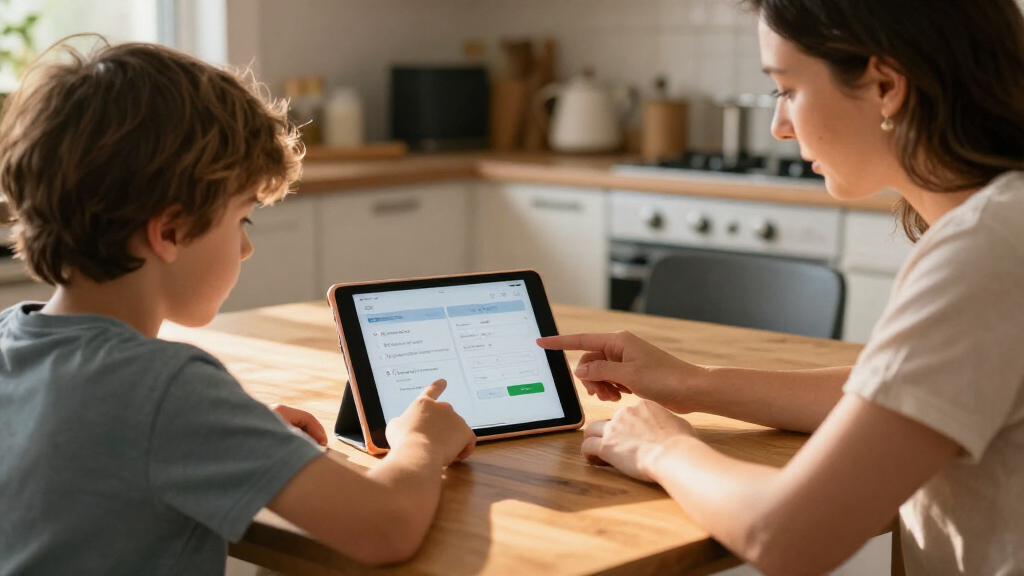
I ranked these tablets around the needs behind the search: a child-friendly device that gives caregivers useful control over content and screen time. I compared the stated parental-control support, screen size, listed storage and memory, Android version, battery capacity when provided, protective accessories, and extras such as offline learning apps or a stylus. I gave more weight to the combination of usable controls and family fit than to a single large specification, since a tablet is only a good choice if caregivers can manage it and a child can use it comfortably.
The lineup includes models with unevenly detailed specifications, so I treated claims as listed rather than assuming they prove faster performance, stronger protection, or better software support. Products with clearly stated parental controls and a practical package rise above options whose listings leave key details open; compact bundles and learning-focused extras earn credit for specific households, not as universal advantages. Before buying, I recommend confirming current software support, the exact control features, and whether the included case and accessories match your child’s needs.
Factors to Consider When Choosing Kids Tablets With Parental Controls
Choosing among kids tablets is less about finding the biggest specification and more about matching the device to your child’s routines and your household rules. I’d start with how the tablet will be used, then check the control setup, protection, and storage as a connected set of decisions.
Check What Parental Controls Actually Let You Manage
The phrase parental controls can cover very different tools, so look for specifics rather than relying on a product title. Check whether caregivers can approve downloads, filter websites or videos, set daily limits, and manage profiles from a separate device. A child-focused interface is not the same as a full set of controls, and a preloaded learning app does not necessarily restrict access to other content. Confirm whether the setup depends on a particular account, app, or internet connection. If you share a device across siblings, ask whether controls can be set separately for each child. Choosing based on the features you will actually use can prevent a frustrating setup later.
Match Screen Size to Where and How It Will Be Used
A seven-inch tablet is easier for smaller hands to carry and can suit short trips, but text and on-screen controls have less room. A ten-inch screen gives more space for reading, video, drawing, and learning activities, though the larger device can be heavier for a young child to hold. Consider whether your child mostly watches at a table, uses the tablet in a car, or carries it around the house. The most common mistake is choosing a large display for its appeal without checking its weight and case size. A compact tablet may work better for independent handling, while a larger one can be more comfortable for shared or seated activities. Match the screen to the routine, not just the listed diagonal measurement.
Treat the Case as Part of the Tablet
For a child’s device, protection affects how practical the tablet is day to day. Check whether a case is included, whether its edges cover the corners, and whether the screen remains accessible without the case slipping or blocking buttons. A colorful case is not automatically drop protection, and a sleeve helps during transport but does not protect a tablet while it is being used. If the child will carry the device to school or on trips, a sleeve or handle may be useful; for home use, a sturdy fitted case may matter more. Also check whether the bundle includes accessories that fit the child, such as headphones, and whether those accessories are optional or necessary for your intended setup. Budget for a separate protective case if the included one seems more decorative than functional.
Choose Storage for Offline Use, Not Just App Counts
Listed storage determines how much room is available for apps, downloads, photos, and offline video, but the operating system and preinstalled content use some space too. A tablet with 32GB may suit light app use, while larger libraries or downloaded entertainment can call for more capacity. Expandable storage can help with files, but it may not let every app move to a memory card. Before paying for a higher storage figure, estimate what your child will keep on the device at once and check the supported card type and limit. Offline learning or travel use makes available storage more valuable because content must be downloaded ahead of time. A practical plan for clearing old downloads can matter as much as the starting capacity.
Compare Battery Claims With Your Daily Routine
A listed battery capacity, such as 6000mAh, provides a point of comparison but does not predict hours of use on its own. Screen brightness, video playback, Wi-Fi, and background apps all affect how often a tablet needs charging. If the device will travel, check whether the manufacturer provides a realistic usage estimate and what charger or cable is included. For home use, a charging spot and a simple household routine may matter more than chasing the largest battery figure. Avoid assuming that a bigger screen or newer software version automatically means longer battery life. Consider whether your child can manage charging safely and whether the device will be available when needed.
Look Beyond Android Version and Memory Numbers
A newer Android version can be useful, but it does not by itself promise long-term updates, smooth performance, or a child-friendly setup. Memory figures also need context: listed RAM does not reveal how demanding the software is or how the tablet behaves with several apps open. Check the manufacturer’s support information, update policy, app compatibility, and warranty before treating a specification as a guarantee. A tablet with a clear support path may serve a family better than one with a larger headline number and sparse documentation. For younger children, reliable access to a few well-chosen apps can matter more than running many apps at once. I’d weigh verifiable support and usability above specs that are difficult to compare across brands.
Frequently Asked Questions
How can I tell whether a kids tablet’s parental controls are strong enough for my family?
Start by writing down the rules you need the tablet to enforce, such as approval for downloads, limits on daily use, or restricted websites. Then confirm that the listed controls cover those tasks and find out whether they are managed on the tablet or through a caregiver app. Check whether controls apply to every browser and app, since a limit in one service may not cover the whole device. Look for clear instructions and account requirements before buying, especially if you already manage children’s devices through a family account. If the product page only says “parental controls” without describing them, contact the seller or manufacturer rather than assuming the tools match your needs.
Should I choose a seven-inch tablet or a ten-inch tablet for a young child?
Choose based on how the child will hold and use it, not age alone. A seven-inch model is easier to carry and may be more manageable for small hands, while a ten-inch screen gives more room for books, videos, and drawing. If possible, compare the tablet’s weight with its case attached, since the case adds bulk. A child who mainly uses a device at a table may benefit from the larger screen; one who carries it between rooms may prefer a smaller model. Also check whether the content and apps your child uses are comfortable on the smaller display.
Is 32GB of storage enough for a child’s tablet?
It can be enough for a modest collection of apps and occasional downloads, but the usable space will be lower than the stated capacity once system software and preinstalled apps are accounted for. Families who save videos for travel, keep many games, or store school files may prefer more built-in storage. Do not assume a memory card will expand every kind of storage; some apps cannot be moved to external media. Check the tablet’s supported expansion limit and decide what your child needs offline. Regularly removing unused games and downloads can stretch a smaller capacity.
Are bundled headphones and learning apps worth prioritizing?
They are useful when they solve a specific need, but they should not outweigh control quality or protection. Included headphones can help during shared travel or quiet time, though you should check fit, volume safeguards, and whether they suit your child. Offline learning apps can be helpful when internet access is limited, but confirm what is included and whether the content is age-appropriate. A bundle may still need a stronger case, a compatible charger, or other essentials. Compare the actual items and their usefulness for your routine rather than counting accessories.
What should I verify before buying an Android kids tablet from a lesser-known brand?
Look for a clear manufacturer contact, warranty terms, return process, and published software-update information. Confirm the exact Android version, app-store access, and whether the parental-control tools are built in or provided by a separate service. Check that the model’s storage and expansion claims are specific, and verify which accessories come in the box. If your child relies on a particular school or learning app, confirm compatibility before purchase. Sparse support information is a reason to be cautious, even when the listed specifications look appealing.
Conclusion
For a broad family pick, I’d start with the EDUAITABLET K10D, whose listed large display and parental controls make it a strong candidate for everyday use. For a best value choice among the compact options, compare the HOTTABLET 7-Inch and PEICHENG 7-Inch against the controls and case details you can verify. Families new to children’s tablets may prefer the Contixo V9 bundle for its simple seven-inch format and sleeve, while buyers seeking a premium feature set can look at the Ulefone Tab A9 Pro for its listed 128GB storage or the Evermyth for its stylus and expandable-storage claim. For specific needs, choose the Contixo V8 if its headphones and sleeve suit your routine, or the UJoyFeel if offline learning apps are a priority. Before deciding, verify the exact parental-control tools, software support, and included protection; those details matter more than choosing the largest number on a spec sheet.
Black Friday Picks

Vitamix 5200 Blender with 64 oz Container, Black
As an affiliate, we earn on qualifying purchases.