
To make your mesh Wi-Fi kid-proof, set up a separate guest network with a strong password and enable device isolation to keep your family’s devices secure. Use parental controls to filter content, set screen time limits, and schedule internet access for safer online habits. Regularly monitor activity through your mesh system’s tools to guarantee safety and address issues quickly. Keep your network updated—learn how to optimize these steps for total online protection.

Turn the school run and nap time into listening time
- Thousands of audiobooks, podcasts and originals
- Listen on your phone, tablet or Echo — also offline
- Cancel anytime
Key Takeaways
- Create separate guest networks with unique passwords and enable network segmentation to isolate children’s devices from main devices.
- Enable parental controls via your mesh router to filter content, restrict device access, and schedule Wi-Fi time limits.
- Regularly update router firmware and parental control software to ensure security patches and safety features are current.
- Use device monitoring tools to track online activity, usage patterns, and detect any inappropriate or suspicious behavior.
- Customize network SSIDs and security settings to clearly distinguish guest networks from private networks, enhancing overall safety.
mesh Wi-Fi parental control router
As an affiliate, we earn on qualifying purchases.
As an affiliate, we earn on qualifying purchases.
Why Your Mesh Wi‑Fi Needs Kid‑Friendly Settings
Since kids are spending more time online than ever before, it’s essential to have kid-friendly settings on your mesh Wi-Fi. Implementing network segmentation allows you to create separate zones for your children’s devices, limiting their access to certain websites and apps. This not only helps protect them from inappropriate content and online dangers but also provides peace of mind for parents. Device prioritization also plays a key role, ensuring your kids’ devices get enough bandwidth during homework time or online learning, without slowing down other devices. These features give you control over your network, making it safer and more efficient. Setting up content filtering configurations helps you block harmful sites and manage online activity effectively. Utilizing accessibility features can further customize the online experience for children with specific needs, enhancing their safety and usability. Incorporating parental controls can provide an additional layer of management, giving parents more oversight over online activities. Combining these tools with network security protocols further strengthens your household’s online safety. Regularly updating your network firmware is also crucial to patch security vulnerabilities and maintain protection against emerging threats. By setting up kid-friendly configurations, you reduce risks and maintain a smoother online experience for everyone in your household. It’s an effective way to keep your family safe and connected.
How to Set Up Guest Networks for Safe Internet Sharing
To keep your network secure while sharing with guests, start by creating a separate network name for their access. Make sure to enable guest network features on your router for easy management. Finally, set strong passwords to prevent unauthorized use and protect your main Wi-Fi. Additionally, regularly updating your router’s firmware and monitoring network activity can help identify and prevent potential security threats. Being aware of network security principles, such as encryption and access controls, further enhances your network’s safety. Implementing high-quality encryption protocols ensures that your data remains protected during transmission. Conducting periodic vulnerability assessments can help you stay ahead of emerging security issues.
Create Separate Network Names
Creating a separate network name for your guest Wi-Fi is a simple yet effective way to keep your main network secure. By doing this, you establish network segmentation, which separates your devices from guest devices, reducing security risks. It also allows for device isolation, preventing guests from accessing your private files or connected smart devices. To set this up, imagine:
- Naming your main network “HomeSecure” to remind yourself it’s private.
- Creating a guest network called “Guests” for visitors.
- Assigning unique passwords to each network for added security.
- Ensuring the guest network is visible but separate from your main devices.
- Regularly reviewing your network settings helps maintain security and privacy.
This clear separation keeps your personal data safe while providing internet access for visitors. It’s a simple step toward a more secure, kid-proof Wi-Fi environment.
Enable Guest Network Features
Enabling the guest network feature on your router is a straightforward way to share your internet connection safely. It creates a separate network, ensuring your main devices remain protected through network segmentation. When setting up the guest network, make sure you enable Wi Fi encryption, such as WPA3 or WPA2, to keep data secure from potential eavesdroppers. Most routers allow you to turn on the guest network through their admin interface, often with a simple toggle. You can also customize the network name (SSID) to distinguish it from your main network. By isolating guest traffic, you prevent visitors from accessing your private devices while still providing reliable internet access. This setup helps maintain a secure, kid-proof environment while sharing Wi-Fi efficiently. Vetted – wave and wind Additionally, understanding how to secure network connections can further enhance your overall Wi-Fi safety, especially when using portable oil radiators or other connected devices in your home.
Set Strong Passwords
Once you’ve set up your guest network, it’s important to protect it with a strong password. A robust password enhances password security and ensures network encryption keeps your data safe. To create an effective password:
- Imagine a complex mix of uppercase, lowercase, numbers, and symbols, making it difficult to guess.
- Think of a phrase or a sentence you can remember but others wouldn’t guess.
- Avoid common words or easily accessible information like birthdays.
- Regularly update your password to stay ahead of potential threats.
These steps help prevent unauthorized access, keeping your guest network secure and your primary Wi-Fi protected. Strong passwords combined with network encryption form a crucial barrier against cyber intruders, ensuring safe internet sharing for everyone.
How to Enable Parental Controls on Your Mesh Wi‑Fi System

To keep your kids safe online, setting up parental controls on your mesh Wi-Fi system is essential. First, verify your router firmware is up to date, as manufacturers often release security patches and new features that improve control options. Access your router’s admin panel through its app or web interface, then navigate to the parental controls section. From there, you can restrict access to specific websites, block certain devices, or set content filters. Make sure your network encryption is enabled to protect your data and prevent unauthorized access. Additionally, understanding the Free Floating nature of online content can help you better tailor your controls for safe browsing. Being aware of Gold IRA Markets and their reputation can also inform you about trustworthy providers when selecting a service for managing your online security tools. Once configured, these controls help you monitor and manage your children’s internet activity, giving you peace of mind while they browse. Regularly review and update your settings to maintain a safe online environment.
Setting Up Kid-Friendly Wi‑Fi Schedules for Safer Internet Use

Because kids tend to spend too much time online, setting up Wi-Fi schedules is a practical way to promote safe internet use. You can create a routine that limits access during homework time or late at night. Start by:
- Defining specific hours when Wi-Fi is active or restricted.
- Prioritizing devices used for schoolwork through device prioritization settings.
- Adjusting network bandwidth allocations to ensure essential devices get enough speed.
- Automatically pausing internet access on certain devices during designated hours.
- Incorporating parental controls to filter content and monitor online activity effectively. Using network management features allows you to tailor restrictions more precisely based on your child’s needs. Additionally, understanding how smart home safety devices work can help you create a comprehensive online safety plan for your family. Implementing secure network protocols further enhances your family’s online safety by protecting against unauthorized access and encryption methods ensure that data transmitted over your network remains private. This approach helps you control screen time and encourages healthier habits. By scheduling Wi-Fi, you reduce the risk of overexposure while maintaining necessary online activity. It’s an effective way to keep your kids safe and foster responsible internet use.
Monitoring Your Kids’ Online Activity With Mesh Wi‑Fi Tools
Mesh Wi-Fi tools let you keep an eye on your kids’ online activity with activity monitoring features that show what sites they visit. You can also restrict access to certain content to keep them safe from inappropriate material. These tools give you the control to manage your kids’ internet use effectively. Additionally, understanding Victorian Steampunk Roleplay etiquette and fashion can help foster a respectful and imaginative environment in your roleplay community. Recognizing hive health indicators can also inform you about the importance of network stability and security, similar to maintaining a healthy hive. Monitoring network security and implementing parental controls are essential for safeguarding your child’s online experience. Understanding how AI-driven network management improves stability can further help you optimize your home network’s safety and performance. Moreover, utilizing privacy policies and cookie management options ensures your family’s online privacy remains protected while using these tools.
Activity Monitoring Features
Activity monitoring features in mesh Wi-Fi systems give you the ability to keep a close eye on your kids’ online activities in real-time. You can see which devices are connected, how much time they spend online, and what sites they visit. With device compatibility, you ensure all your kids’ gadgets are covered, from smartphones to gaming consoles. Network encryption protects this data from outsiders, keeping your monitoring private. Visualize these features as:
- A dashboard displaying connected devices in a clear list
- Time charts showing usage patterns throughout the day
- Alerts for unusual activity or new device connections
- Settings to customize monitoring levels for each device
These tools help you stay informed without invasive measures, empowering you with control and peace of mind. Additionally, understanding the effectiveness and results timeline of these monitoring features can help you set realistic expectations for your child’s online safety. Being aware of the security features your mesh Wi-Fi offers can further ensure your child’s online environment remains protected.
Restrict Content Access
To guarantee your kids stay safe online, restricting access to inappropriate content is essential. Mesh Wi‑Fi systems offer tools for filtering content and restricting websites, giving you control over what your children can see. You can set up filters to block adult content, violent sites, or other undesirable categories, ensuring they only access age-appropriate material. Many systems allow you to customize restrictions for different devices or user profiles, making it easier to manage multiple children’s needs. By actively restricting websites, you prevent accidental exposure to harmful content and promote safer browsing habits. These features work seamlessly within your existing mesh network, providing peace of mind without disrupting your kids’ online activities. With content filtering, you stay in control of their digital environment. Additionally, monitoring online activity tools help you stay informed about your children’s browsing habits and address any concerns proactively. Implementing content filtering ensures a safer online experience and helps establish healthy digital boundaries from an early age.
Troubleshooting Parental Controls and Keeping Your Wi‑Fi Kid‑Proof
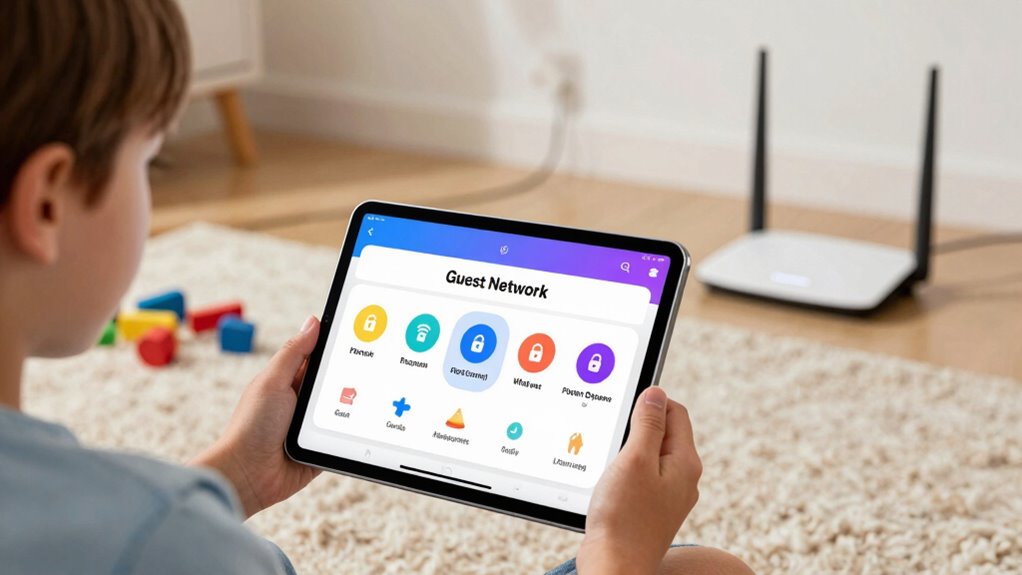
Even with parental controls in place, troubleshooting their issues quickly is essential to keep your Wi‑Fi kid-proof. Sometimes, you might notice slowed network speed or your child’s device isn’t responding to restrictions. To fix this, start by verifying device compatibility—ensure the device supports your router’s parental control features. Next, check your Wi‑Fi connection to rule out network speed issues that could interfere with controls. Restart your router to refresh settings. Finally, update your router’s firmware and parental control software to fix bugs. Visualize these steps as:
Troubleshoot parental controls by checking device compatibility, testing network speed, restarting your router, and updating firmware for seamless protection.
- Inspecting device compatibility with parental controls
- Running a network speed test
- Restarting your router
- Updating firmware and software for smooth operation
Troubleshooting proactively keeps your Wi‑Fi truly kid-proof.
Frequently Asked Questions
Can I Restrict Specific Websites on My Mesh Wi-Fi?
Yes, you can restrict specific websites on your mesh Wi-Fi. You’ll want to use website filtering features available through your router’s settings, which allow you to block access to certain sites. Additionally, device restrictions help you control which devices can access the internet and apply filtering rules. This way, you can guarantee your kids can’t access inappropriate content, giving you peace of mind while they surf online.
How Do I Prevent Device Bypass of Parental Controls?
Preventing device spoofing is vital to stop bypassing parental controls. You can do this by enabling strong encryption protocols like WPA3, which makes it nearly impossible for devices to impersonate trusted ones. Also, regularly update your firmware to patch security flaws, and disable features like MAC address randomization if necessary. These steps form a fortress around your network, ensuring your kids stay safely within your digital boundaries.
Are There Age-Based Filtering Options Available?
Yes, age-based filtering options are available on many mesh Wi-Fi systems. You can set age restrictions to automatically block inappropriate content and apply content filtering tailored to your child’s age. This makes it easier to guarantee they only access suitable websites and apps. Simply access your parental controls, select the device or user profile, and choose the appropriate age restrictions and content filtering settings to keep your kids safe online.
How Secure Are Guest Networks Against Hacking Attempts?
Think of your guest network as a castle’s moat—protecting your main valuables. While it offers a layer of security, guest network vulnerabilities still exist if not properly secured. Hackers can attempt infiltration through weak passwords or outdated firmware. To bolster your defenses, use strong, unique passwords, enable WPA3 encryption, and regularly update your router’s firmware. These hacking prevention techniques turn your guest network into a well-guarded fortress, keeping intruders at bay.
Can Parental Controls Be Customized for Individual Profiles?
Yes, you can customize parental controls for individual profiles. With profile customization, you set user-specific restrictions tailored to each family member’s needs. You control access to certain websites, apps, or content based on age or activity, ensuring a safer online environment. This way, you manage your kids’ internet use effectively, giving you peace of mind knowing each profile has personalized restrictions aligned with your preferences.
Conclusion
Think of your mesh Wi‑Fi as a digital fortress, with guest networks as secure gates and parental controls as vigilant guards. By setting these up, you create a safe castle where your kids can explore online without harm. Keep monitoring and adjusting, like tending a garden, to guarantee it stays protected and healthy. With these tools, you’re crafting a safe haven, turning the internet into a well-guarded sanctuary for your family to thrive.
Cold & flu season Picks
humidifiers
As an affiliate, we earn on qualifying purchases.