
To keep yourself safe online, follow simple rules like treating others kindly and respecting your privacy. Always ask a trusted adult before visiting new sites, downloading apps, or sharing information or photos. Be cautious with strangers and avoid clicking on unknown links or pop-up ads. Remember, your actions online can stick with you—so think before you click or post. Keep exploring to discover even more ways to stay safe and make the internet a positive place.
Key Takeaways
- Teach kids to treat others with kindness and respect, using polite language and avoiding online meanness.
- Set clear boundaries by approving websites, games, and downloads to prevent exposure to unsafe content.
- Encourage sharing personal information only with trusted adults and warn against sharing details or photos without permission.
- Instruct children to report suspicious or uncomfortable online behavior to a trusted adult immediately.
- Promote responsible internet use by following rules, practicing good etiquette, and understanding online actions impact reputation and safety.
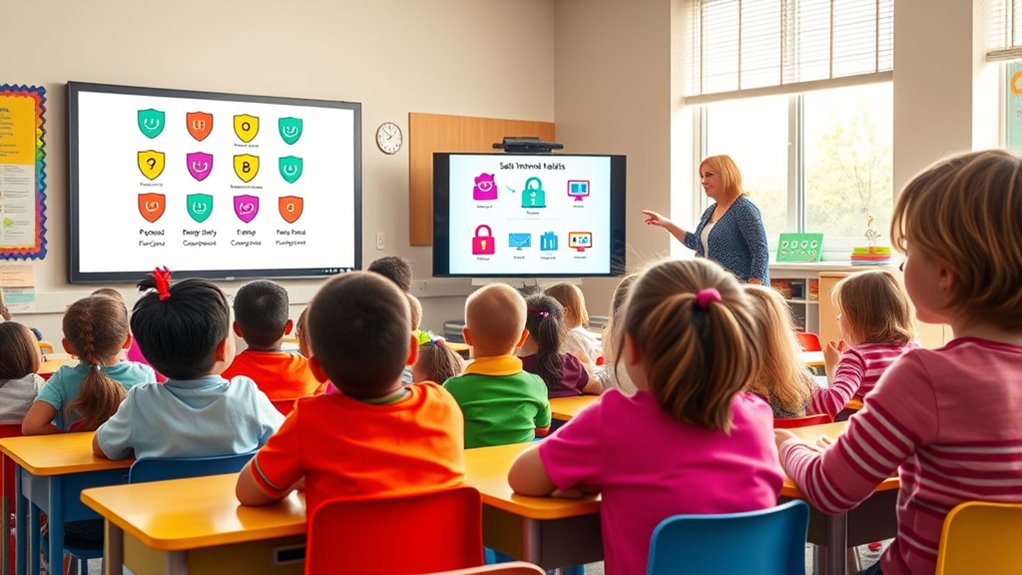
Have you ever wondered how to stay safe while exploring the internet? As an elementary student, the online world can be exciting, but it’s important to remember that your actions online can have lasting effects. One key idea is understanding your digital footprint—the trail of information you leave behind every time you go online. Every time you post a comment, share a photo, or even just visit a website, you’re creating a digital record that can be seen by others, including teachers, friends, or even strangers. That’s why it’s essential to think before you click or type. If you wouldn’t want your grandma to see it, or if it might embarrass you later, it’s better not to post it at all. Being mindful of your digital footprint helps you maintain a good online reputation and keeps you safe from identity theft or cyberbullying. Learning about essential oils for health can remind you to take care of your body and stay healthy while you explore the world online.
Along with managing your digital footprint, practicing good online etiquette is crucial. Online etiquette means treating others with kindness and respect when you’re on the internet. Remember, even though you’re not face-to-face, your words can still hurt someone. Always use polite language, say “please” and “thank you,” and avoid shouting or using all caps, which can seem like you’re yelling. If you see someone being mean or unfair online, don’t join in or respond with anger. Instead, tell a trusted adult what’s happening so they can help. Good online etiquette also means respecting other people’s privacy. Don’t share their personal information or photos without permission. And if someone asks you not to share something about them, respect their wishes.
Another way to stay safe is by setting boundaries around your internet use. Only visit websites or play games that your parents or teachers say are okay. Avoid clicking on pop-up ads or links from unknown sources—they might lead to unsafe sites or viruses. Always ask permission before downloading anything, like apps or files, because some downloads can contain harmful software. Remember, being cautious and respectful online not only protects you but also helps make the internet a better place for everyone. By understanding your digital footprint and practicing good online etiquette, you’re taking important steps to stay safe and enjoy your time online responsibly. The internet is a wonderful tool for learning and fun, but only if you use it wisely and treat others with kindness. Keep these rules in mind, and you’ll be a safe and respectful digital citizen from the start.

Teach Your Dragon Online Safety: A Story About Navigating the Internet Safely and Responsibly (My Dragon Books)
As an affiliate, we earn on qualifying purchases.
As an affiliate, we earn on qualifying purchases.
Frequently Asked Questions
How Can I Monitor My Child’s Online Activity Effectively?
To monitor your child’s online activity effectively, you should practice consistent parental supervision and set clear boundaries. Use parental control tools to track what they access and communicate openly about digital literacy, helping them understand safe online behavior. Regularly check devices together and encourage honest conversations, so your child feels comfortable sharing concerns. This approach fosters trust and keeps them safe while steering through the digital world responsibly.
What Should I Do if My Child Encounters Cyberbullying?
Imagine your child’s face, clouded with hurt after cyberbullying, like a storm disrupting calm waters. You should offer emotional support, listening without judgment, and reassure them they’re not alone. Foster open communication so they feel safe sharing their feelings. Encourage them to block bullies and report abuse. Together, these steps help your child regain confidence and know you’re there, guiding them through digital storms with understanding and care.
Are There Recommended Apps to Control Internet Access at Home?
You should consider using parental control apps to manage your child’s internet access at home. These apps help you set limits on screen time and restrict inappropriate content, giving you peace of mind. Look for options that offer easy screen time management and monitoring features, so you stay informed about your child’s online activities. This way, you can create a safer online environment while encouraging healthy digital habits.
How Do I Teach My Child About Online Privacy?
Imagine your child’s online world as a secret garden. You teach them about privacy awareness, showing them how to protect their digital footprints like guarding precious plants. Explain that sharing personal info is like giving away keys to their garden—once lost, it’s hard to control. By setting boundaries and discussing what’s safe to share, you help your child become a responsible explorer, safeguarding their online space.
When Should I Consider Restricting Internet Use Altogether?
You should consider restricting internet use altogether if your child shows warning signs like withdrawal, difficulty focusing, or increased anxiety. When age-appropriate limits aren’t enough and these signs persist, it’s time to step back from unrestricted access. Setting clear boundaries helps protect their mental health and safety. Trust your instincts and observe their behavior closely—if concerns arise, limiting internet use can be a necessary step to keep them safe.

Amazon Echo Dot Kids (newest model) – Designed for kids, Designed for Alexa+, parental controls, Includes 1 Year of Amazon Kids+, Dragon
Echo Dot Kids: Our most popular and cutest smart speaker with Alexa, made for kids (not a toy)….
As an affiliate, we earn on qualifying purchases.
As an affiliate, we earn on qualifying purchases.
Conclusion
Remember, keeping your child safe online is like guiding them through a busy, bustling street. With clear rules and watchful eyes, you help them navigate safely past tricky corners and unexpected distractions. Think of the internet as a shining city full of wonders, but also hidden pitfalls. By setting boundaries and staying involved, you light the way, ensuring their digital journey is protected, bright, and full of learning rather than danger.

Who What Why Conversation Cards for Kids Online Safety – Cybersecurity & Digital Awareness Learning Game – Emotional Regulation Tool for Kids – Social Skills Activity & Speech Therapy Materials
REAL-LIFE ONLINE SAFETY SCENARIOS FOR KIDS – This social emotional game includes 50 conversation cards with relatable online…
As an affiliate, we earn on qualifying purchases.
As an affiliate, we earn on qualifying purchases.

Utag GPS Tracker for Kids,4pcs Key Finder Works with Apple Find My (iOS only),Privacy Protection, Lost Mode, Waterproof,Bluetooth Tracker for Children, Seniors, Pets, Backpack (Black)
1
As an affiliate, we earn on qualifying purchases.
As an affiliate, we earn on qualifying purchases.