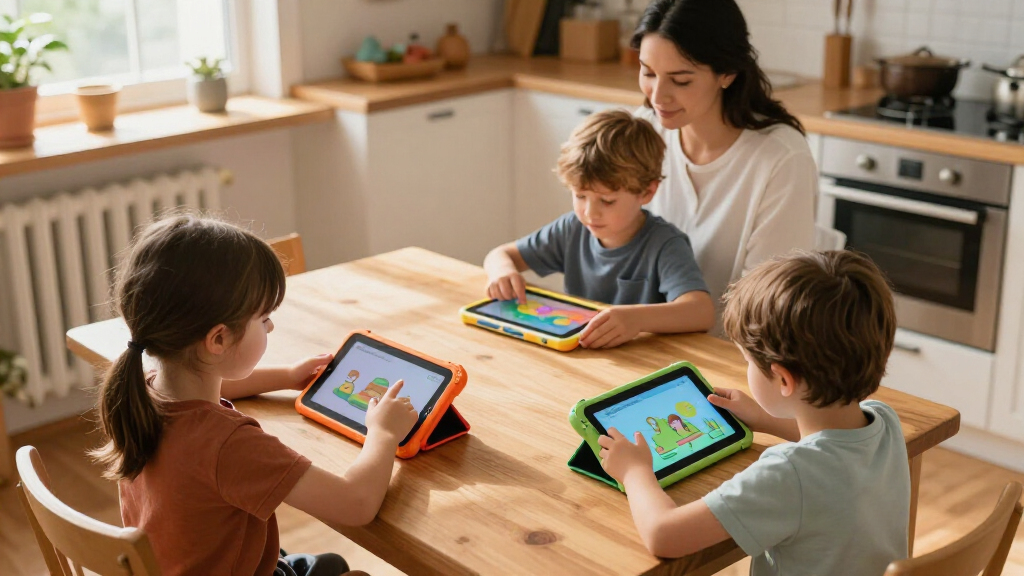

Choosing between kids’ educational tablets mostly comes down to two questions: do you want a closed, curated learning system or a full Android tablet you control yourself? The Amazon Fire 7 Kids Tablet earns my best overall pick for its combination of a kid-proof case, a two-year worry-free replacement guarantee, and the strongest parental control suite for the price. If you want a bigger screen with serious hardware for older kids, the COLORROOM 10.1-inch Android 15 tablet stands out, while the Hahaland 5-Language Learning Tablet is the safer bet for toddlers who aren’t ready for a screen-based OS. The main tradeoff in this category is curated safety versus flexibility and app choice, along with the gap between toy tablets under $30 and full Android devices under $100. Continue reading for the full breakdown of all 13 tablets and who each one suits best.

Turn the school run and nap time into listening time
- Thousands of audiobooks, podcasts and originals
- Listen on your phone, tablet or Echo — also offline
- Cancel anytime
Complete the kit


Key Takeaways
- The Amazon Fire 7 Kids Tablet wins best overall because its two-year no-questions replacement guarantee and curated Kids+ content library solve the two biggest failure points in this category: broken screens and unsafe app stores.
- Closed learning systems like the LeapFrog LeapPad Academy and the Hahaland toddler tablet offer safer, ad-free experiences, but they cap out around ages 4-7, while Android 11-15 tablets grow with your child into the tween years.
- Hardware specs are the most misleading numbers here — 10GB of ‘RAM’ claims usually combine real RAM with virtual storage tricks, so a 3-4GB Android tablet often performs the same as an 8-10GB one in real kid use.
- Google Kids Space (on the YosaToo) and Amazon Kids+ are the only two genuinely well-built curated content platforms in this lineup; generic ‘educational apps’ pre-installed on budget tablets are often low-quality or ad-supported.
- Every 7-inch tablet in this roundup lands between $40-$90, which means brand support, software updates, and case quality — not price — are what actually separate the good picks from the forgettable ones.
| Hahaland 5-Language Learning Tablet Toy for Toddlers 1-3 |  | Best for Toddlers Under 3 | Age Range: 12 months+ | Number of Modules: 90+ | Languages Supported: English, French, Spanish, German, Italian | VIEW LATEST PRICE | See Our Full Breakdown |
| Trayoo Kids Tablet 7-inch Toddler Learning Tablet with Parental Control, Durable Case, WiFi, YouTube, Android 11 |  | Best Budget First Tablet | Display: 7 inches HD (1024 x 600) | Processor: Quad-core 1.6GHz | RAM: 2 GB | VIEW LATEST PRICE | See Our Full Breakdown |
| Aiprotablet Kids Tablet, 10-inch Android Octa-Core Tablet for Kids with Case, Keyboard, Mouse, Stylus, Pink |  | Best Premium Pick | Display: 10 inch, 1280×800 IPS | Processor: Octa-core 2.2GHz T7280 | RAM: 30GB (6+24GB) | VIEW LATEST PRICE | See Our Full Breakdown |
| Kids 7-Inch Tablet with Educational Apps, Parental Controls, and Long Battery Life |  | Best Portable Learning Option | Display: 7-inch HD IPS screen | Processor: Allwinner | Storage: 2GB RAM + 32GB, expandable to 128GB | VIEW LATEST PRICE | See Our Full Breakdown |
| LeapFrog LeapPad Academy Kids’ Learning Tablet, Green |  | Best Curated Learning Experience | Brand: LeapFrog (VTech) | Display: 7-inch shatter-safe screen | Operating System: Android 10 | VIEW LATEST PRICE | See Our Full Breakdown |
| COLORROOM 2026 Upgraded Android 15 Kids Tablet, 10.1-inch |  | Best Overall | Display: 10.1-inch HD, 1280×800 | Processor: Unisoc Octa-core T606, 2 GHz | RAM: 10GB (4GB + 6GB virtual) | VIEW LATEST PRICE | See Our Full Breakdown |
| Kids Tablet, 7 inch Educational Learning Tablet for Kids 2-10 |  | Best Value for Young Learners | Display: 7-inch IPS HD touchscreen | Operating System: Android 11 | Processor: Quad-core, 1.6-1.8 GHz | VIEW LATEST PRICE | See Our Full Breakdown |
| Amazon Fire 7 Kids Tablet, 7-inch, 16 GB |  | Best Content Ecosystem | Display: 7-inch, 1024 x 600 | CPU & RAM: Quad-core 2.0 GHz, 2GB RAM | Storage: 16GB (9.5GB usable), expandable via microSD up to 1TB | VIEW LATEST PRICE | See Our Full Breakdown |
| HOTTABLET Kids Tablet 7 inch Android with Parental Control |  | Best Budget Screen-Time Manager | Display: 7-inch IPS, 1024×600 | Operating System: Android 12.0 | Processor: Quad-core CPU | VIEW LATEST PRICE | See Our Full Breakdown |
| EDDBNi Kids Tablet 10 inch Android Tablet with Case |  | Budget Big-Screen Option | Display: 10 inches | Configuration: 6GB RAM, 64GB ROM | Processor: Quad-core | VIEW LATEST PRICE | See Our Full Breakdown |
| Kids Tablet, 7 inch Android Tablet for Kids with Parental Control, 4GB+32GB, Supports 1TB Expansion |  | Best for Storage Expansion | Display: 7 inch | RAM: 4GB (including 2GB extended memory) | Storage: 32GB ROM | VIEW LATEST PRICE | See Our Full Breakdown |
| YosaToo Kids Tablet, 7-inch Android Tablet for Kids 3-12 |  | Best for Offline Learning | Display: 7 inches | Operating System: Android 16 | Processor: Rockchip 1.5 GHz | VIEW LATEST PRICE | See Our Full Breakdown |
| Kids 7-inch Tablet with Parental Controls, 32GB, Android 12, Shockproof Case, Pink |  | Best Budget Starter Tablet | Display: 7 inch IPS, 1024×600 | Processor: Quad-core (speed unspecified) | RAM: 4GB | VIEW LATEST PRICE | See Our Full Breakdown |
| kids’ educational tablet | Display | Storage | Processor | RAM |
|---|---|---|---|---|
| Hahaland 5-Language Learning T | — | — | — | — |
| Trayoo Kids Tablet 7-inch Todd | 7 inches HD (1024 x 600) | 32 GB (expandable to 64 GB) | Quad-core 1.6GHz | 2 GB |
| Aiprotablet Kids Tablet | 10 inch, 1280×800 IPS | 64GB, expandable to 2TB via microSD | Octa-core 2.2GHz T7280 | 30GB (6+24GB) |
| Kids 7-Inch Tablet with Educat | 7-inch HD IPS screen | 2GB RAM + 32GB, expandable to 128GB | Allwinner | — |
| LeapFrog LeapPad Academy Kids’ | 7-inch shatter-safe screen | — | — | — |
| COLORROOM 2026 Upgraded Androi | 10.1-inch HD, 1280×800 | 64GB, expandable to 1TB via MicroSD | Unisoc Octa-core T606, 2 GHz | 10GB (4GB + 6GB virtual) |
| Kids Tablet | 7-inch IPS HD touchscreen | 32GB, expandable to 1TB via microSD | Quad-core, 1.6-1.8 GHz | 3GB |
| Amazon Fire 7 Kids Tablet | 7-inch, 1024 x 600 | 16GB (9.5GB usable), expandable via microSD up to 1TB | — | — |
| HOTTABLET Kids Tablet 7 inch A | 7-inch IPS, 1024×600 | 32GB | Quad-core CPU | 4GB (2GB + 2GB expandable) |
| EDDBNi Kids Tablet 10 inch And | 10 inches | — | Quad-core | — |
| Kids Tablet | 7 inch | 32GB ROM | — | 4GB (including 2GB extended memory) |
| YosaToo Kids Tablet | 7 inches | 32GB, expandable to 64GB | Rockchip 1.5 GHz | 4GB |
| Kids 7-inch Tablet with Parent | 7 inch IPS, 1024×600 | 32GB | Quad-core (speed unspecified) | 4GB |
More Details on Our Top Picks
Hahaland 5-Language Learning Tablet Toy for Toddlers 1-3
While every other tablet in this lineup is a real screen-based device, the Hahaland learning tablet takes the opposite approach: it’s a screen-free interactive toy that mimics a tablet’s shape. That distinction matters for parents of one- and two-year-olds who want the button-pressing, cause-and-effect play of a device without any actual screen exposure. With 90+ modules spanning letters, animals, and music, plus five languages including French and Spanish, it delivers more structured early-learning content than most toddler toys. Compared with something like the LeapFrog LeapPad Academy, it’s far simpler and cheaper, but that’s the point — it’s a first learning toy, not a tablet proper. The tradeoff is longevity: kids outgrow it by age three or four, whereas the Trayoo Kids Tablet will still be useful years later.
Pros:- Five languages (English, French, Spanish, German, Italian) for early multilingual exposure
- 90+ interactive modules covering letters, numbers, animals, shapes, and music
- Screen-free design that eliminates blue light and screen-time worries entirely
- BPA-free ABS plastic that survives toddler-level abuse
Cons:- Age-limited appeal; most children outgrow it by age 3-4
- No screen or app ecosystem means nothing to expand into as the child develops
Best for: Parents of 1-3 year olds who want screen-free early learning with a multilingual head start
Not ideal for: Families with kids aged 4+ who need real apps, video content, and a device that grows with the child
- Age Range:12 months+
- Number of Modules:90+
- Languages Supported:English, French, Spanish, German, Italian
- Screen:None (screen-free toy)
- Material:BPA-free ABS plastic
- Dimensions:Lightweight, portable design
Our verdict“Buy this if you want a safe, screen-free tablet-style toy for a toddler — skip it if your child is old enough for a real device.”
Trayoo Kids Tablet 7-inch Toddler Learning Tablet with Parental Control, Durable Case, WiFi, YouTube, Android 11
The Trayoo Kids Tablet earns its place as the sensible entry point into real tablets. For the price of a toy, you get a 7-inch HD display, Android 11, WiFi, and — the deciding factor here — preloaded learning apps that work offline, so a preschooler can practice letters on a car ride without any setup. The included kid-proof case handles the drop test phase that every first tablet goes through. Compared with the similarly sized Kids 7-Inch Tablet from this roundup, the Trayoo counters a weaker battery (5000mAh, ~8 hours in ideal conditions) with YouTube access and a sturdier bundled case. It won’t match the Aiprotablet for raw power, and Android 11 limits some newer apps, but for a first device it covers the essentials without asking much financially.
Pros:- Preloaded educational apps that function without internet
- Durable kid-proof case included in the box
- Parental controls for screen time limits and content filtering
- Eye-protection display settings for younger eyes
Cons:- Android 11 is dated and may restrict some newer apps
- 8-hour battery claim drops quickly with video streaming
- Small parts make it unsuitable for children under 3
Best for: Budget-conscious parents buying a 3-6 year old their first real tablet
Not ideal for: Older kids (8+) who need more processing power for demanding apps and games
- Display:7 inches HD (1024 x 600)
- Processor:Quad-core 1.6GHz
- RAM:2 GB
- Storage:32 GB (expandable to 64 GB)
- Battery:5000 mAh, approx. 8 hours
- Operating System:Android 11
- Connectivity:WiFi, Bluetooth
- Included Components:Kids-proof case, dual cameras
Our verdict“A low-risk, well-protected first tablet that does the basics right — ideal for ages 3-6, underpowered for anyone older.”
Aiprotablet Kids Tablet, 10-inch Android Octa-Core Tablet for Kids with Case, Keyboard, Mouse, Stylus, Pink
If the roundup’s 7-inch options are training wheels, the Aiprotablet is a full bicycle. The 2.2GHz octa-core processor and generous RAM keep it responsive where budget tablets like the Trayoo stutter, and the 10-inch IPS display makes reading apps and worksheets genuinely usable rather than cramped. What sets it apart from every other device here is the keyboard, mouse, and stylus bundle — it transforms the tablet into something a 7-10 year old can actually type homework on, bridging toward laptop territory. Compared with the COLORROOM 10.1-inch, the Aiprotablet’s accessory package and 2TB expandable storage justify its premium framing. The tradeoffs are real: the 64GB base storage fills up fast, so plan on buying a microSD card, and some accessories listed may ship separately. It’s also more tablet than a 3-year-old needs.
Pros:- Octa-core processor handles demanding educational apps without lag
- Keyboard, mouse, and stylus support typing and drawing skills
- 2TB microSD expansion headroom for years of content
- Adjustable-stand case doubles as a viewing and writing station
Cons:- 64GB base storage requires an early microSD purchase
- Some features and accessories depend on internet connectivity or separate shipping
Best for: Parents of elementary-school kids (6-10) who want one device for learning, typing practice, and creative apps
Not ideal for: Preschoolers — the size, price, and accessory bundle are wasted on a 3-4 year old
- Display:10 inch, 1280×800 IPS
- Processor:Octa-core 2.2GHz T7280
- RAM:30GB (6+24GB)
- Storage:64GB, expandable to 2TB via microSD
- Battery Life:8+ hours usage, 7 days standby
- Operating System:Android 16
- Included Accessories:Case, keyboard, mouse, stylus
- Connectivity:WiFi, Bluetooth
Our verdict“The pick when you want a kids’ tablet that lasts through elementary school — worth the spend only if your child will use the keyboard and stylus.”
Kids 7-Inch Tablet with Educational Apps, Parental Controls, and Long Battery Life
This unnamed 7-incher positions itself as the grab-and-go learning tablet: lightweight, drop-resistant, and preloaded with offline educational content straight out of the box. The rotatable stand and adjustable brightness make it genuinely useful for car seats and restaurant tables — scenarios where the larger Aiprotablet feels bulky. Against the YosaToo Kids Tablet, it matches the offline-apps pitch but stretches its claimed age range to 3-12, which is optimistic given the modest Allwinner processor. Buyers should also weigh the ; the interface is basic and the 32GB storage needs an expansion card sooner rather than later. Still, for parents who want a cheap secondary device for travel — one where a lost or broken tablet isn’t a disaster — the tradeoffs are acceptable. It’s a backup device, not a primary one.
Pros:- Preloaded offline educational games require no WiFi to start
- Lightweight, drop-resistant build suited to outdoor and travel use
- Rotatable stand and adjustable brightness for flexible viewing
- Storage expandable to 128GB
Cons:- Basic interface with dated Allwinner processor
- 32GB storage fills quickly without an expansion card
Best for: Parents wanting an inexpensive travel or secondary tablet for offline learning on the go
Not ideal for:
- Display:7-inch HD IPS screen
- Processor:Allwinner
- Storage:2GB RAM + 32GB, expandable to 128GB
- Battery:3500mAh lithium polymer
- Age Range:3-12 years
- Build:Lightweight, drop-resistant
- Included Components:Tablet, Type-C cable, charger, manual
Our verdict“A reasonable cheap second tablet for travel — but if this is your child’s only device, spend slightly more on the Trayoo or LeapFrog.”
LeapFrog LeapPad Academy Kids’ Learning Tablet, Green
Most tablets in this roundup are general-purpose Android devices with kids’ modes bolted on. The LeapPad Academy is the reverse: a purpose-built learning tablet from an education company, running 20+ educator-approved apps from day one. That curated approach is why it ranks here — compared with the open Trayoo Kids Tablet, parents spend far less time curating content and policing app stores, because the ecosystem is already child-safe and pedagogically sequenced. The shatter-safe 7-inch screen, included stylus, kickstand, and 2-year warranty round out a package built for the 3-8 crowd specifically. The tradeoffs are equally clear: a subscription is needed for the full LeapFrog Academy library, the hardware lags when several apps load at once, and unlike the Aiprotablet, there’s no path to typing or homework use for older kids. You’re buying the curriculum, not the specs.
Pros:- 20+ educator-approved apps preloaded with no curation needed
- Shatter-safe screen and removable bumper built for rough handling
- Includes stylus and kickstand for writing-practice activities
- 2-year limited warranty from VTech
Cons:- Full content library requires a paid LeapFrog Academy subscription
- Can run slowly when multiple apps are loading
- Age-capped at 8 with no growth path for older children
Best for: Parents of 3-8 year olds who want a closed, educator-designed learning ecosystem with minimal setup
Not ideal for: Budget-averse families — the subscription for full content access adds recurring cost
- Brand:LeapFrog (VTech)
- Display:7-inch shatter-safe screen
- Operating System:Android 10
- Age Range:3-8 years
- Preloaded Content:20+ learning apps, 3-month LeapFrog Academy trial
- Included Components:Bumper with kickstand, stylus, USB-C cable, wall adapter
- Warranty:2-year limited warranty
Our verdict“The best choice when you want trusted, structured learning content over raw hardware — just budget for the subscription.”
COLORROOM 2026 Upgraded Android 15 Kids Tablet, 10.1-inch
This option stands out for pairing a current Android 15 operating system with Google Kids Space, which means access to a genuinely curated, age-appropriate content library rather than the generic app stores found on budget rivals like the EDDBNi K10. The octa-core Unisoc T606 with 10GB of effective RAM keeps learning apps and streaming video from stuttering — a real weakness on the quad-core 7-inch models in this lineup. That 12-hour battery claim covers long car rides and after-school homework sessions without a midday recharge. The tradeoff: storage starts at just 64GB, and expanding toward that 1TB ceiling means buying a microSD card separately. The anti-blue-light 10.1-inch display is generous for reading apps, though 1280×800 resolution is merely adequate at this size, not sharp.
Pros:- Runs Android 15 with Google Kids Space — newer software than nearly every competitor here
- Octa-core CPU with 10GB effective RAM handles apps smoothly
- Up to 12 hours of battery life for travel days
- Large 10.1-inch eye-friendly display with anti-blue-light design
Cons:- Storage expansion requires a separately purchased microSD card
- 1280×800 resolution is soft for a 10.1-inch screen
Best for: Parents who want a modern, full-featured Android tablet that lasts through elementary school, not just the toddler years
Not ideal for: Buyers on a strict budget who don’t want to add a microSD card purchase on top of the tablet price
- Display:10.1-inch HD, 1280×800
- Processor:Unisoc Octa-core T606, 2 GHz
- RAM:10GB (4GB + 6GB virtual)
- Storage:64GB, expandable to 1TB via MicroSD
- Battery:6000mAh, up to 12 hours
- Operating System:Android 15
- Extras:EVA case, dual stereo speakers, 4K video recording support
Our verdict“The strongest all-around pick for families who want modern software, real performance, and room to grow for years.”
Kids Tablet, 7 inch Educational Learning Tablet for Kids 2-10
At the budget end of this roundup, this 7-inch tablet makes sense for one reason: educational content is preinstalled, so a three-year-old can start using it out of the box without a parent spending an evening configuring apps. Compared with the HOTTABLET 7-inch, the software experience is more turnkey, though the hardware underneath is weaker — a quad-core chip and 3GB of RAM mean slower app loads and occasional lag in heavier games. Battery life tops out around 5 hours, roughly half of what the Amazon Fire 7 Kids delivers. The included case has a hanging hook, a small but genuinely useful detail for backseat or stroller mounting. The moderate is the honest signal here: this is a starter device, not a long-term companion.
Pros:- Educational content comes preloaded — no setup required
- Protective case with hanging hook for strollers and car seats
- Expandable storage up to 1TB via microSD
- Very low entry price for a full Android kids tablet
Cons:- Around 5 hours of battery life — the shortest in this batch
Best for: Budget-conscious parents buying a first tablet for a 3-7 year old who mostly needs basic learning apps and videos
Not ideal for: Anyone expecting longevity — the modest ratings and dated Android 11 software suggest a short useful life
- Display:7-inch IPS HD touchscreen
- Operating System:Android 11
- Processor:Quad-core, 1.6-1.8 GHz
- RAM:3GB
- Storage:32GB, expandable to 1TB via microSD
- Battery:3000mAh, up to 5 hours
- Age Range:3-7 years
Our verdict“A cheap, ready-to-go first tablet for young kids, as long as you accept it may be replaced within a couple of years.”
Amazon Fire 7 Kids Tablet, 7-inch, 16 GB
What separates the Fire 7 Kids from every generic Android tablet here is the 1-year Amazon Kids+ subscription bundled in — thousands of ad-free books, games, and videos curated by age, which is worth real money compared to piecing together free apps on the COLORROOM or YosaToo alternatives. Amazon’s parental controls are also the most polished in this batch, with time limits, content filters, and per-child profiles. The compromises are real, though: only 16GB of internal storage (about 9.5GB usable), a sluggish 2GB of RAM, and a closed ecosystem that favors Amazon content over the Google Play store. After the first year, the Kids+ subscription auto-renews at full price unless cancelled. Build quality and the kid-proof case are proven, and 10 hours of battery easily beats both 7-inch budget picks above.
Pros:- Includes 1 year of Amazon Kids+ with thousands of ad-free educational titles
- Best-in-class parental controls with per-child profiles
- Up to 10 hours of battery life
- Proven durable kid-proof case
Cons:- Only 9.5GB usable internal storage without a microSD card
- Kids+ subscription renewal costs after year one
- No Google Play store — locked to Amazon’s ecosystem
Best for: Parents who want curated, ad-free content and the most reliable parental controls without any app research
Not ideal for: Families invested in Google Play apps or YouTube — the Fire’s app selection is limited to Amazon’s store
- Display:7-inch, 1024 x 600
- CPU & RAM:Quad-core 2.0 GHz, 2GB RAM
- Storage:16GB (9.5GB usable), expandable via microSD up to 1TB
- Battery Life:Up to 10 hours
- Cameras:2 MP front and rear, 720p HD video
- Weight:15.1 ounces
- Extras:Kid-proof case, USB-C, 1-year Kids+ subscription
Our verdict“The easiest, safest content package for ages 3-7, provided you’re comfortable living inside Amazon’s walled garden.”
HOTTABLET Kids Tablet 7 inch Android with Parental Control
The HOTTABLET occupies the middle ground between the stripped-down 7-inch Educational Learning Tablet and the pricier Fire 7 Kids: it runs Android 12, includes a full silicone case, and offers 4GB of effective RAM — more headroom than most 7-inch rivals, so apps stay usable as a child grows. Its 5MP rear camera is the best photo hardware in this size class here, decent enough for video calls with grandparents. Battery life is the sticking point: the 3000mAh cell delivers around 8 hours under light use, but video streaming will drain it faster, and it can’t match the COLORROOM’s 12-hour claim. Storage stops at 32GB, and while expandable, the ceiling is lower than the 1TB offered elsewhere. The eye-protection mode on the IPS display is a thoughtful touch for bedtime reading apps.
Pros:- Android 12 is newer software than most budget 7-inch competitors
- 5MP rear camera is the best in its size class here
- Full silicone protective case included
- Eye-protection mode on the IPS display
Cons:- 3000mAh battery drains quickly during video streaming
- 32GB base storage with a lower expansion ceiling than rivals
Best for: Parents who want solid mid-range performance and parental controls at a budget price, especially for video calls
Not ideal for: Heavy video watchers or long-trip families — the battery won’t hold up like the Fire 7 or COLORROOM
- Display:7-inch IPS, 1024×600
- Operating System:Android 12.0
- Processor:Quad-core CPU
- RAM:4GB (2GB + 2GB expandable)
- Storage:32GB
- Battery:3000mAh, up to 8 hours
- Cameras:2MP front, 5MP rear
- Warranty:1 year
Our verdict“A sensible middle pick for budget buyers who want slightly better cameras and software than the cheapest options.”
EDDBNi Kids Tablet 10 inch Android Tablet with Case
If screen size is the priority and budget is tight, the EDDBNi K10 offers a 10-inch display with 64GB of storage at a price point where most alternatives — including the COLORROOM — cost noticeably more. The extra screen real estate genuinely helps for drawing apps, e-books, and video lessons. But this is where the savings show: the quad-core processor is a step behind the COLORROOM’s octa-core, 2.4G-only WiFi rules out faster 5GHz networks, and the signals inconsistent quality control. Documentation is thin too — battery capacity and charging details are vague, which makes it hard to plan around real-world endurance. A case is included, which softens the durability risk for younger users. This pick makes the most sense for older kids doing homework and videos rather than toddlers who drop things.
Pros:- 10-inch display at a budget-friendly price point
- 64GB of storage plus 6GB RAM configuration
- Protective case included
- Dual cameras for photos and video calls
Cons:- 2.4GHz-only WiFi limits connection speed and stability
- Battery life details are not clearly documented
Best for: Older kids and teens who benefit most from a large 10-inch screen for homework, reading, and videos at a low price
Not ideal for: Parents of toddlers or anyone who prioritizes proven reliability — the below-average rating is a legitimate red flag
- Display:10 inches
- Configuration:6GB RAM, 64GB ROM
- Processor:Quad-core
- Connectivity:Wi-Fi 2.4G, 802.11g
- Cameras:Dual cameras
- Included:Tablet, protective case
Our verdict“A cheap route to a big screen for older kids, but the spotty ratings mean buyers should go in with tempered expectations.”
Kids Tablet, 7 inch Android Tablet for Kids with Parental Control, 4GB+32GB, Supports 1TB Expansion
Most budget kids’ tablets choke on storage after a few months of downloaded videos and offline apps, but this model stands out for supporting microSD cards up to 1TB — headroom that rivals the pricier Aiprotablet 10-inch and lets a family load entire learning libraries without constant deletion. The WiFi6 connectivity is a step above the YosaToo, which still ships with standard WiFi, meaning smoother video streaming in busy households. The shockproof case with kickstand makes hands-free viewing practical for car rides. The tradeoffs are real, though: the 4GB of RAM includes 2GB of extended virtual memory, so real-world multitasking is closer to a 2GB device, and the quoted 6-hour battery figure drops fast when WiFi is in use. Compared with the LeapFrog LeapPad Academy, it lacks a vetted curriculum but offers far more flexibility.
Pros:- 1TB microSD expansion dwarfs the 64GB ceiling of the YosaToo
- WiFi6 delivers faster, more stable streaming than older budget rivals
- Shockproof case with built-in kickstand survives drops and enables hands-free use
- Parental controls cover content management and screen time out of the box
- Dual cameras with flash support video calls and photo projects
Cons:- Advertised 4GB RAM includes 2GB of slower extended memory
- 6-hour battery claim shrinks considerably under video playback and WiFi use
- 7-inch screen feels cramped for older kids compared with 10-inch options like the COLORROOM
Best for: Parents who plan to download large amounts of educational content and videos for travel or offline use
Not ideal for: Buyers who expect true 4GB performance — the extended-memory setup means slower multitasking than the spec sheet suggests
- Display:7 inch
- RAM:4GB (including 2GB extended memory)
- Storage:32GB ROM
- Expandable Storage:Micro SD card up to 1TB
- Battery:3000mAh, up to 6 hours
- Cameras:Dual cameras with flash
- Connectivity:Bluetooth, WiFi6
- Case:Shockproof with kickstand
Our verdict“This pick makes the most sense for families who hoard downloaded content and never want to manage storage again.”
YosaToo Kids Tablet, 7-inch Android Tablet for Kids 3-12
Where this tablet separates itself from the generic 7-inch crowd — the Trayoo, the HOTTABLET, the unnamed pink model elsewhere in this list — is preloaded offline learning content. Kids in the 3-12 range can keep practicing letters, drawing, and math in the car or on a plane with zero connectivity, something the Amazon Fire 7 Kids only partially matches through its subscription-based ecosystem. Running Android 16 with full Play Store and Google Kids Space access, it offers the most current software in this roundup, and the lifetime tech support plus 30-day free replacement adds peace of mind that budget rivals don’t provide. The honest downsides: expansion tops out at 64GB
Pros:- Offline educational apps work with no internet connection, ideal for travel
- Google Kids Space and Play Store access provide a curated, current content library
- Shockproof silicone case absorbs real drops from young kids
- Lifetime tech support and 30-day free replacement policy
Cons:- Storage expansion limited to 64GB, far below the 1TB competitor
- Entry-level 1.5GHz Rockchip processor struggles with graphically rich apps
Best for: Families who travel frequently or have unreliable WiFi and need learning apps that work without a connection
Not ideal for: Media-heavy households — the 64GB expansion cap fills up quickly with downloaded videos and games
- Display:7 inches
- Operating System:Android 16
- Processor:Rockchip 1.5 GHz
- RAM:4GB
- Storage:32GB, expandable to 64GB
- Battery:13.3 watt-hours Lithium Polymer
- Camera:HD 720p
- Extras:Parental controls, silicone case, adjustable stand, 3.5mm audio jack
Our verdict“Choose the YosaToo if screen time without WiFi is a regular scenario in your house; skip it if your kid is a heavy media consumer.”
Kids 7-inch Tablet with Parental Controls, 32GB, Android 12, Shockproof Case, Pink
Of the three 7-inch budget tablets in this batch, this one plays the role of cheapest safe entry point. It covers the fundamentals — parental controls, a shockproof case with adjustable stand, pre-installed kids apps, and a 1024×600 IPS display — without pretending to compete on specs. The screen is genuinely brighter and sharper than the cheapest toddler toys like the Hahaland learning tablet, and the 512GB microSD ceiling sits comfortably between the YosaToo’s 64GB cap and the 1TB champion model. Extras like FM radio and GPS are unusual at this price. But transparency demands caveats: the battery capacity is entirely unspecified, the quad-core processor has no published clock speed, and Android 12 is two generations behind the YosaToo’s Android 16, which may eventually limit app compatibility. Compared with the Amazon Fire 7 Kids, you lose the curated ecosystem but keep more openness.
Pros:- Bright IPS 1024×600 display outclasses basic toy tablets
- 512GB microSD expansion offers room to grow for a budget device
- Shockproof case with adjustable stand handles rough young users
- Parental controls and pre-installed educational apps are ready out of the box
Cons:- Battery capacity and processor speed are not disclosed anywhere
- Android 12 is dated next to the Android 16 YosaToo and risks future app incompatibility
- 2MP front and rear cameras are poor for video calls
Best for: Grandparents or gift-givers who want an inexpensive, protected first tablet for a young child without paying for premium features
Not ideal for: Anyone who researches specs before buying — the missing battery and processor details make long-term performance a gamble
- Display:7 inch IPS, 1024×600
- Processor:Quad-core (speed unspecified)
- RAM:4GB
- Storage:32GB
- Expandable Storage:microSD up to 512GB
- Operating System:Android 12
- Cameras:Front 2.0MP + Rear 2.0MP
- Connectivity:WiFi, Bluetooth
- Extras:Parental controls, shockproof case, adjustable stand, FM radio, GPS
Our verdict“A reasonable low-risk first tablet for a young kid, as long as you accept the mystery battery and aging software.”
How We Picked
I ranked these 13 tablets against five criteria that matter most to parents buying an educational device: content quality (is there a real curriculum or curated app library, or just generic pre-installed apps?), parental controls (time limits, content filters, app approval, and how hard they are to bypass), durability (case design, screen protection, and warranty coverage), age range honesty (whether the claimed 2-10 range is realistic), and value over time (will the tablet still be useful in two years, or will the child outgrow it?).
The ranking order reflects a simple philosophy: a tablet that is safe, durable, and loaded with genuinely educational content beats one with flashier specs. That’s why the Fire 7 Kids and YosaToo rank above tablets with nominally faster processors, and why the LeapFrog LeapPad Academy ranks highly despite being a closed system with no YouTube access. Budget 7-inch Android tablets with identical spec sheets were differentiated by software platform quality, case design, and expansion headroom rather than minor RAM differences.
| kids’ educational tablet | Operating System |
|---|---|
| Hahaland 5-Language Learning T | — |
| Trayoo Kids Tablet 7-inch Todd | Android 11 |
| Aiprotablet Kids Tablet | Android 16 |
| Kids 7-Inch Tablet with Educat | — |
| LeapFrog LeapPad Academy Kids’ | Android 10 |
| COLORROOM 2026 Upgraded Androi | Android 15 |
| Kids Tablet | Android 11 |
| Amazon Fire 7 Kids Tablet | — |
| HOTTABLET Kids Tablet 7 inch A | Android 12.0 |
| EDDBNi Kids Tablet 10 inch And | — |
| Kids Tablet | — |
| YosaToo Kids Tablet | Android 16 |
| Kids 7-inch Tablet with Parent | Android 12 |
Factors to Consider When Choosing Kids’ Educational Tablets
Before you pick a specific tablet, it helps to understand the three big structural choices in this category and the mistakes parents most often make when buying. These are the decisions that determine whether the tablet gets daily use or ends up in a drawer within a month.Curated Learning System vs. Open Android
This is the single biggest decision, and it shapes everything else. Closed systems like the LeapFrog LeapPad Academy and the Hahaland toddler tablet come with a designed curriculum, no ads, no in-app purchases, and no way for a child to wander into unsafe content — but they limit what your child can do and are typically outgrown by age 7 or 8. Open Android tablets like the COLORROOM or Trayoo give you access to Google Play, YouTube, and thousands of free learning apps, but the safety burden shifts entirely onto you: you’ll need to configure parental controls carefully, approve apps manually, and periodically check what’s been downloaded. A common mistake is buying an open tablet for a 3-year-old because it’s ‘more capable’ — at that age, a curated system almost always delivers more actual learning per minute of screen time. The reverse mistake is buying a closed system for a 9-year-old who will immediately feel restricted.
Age Range Claims Are Usually Inflated
Nearly every tablet in this category claims a 2-10 or 3-12 age range, and almost none of them realistically serve that span. A 7-inch Android tablet with cartoonish case graphics will feel babyish to a fourth-grader, while a full Android tablet with YouTube access is inappropriate unsupervised for a preschooler. My advice: buy for the child’s age now plus two years, not the maximum stated range. If you have children in two different age brackets, either buy two inexpensive tablets or choose a neutral-looking 10-inch model like the Aiprotablet or COLORROOM that comes with a keyboard and stylus, letting it function as a schoolwork device as kids get older. Spending more on a tablet a child will outgrow in 18 months is one of the most common wastes of money in this category.
Reading Between the Spec Sheet Lines
Specs are where budget kids’ tablets get misleading fast. Claims like ’30GB RAM’ or ’10GB RAM’ almost always combine 3-4GB of physical RAM with virtual memory or storage tricks — real-world performance between a 3GB and a ’10GB’ kids’ tablet is often identical. What actually matters for smooth kid use: an octa-core or at least quad-core processor, 32GB of storage minimum (learning apps and offline videos fill 16GB quickly), and expandable storage via microSD for car-ride video libraries. Battery claims of ‘big battery’ translate to roughly 4-6 hours of video on most 7-inch models; if you need a full school day or a long flight, check the stated mAh and assume you’ll get about 70% of it in practice. Android version matters too — Android 11 tablets (the Trayoo, YosaToo, and others) may stop receiving app updates sooner than Android 12-15 models like the COLORROOM.
Parental Controls: What Actually Works
Every tablet here claims ‘parental control,’ but implementations range from a lockable app drawer to full time-scheduling and content-filtering dashboards. The Amazon Kids+ platform and Google Kids Space (on the YosaToo) are the two systems that genuinely work: they filter content at the store level, let you set daily time limits per activity type, and require a parent PIN for anything outside approved zones. Generic Android parental controls on budget tablets often rely on a third-party app that a determined 8-year-old can defeat by factory-resetting the device. Before buying, check whether the parental control system survives a factory reset and whether you can manage it remotely from your phone. If you can’t, assume supervision will require physically holding the tablet.
Durability and the Warranty You’ll Actually Use
Kids drop tablets constantly — off tables, out of car seats, onto tile. A thick silicone case with raised edges (standard on the Trayoo, YosaToo, and HOTTABLET) is the baseline; a bumper-frame case with a kickstand is better because it also props the screen up for hands-free video learning. But the case only tells half the story: the warranty determines what happens when the drop eventually defeats it. Amazon’s two-year worry-free guarantee, which replaces a broken Fire Kids tablet no questions asked, is worth more than any case on this list. Most budget brands offer only a standard 12-month manufacturer warranty that excludes accidental damage, so if you’re buying for a destructive toddler, that warranty difference can outweigh a $30 price gap. Also check whether replacement cases are purchasable separately — kids’ tablet cases get chewed, drawn on, and lost long before the tablet dies.
The Hidden Costs: Subscriptions and Content
The sticker price rarely tells the whole cost story. Amazon Kids+ requires a subscription after the first year (roughly $5-10/month depending on the plan) to keep full access to its content library, though the tablet remains fully usable without it. Budget Android tablets ship with ‘free educational apps’ that are frequently ad-supported or push in-app purchases — a tablet that seems $20 cheaper can cost more in frustration and accidental purchases unless you disable the Play Store. Factor in a microSD card (another $10-15) if you plan on offline videos for travel. And if you’re buying a stylus-equipped model like the Aiprotablet for handwriting or drawing practice, check whether any actual learning software is included, because hardware accessories without matching educational content are just toys.
Frequently Asked Questions
Is a kids’ tablet actually educational, or is it just a screen time excuse?
It depends almost entirely on the content platform, not the hardware. A tablet running Amazon Kids+ or Google Kids Space gives your child a filtered library of literacy, math, and logic apps with progress tracking you can review, which is genuinely educational when time limits are enforced. A generic Android tablet with random free apps from the Play Store is far more likely to serve YouTube and ad-heavy games than structured learning. The LeapFrog LeapPad Academy sits at the strictest end — its content was designed by educators as an actual curriculum, not a content marketplace. The honest answer: the tablet is educational in proportion to how much curation you’re paying for and how consistently you use the time-limit and content-filtering tools.
Should I buy a cheap kids’ tablet or just hand down my old iPad or phone?
A hand-me-down can work, but only if you’re willing to lock it down properly, and most parents underestimate that job. An old iPad offers better hardware than any $60 kids’ tablet, but the parental controls require setup per app, kids can easily request downloads, and one dropped device means your family’s shared screen is gone. A dedicated kids’ tablet comes with a drop-proof case, a walled-garden content system, and no conflict over whose device it is — and if it breaks, nothing else in the house is affected. The break-even logic: for a child under 8, a purpose-built tablet’s case and controls are worth more than superior hardware. For a responsible 10-12 year old, a hand-me-down with screen time settings is often the smarter economic move.
What age is right to move from a toddler learning toy to a real tablet?
Somewhere between 3 and 4 is the typical transition point, and the signs are more reliable than the age. When your child can reliably swipe, tap deliberately, and ask for specific shows or games by name, a toy like the Hahaland learning tablet has been outgrown — it has no screen and functions as a button-press vocabulary device, not an interactive one. The LeapFrog LeapPad Academy is a good bridge: it’s a real touchscreen tablet with a real OS but no open internet. Moving straight from a button toy to a full Android tablet with YouTube access tends to go badly, because the jump in unstructured content is too large. A curated intermediate device for a year makes the eventual open-tablet transition much easier to manage.
Do I need WiFi, or should I buy for offline use?
If the tablet’s main job is car rides, flights, or a household with strict screen locations, offline capability matters more than specs. The YosaToo is the only budget Android tablet in this range that ships with genuinely offline-capable learning apps; most others assume a connection for their content. Amazon Kids+ allows downloading most books, apps, and videos for offline use during subscription periods. On generic Android tablets, offline learning means manually downloading content to a microSD card yourself. A practical rule: WiFi models are fine if the tablet lives at home, but for travel-heavy families, prioritize expandable storage and a tested offline library before the trip — discovering empty content at 30,000 feet is a very common parental failure.
How much storage does a kids’ tablet really need?
16GB fills up alarmingly fast — that’s the storage on the Fire 7 Kids, and while the Kids+ library streams most content, offline downloads can exhaust it within weeks. 32GB is the practical minimum for a tablet a child will keep for more than a year, since educational apps alone commonly run 500MB-2GB each and kids hoard them. If you plan on downloaded video for travel, look for microSD expansion up to 512GB or 1TB, which nearly every budget Android tablet here offers; the cards are cheap and effectively future-proof the device. One caution: don’t pay extra for large built-in storage on a kids’ tablet, because the processor will feel slow long before 64GB fills up. Storage is cheap to add later; performance is not.
Conclusion
After comparing all 13 tablets, my recommendations break down cleanly by buyer type. For best overall, the Amazon Fire 7 Kids Tablet is the pick — its curated Kids+ content, robust parental dashboard, and two-year replacement guarantee deliver the most complete package for the widest age range. For best value, the YosaToo 7-inch tablet stands out with Google Kids Space, offline learning apps, and a drop-proof case at a budget price, making it the strongest non-Amazon option. For best premium, the COLORROOM Android 15 10.1-inch offers the largest screen, newest software, and the most headroom for a child who will use it through elementary school and into schoolwork territory.
For beginners and the youngest users, choose based on age: the Hahaland learning tablet for ages 1-3 who need vocabulary exposure without a screen, and the LeapFrog LeapPad Academy for ages 3-6 who need a safe bridge into tablets. For specific needs: the Aiprotablet for kids ready to type and draw with its keyboard, mouse, and stylus bundle; the Trayoo or HOTTABLET for a simple, inexpensive first Android tablet; and the EDDBNi 10-inch if you want a bigger display without the premium price. Whatever you choose, match the tablet to your child’s age today plus two years — that single rule prevents more regretted purchases than any spec comparison can.
Halloween Picks
halloween
As an affiliate, we earn on qualifying purchases.